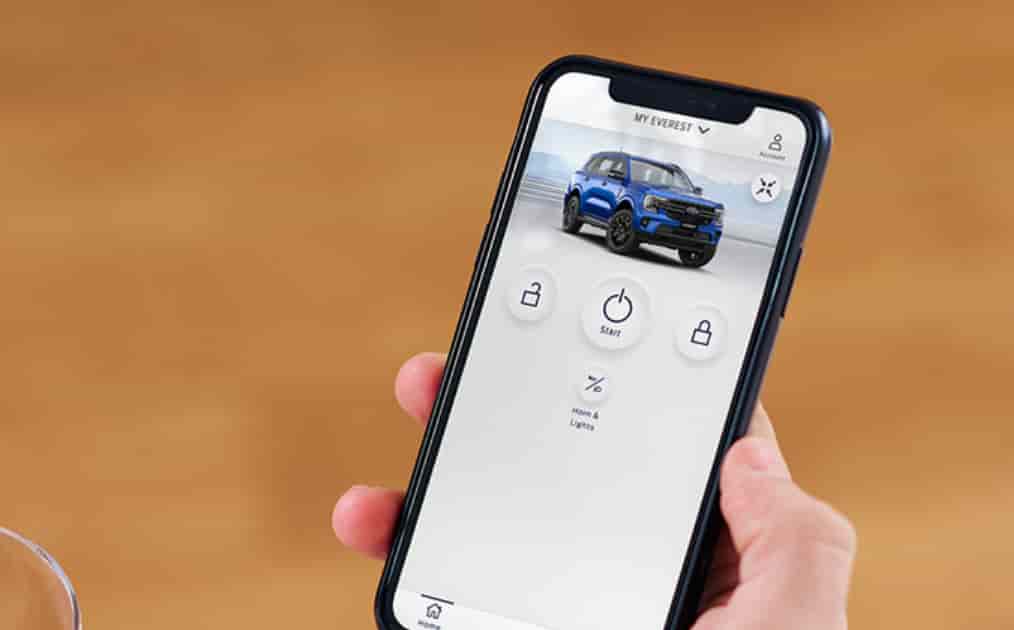
You open the FordPass app and expect to remote start your vehicle or check its status. Instead, you see a frustrating message: “Activation Pending.” This issue happens more often than many Ford owners expect.
The message means your vehicle and the app have not fully connected yet. Because of this, key features may not work. You might not be able to remote start the engine, lock or unlock the doors, or view vehicle data.
This situation creates confusion, especially for new users. Many people wonder what caused the problem. Some think the app is broken. Others worry about their vehicle system. In reality, this issue usually comes from a few common causes.
The good news is that you can fix most cases quickly. You just need the right steps and a clear understanding of how the activation process works.
In this guide, you will learn what FordPass Activation Pending means, why it happens, and how to fix it step by step. By the end, you will know how to restore full connection and use all FordPass features without issues.
Contents
- What Does “FordPass Activation Pending” Mean?
- Why Is FordPass Stuck on Activation Pending?
- How to Fix FordPass Activation Pending
- How Long Does FordPass Activation Take?
- Does FordPass Activation Pending Affect Your Vehicle?
- Common FordPass Errors Related to Activation
- Pro Tips to Avoid FordPass Activation Issues
- Conclusion
What Does “FordPass Activation Pending” Mean?
When you see the “FordPass Activation Pending” status, it means the connection between your vehicle and the FordPass app is not complete. The system is still waiting for final approval or confirmation before it grants full access.
FordPass does not connect instantly. It follows a process that includes several steps. First, you send an activation request from the app. Then, the system sends that request to your vehicle. After that, you must confirm the request inside the vehicle using the infotainment system. Only when you complete this step does the activation finish.
If you skip or miss any part of this process, the status stays on “pending.” This is why many users get stuck. They expect the app to activate automatically, but the system requires manual confirmation.
It is also important to understand that this status is not an error by itself. It is simply a waiting state. The system pauses until it receives the required input from the user or the vehicle.
You may also see other statuses during this process. “Activated” means everything works correctly and all features are available. “Activation Failed” means something went wrong and you need to restart the process.
Understanding this status helps you avoid unnecessary confusion. It also allows you to focus on the exact step that needs attention instead of guessing what went wrong.
Why Is FordPass Stuck on Activation Pending?
FordPass Activation Pending does not come from a single issue. It usually results from a combination of user actions, vehicle conditions, and network factors. Understanding these causes helps you fix the problem faster and avoid repeated errors.
In many cases, the issue starts during the setup process. FordPass requires you to confirm the activation inside your vehicle. If you skip this step, the system cannot complete the connection. Some users send the activation request but never approve it on the vehicle screen. Others log in with the wrong account or switch accounts during setup, which breaks the link between the app and the vehicle.
The vehicle system can also cause delays. If the software is outdated, the activation process may freeze or fail. Sometimes the infotainment system does not respond properly, which prevents the confirmation step from completing. In other cases, the vehicle modem needs more time to initialize, especially in new vehicles or after a reset.
Network conditions also play an important role. A weak internet connection can interrupt communication between the app and the server. In addition, Ford servers may experience delays during peak usage times. These delays can keep your status stuck on pending longer than expected.
By identifying the exact cause, you can apply the right solution instead of guessing and wasting time.
How to Fix FordPass Activation Pending
If your FordPass activation stays on pending, you can resolve it by following a clear process. Most issues do not require technical skills. You just need to complete each step correctly and in order.
Start with the activation inside your vehicle. Open the FordPass app and send the activation request again if needed. Then go to your car, turn on the ignition, and check the infotainment screen. A confirmation message should appear. Accept the request to complete the connection. This step is essential, and many users miss it.
Next, restart the FordPass app on your phone. Close the app completely and open it again. Log out and log back in to refresh your session. This simple action can fix temporary glitches and sync issues.
After that, check your internet connection. Make sure your phone has a stable signal. Switch between mobile data and WiFi if necessary. A weak connection can delay communication between your device and Ford servers.
If the problem continues, remove your vehicle from the app and add it again. This resets the connection and allows you to restart the activation process from the beginning. Follow each step carefully to avoid the same issue.
You should also update both the FordPass app and your vehicle software. Outdated systems often cause compatibility problems. Keeping everything up to date ensures smoother communication.
In some cases, the system needs time to process your request. Waiting for several minutes or even a few hours can resolve the issue, especially during server delays.
If none of these steps work, contact Ford support for further assistance. Provide your vehicle details and account information so they can help you faster.
How Long Does FordPass Activation Take?
FordPass activation usually takes only a few minutes when you follow the correct steps. In most cases, the system completes the process right after you confirm the request inside your vehicle. Once you accept the prompt on the infotainment screen, the app should connect and update almost immediately.
However, the timing can vary depending on several factors. If your internet connection is slow or unstable, the process may take longer. The same delay can happen if the vehicle system needs more time to sync with Ford servers. This often occurs during the first setup or after a system reset.
In some situations, activation may take a few hours. This delay usually comes from server processing time. During peak usage periods, the system may not respond instantly. Although this can feel frustrating, it is still within a normal range.
If your FordPass activation remains pending for more than 24 to 48 hours, you should treat it as an issue that needs attention. At this point, the process is no longer normal. You may need to repeat the setup steps or contact support for further assistance.
Understanding the expected activation time helps you avoid unnecessary stress. It also allows you to decide when to wait and when to take action.
Does FordPass Activation Pending Affect Your Vehicle?
FordPass Activation Pending does not affect how your vehicle runs. Your car will still start, drive, and operate as usual. The core mechanical systems remain completely independent from the app connection.
However, this issue does affect your overall experience. When activation is not complete, you cannot use key remote features in the FordPass app. This includes remote start, lock and unlock, and real time vehicle status updates. For many users, these features are the main reason they use FordPass.
This limitation can feel frustrating, especially in daily situations. For example, you may want to start your car remotely on a hot or cold day, but the app does not respond. You may also want to check fuel level or vehicle location, but the data does not load. These small inconveniences quickly add up.
The problem becomes more noticeable for new car owners. Many expect a seamless smart experience from the start. When the activation gets stuck, it creates doubt about the system, even though the vehicle itself works perfectly.
It is important to understand that this is not a serious technical failure. It is only a connection issue between the app and the vehicle. Once you complete the activation, all features should work normally again.
Common FordPass Errors Related to Activation
FordPass Activation Pending often appears alongside other related issues. These errors usually share the same root causes, such as connection problems, incomplete setup, or system delays. Understanding them helps you troubleshoot more effectively.
One common issue is “Vehicle Not Responding.” This happens when the app cannot communicate with your vehicle. You may try to send a command, but nothing happens. In most cases, this comes from a weak network connection or a failed activation process.
Another frequent problem is “Authorization Failed.” This error appears when the system cannot verify your access to the vehicle. It often occurs if you use the wrong account or skip the in vehicle confirmation step. Without proper authorization, FordPass cannot establish a secure connection.
Some users also experience syncing issues. The app may open normally, but vehicle data does not update. You might see outdated information or no data at all. This usually happens when the activation process is incomplete or when the server connection is unstable.
These errors may look different, but they connect closely to the activation process. If your FordPass shows activation pending, there is a high chance you may encounter one of these issues as well.
By recognizing these related problems, you can quickly trace them back to the root cause and apply the correct fix instead of trying random solutions.
Pro Tips to Avoid FordPass Activation Issues
You can prevent most FordPass activation problems by following a few simple habits. These steps help ensure a smooth connection between your vehicle and the app from the beginning.
Start by completing the activation process immediately after adding your vehicle. Do not delay the in vehicle confirmation step. This is the most important part of the setup. If you skip it, the system will remain stuck on pending.
Always use a stable internet connection during setup. A strong mobile data signal works well, but a reliable WiFi connection can also help. Avoid switching networks while the activation is in progress.
Keep your FordPass app updated to the latest version. Updates often fix bugs and improve connectivity. At the same time, check your vehicle software and infotainment system. Running the latest version reduces compatibility issues.
Make sure you use the correct FordPass account. Avoid logging in on multiple accounts during setup. This can confuse the system and break the authorization process.
Finally, stay patient during activation. Some delays are normal, especially during high server load. Giving the system a bit of time can often resolve the issue without extra steps.
Conclusion
FordPass Activation Pending is a common issue that many users face, especially during the initial setup. While it may seem confusing at first, the problem usually comes from a few clear causes such as missing confirmation steps, connectivity issues, or temporary system delays.
The good news is that you can fix this issue in most cases without professional help. By following the correct activation process and applying the troubleshooting steps in this guide, you can restore full connection between your vehicle and the FordPass app.
It is also important to understand that this issue does not affect how your vehicle operates. It only limits access to remote features that enhance your driving experience. Once the activation completes, everything should work as expected.
If your FordPass activation is still pending after trying all the solutions, do not hesitate to contact support for assistance. In the meantime, you can revisit the steps in this guide to make sure nothing was missed.
Have you experienced this issue before? Share your situation or solution in the comments to help other Ford owners resolve it faster.