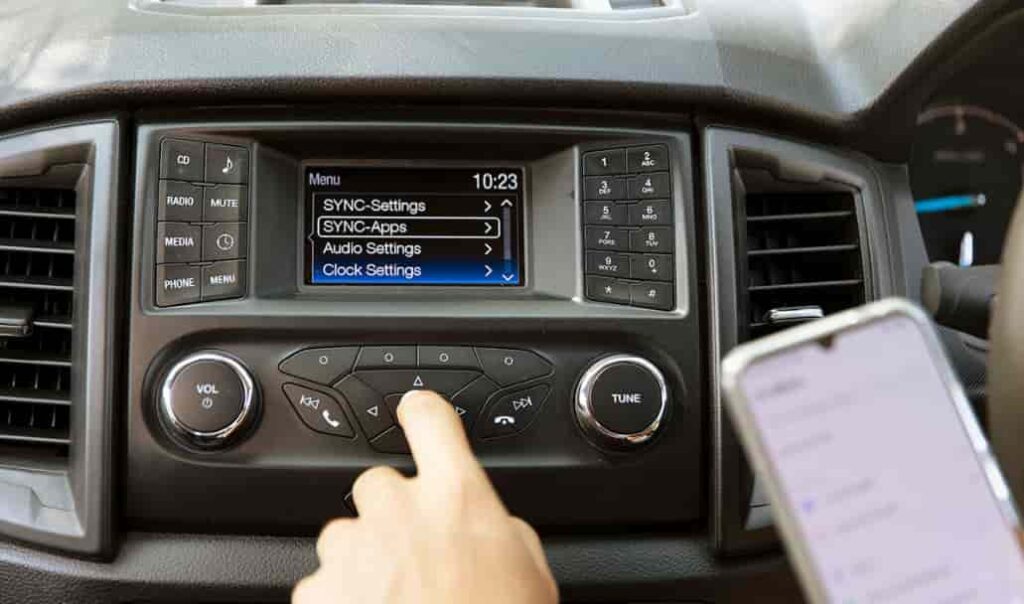
Ford SYNC Problems affect many Ford drivers who expect a smooth and reliable infotainment experience. Ford designed the SYNC system to support hands free calls, navigation, music streaming, and voice control. In daily use, the system often fails to meet those expectations. Many drivers report issues that appear without warning and interrupt normal driving routines.
Common Ford SYNC Problems include Bluetooth connection failures, unresponsive touchscreens, broken voice commands, and sudden system restarts. These problems usually occur during normal use and not only in extreme conditions. A driver may start the car and find that SYNC cannot connect to a phone or respond to voice input. When these issues repeat, frustration grows and trust in the system drops. For drivers who depend on SYNC for safety and convenience, these failures create real stress.
This guide explains Ford SYNC Problems in a direct and practical way. It focuses on the most common issues that drivers face across different Ford models. It also explains why these problems happen and which fixes work in real situations. Whether you drive a Ford F One Fifty, Escape, Explorer, or Focus, this article helps you understand your SYNC system better. By learning the root causes and proven solutions, you can decide when to fix the problem yourself and when to seek professional support.
Contents
What Is Ford SYNC and How It Works
Ford SYNC is an infotainment system that Ford developed to help drivers control communication and entertainment features while driving. The system allows users to make phone calls, send voice commands, stream music, and access navigation through a central screen. Ford introduced SYNC to reduce driver distraction and improve overall safety and convenience inside the vehicle.
The SYNC system works by connecting the vehicle to external devices and internal software modules. It uses Bluetooth to pair with smartphones and USB connections to access media files. Newer versions of SYNC also support Apple CarPlay and Android Auto, which mirror phone apps on the vehicle screen. When the system functions correctly, drivers can control these features through voice input, steering wheel buttons, or the touchscreen.
Different versions of Ford SYNC rely on different software and hardware platforms. Early versions focused on basic voice commands and phone integration. SYNC Three introduced a faster interface, improved touch response, and better smartphone compatibility. SYNC Four added cloud connectivity, over the air updates, and enhanced processing power. Each version depends heavily on stable software, proper updates, and compatible devices. When one part of this process fails, Ford SYNC Problems often appear.
Understanding how SYNC operates helps explain why issues occur so often. The system must communicate with phones, vehicle modules, and external services at the same time. Any conflict between software versions, device compatibility, or system memory can disrupt this communication. As a result, problems such as frozen screens, lost connections, or delayed responses can happen even in newer Ford models.
Common Ford SYNC Problems Drivers Experience
Ford SYNC Problems often appear during normal driving and affect how drivers interact with their vehicles. These issues can happen in both older and newer Ford models. Many drivers experience the same patterns of failure, which makes these problems easy to recognize once you know the symptoms.
One of the most common Ford SYNC Problems involves Bluetooth connections. The system may fail to pair with a smartphone or disconnect during a call. In some cases, SYNC connects at first but loses the connection after a few minutes. This problem prevents hands free calling and audio streaming, which forces drivers to rely on their phones instead.
Screen related issues also affect many Ford SYNC users. The touchscreen may freeze, respond slowly, or turn completely black. When this happens, drivers cannot access navigation, climate controls, or media settings through the screen. A frozen display often requires a restart before the system responds again.
Another frequent issue involves system restarts. Ford SYNC may reboot on its own while the vehicle is in use. These restarts can occur once or repeat several times during a single drive. When the system keeps restarting, drivers lose audio, navigation guidance, and screen control without warning.
Voice command failures also rank among common Ford SYNC Problems. The system may stop recognizing commands or respond with errors. Drivers may speak clearly, yet SYNC fails to understand or execute the request. This issue reduces the value of hands free control and increases driver distraction.
Many drivers also report problems with Apple CarPlay and Android Auto. The system may fail to launch these features or disconnect during use. In some cases, the apps open but stop responding shortly after. These failures limit access to maps, messages, and music apps that drivers rely on daily.
Root Causes Behind Ford SYNC Problems
Ford SYNC Problems do not happen without a reason. In most cases, the system fails because one or more technical factors interfere with normal operation. Understanding these root causes helps drivers choose the right solution instead of guessing or repeating ineffective fixes.
Software bugs represent one of the main causes of Ford SYNC Problems. SYNC relies on complex software to manage Bluetooth, touchscreen input, and vehicle data at the same time. When the software contains errors, the system may freeze, crash, or respond slowly. These bugs often appear after updates that do not install correctly.
Outdated software also causes many SYNC issues. When the system runs an older version, it may not support newer smartphones or apps. This mismatch often leads to connection failures, missing features, or unstable performance. Drivers who skip updates increase the risk of repeated problems.
Bluetooth compatibility plays another major role. Smartphones receive frequent operating system updates, which can change how they connect to external systems. When SYNC cannot adapt to these changes, pairing problems and dropped connections occur. This issue affects both Android and iOS devices.
System memory and cache problems also contribute to SYNC failures. Over time, temporary data builds up and slows system performance. When memory becomes unstable, the screen may freeze or the system may restart without warning. Clearing this data often restores normal behavior.
In some cases, hardware faults cause Ford SYNC Problems. Loose wiring, faulty modules, or failing screens disrupt communication between system components. These issues usually persist even after resets or updates. When hardware causes the problem, software fixes alone do not solve it.
Proven Fixes for Ford SYNC Problems
Many Ford SYNC Problems can be fixed without advanced tools or technical knowledge. The key is to apply the correct solution based on the cause of the issue. Simple steps often restore normal system performance and prevent the same problem from returning.
A soft reset is the first fix drivers should try. This process restarts the SYNC system without erasing saved data. Turning the vehicle off, opening the driver door, and waiting a few minutes can clear temporary glitches. In many cases, Bluetooth and screen issues disappear after this reset.
If problems continue, a master reset may help. This option clears saved devices, settings, and user data. After the reset, the system returns to its default state. Drivers should re pair their phones and adjust settings again. A master reset often resolves repeated connection failures and unresponsive screens.
Updating the SYNC software provides another proven fix. Ford releases updates to improve stability and device compatibility. Drivers should follow official instructions and avoid interrupting the update process. A failed update can create more problems than it solves.
Re pairing Bluetooth devices also improves performance. Removing old devices and pairing only one active phone reduces conflicts. This step helps prevent random disconnections and audio issues during calls or media playback.
In some cases, clearing system cache improves responsiveness. Driving the vehicle without connected devices for a short time allows the system to rebuild stable data. This method helps reduce freezing and restart loops.
When these fixes fail, professional service may be necessary. A dealer can reflash the SYNC module or diagnose hardware faults. Seeking expert help at the right time prevents further damage and saves repair costs in the long run.
Ford SYNC Problems by Model and Model Year
Ford SYNC Problems do not affect all vehicles in the same way. Certain Ford models and model years report higher rates of infotainment issues. These patterns often relate to specific SYNC versions, hardware changes, or early software releases.
Ford F One Fifty models often report SYNC issues related to Bluetooth and screen stability. Trucks from earlier model years with SYNC Three experience freezing displays and slow response times more often. Newer versions improve speed but still show occasional connection problems with smartphones.
Ford Escape drivers commonly report screen blackouts and failed Apple CarPlay connections. These problems appear more frequently in model years that received major software updates shortly after release. In many cases, updating SYNC software reduces these issues.
Ford Explorer models show a higher number of system restart complaints. Drivers report that SYNC restarts during navigation or media use. This issue often links to memory management problems in specific software builds. Resetting the system helps some drivers, while others require dealer updates.
Ford Focus models with older SYNC versions face more compatibility problems with modern smartphones. Bluetooth pairing failures and delayed responses occur often. These vehicles benefit the most from software updates or system resets.
Across all models, early production years of a new SYNC version show more Ford SYNC Problems than later releases. As Ford improves software stability, reported issues usually decrease. Knowing the model and year helps drivers choose the most effective fix and avoid unnecessary repairs.
When Should You Visit a Ford Dealer
Some Ford SYNC Problems require professional support. While many issues respond to basic fixes, certain signs indicate a deeper problem. Knowing when to visit a dealer helps drivers avoid wasted time and repeated failures.
If the SYNC screen remains black after resets and updates, hardware failure may exist. A damaged display or faulty control module can block system operation. In this case, software fixes no longer work.
Repeated system restarts also signal a serious issue. When SYNC reboots during every drive, internal components may fail to communicate correctly. This problem often requires a system reflash or module replacement.
Drivers should also seek dealer support when updates fail repeatedly. An interrupted or corrupted update can lock the system in an unstable state. Dealers use specialized tools to reinstall software safely and restore system integrity.
Audio failures that affect all sources also justify a dealer visit. When radio, Bluetooth, and navigation audio stop working at the same time, the problem often links to wiring or amplifier issues. These faults require physical inspection.
Visiting a Ford dealer becomes the safest choice when SYNC problems affect vehicle safety features. If the system interferes with rear cameras or warning alerts, immediate professional diagnosis is necessary. Addressing these issues early prevents further damage and ensures safe vehicle operation.
Is Ford SYNC Reliable Long Term
Ford SYNC reliability depends on software quality, hardware version, and long term support. When the system works as intended, it offers useful features and smooth integration with modern devices. Over time, however, some limitations become clear.
SYNC Three shows better long term stability than earlier versions. It offers faster response times and broader smartphone compatibility. Many drivers report acceptable performance after regular updates and proper device management. SYNC Four improves connectivity further and supports over the air updates, which reduce manual update errors.
Despite these improvements, Ford SYNC Problems still appear over long term use. Software complexity increases with each version, which raises the risk of bugs. As smartphones evolve, compatibility gaps may also develop. Drivers who ignore updates or connect multiple devices face higher failure rates.
From a practical perspective, Ford SYNC remains reliable for most daily tasks. Problems usually affect convenience rather than core vehicle functions. When drivers maintain the system and apply fixes early, SYNC performance stays stable.
For buyers considering a Ford vehicle, SYNC reliability should not be a deal breaker. Understanding its limits and maintenance needs leads to a better ownership experience. With realistic expectations and basic care, Ford SYNC can serve drivers well over many years.
Conclusion
Ford SYNC Problems affect many drivers, but most of these issues have clear causes and practical solutions. Bluetooth failures, frozen screens, voice command errors, and system restarts often result from software conflicts, outdated versions, or device compatibility issues. Understanding how SYNC works helps drivers respond more effectively when problems appear.
This guide has covered the most common Ford SYNC Problems across different models and model years. It has also explained why these issues happen and which fixes deliver real results. Simple actions such as resets, software updates, and proper device pairing resolve many problems without professional help. When hardware faults or repeated failures occur, dealer support becomes the safest option.
Ford continues to improve SYNC through newer versions and ongoing updates. While no infotainment system remains perfect over time, SYNC can perform reliably when drivers maintain it correctly. Regular updates, limited device connections, and early troubleshooting reduce the risk of long term frustration.
For Ford owners, the key is preparation rather than panic. Knowing the symptoms, causes, and solutions allows you to stay in control of your vehicle technology. By addressing Ford SYNC Problems early, you protect both your driving experience and your confidence behind the wheel.