Have you ever started your car and found your Ford SYNC not working? The system fails to connect. Bluetooth does not respond. The screen freezes or shows errors. This situation frustrates many Ford drivers every day.
You rely on SYNC for calls, music, and navigation. When it stops working, your driving experience drops immediately. Many users panic and think the system is broken. Some even plan to visit a dealer right away.
In reality, most Ford SYNC problems come from simple causes. Software glitches, outdated versions, or phone conflicts often trigger these issues. You can fix many of them without tools or technical skills.
The key is understanding what causes the problem. Once you identify the issue, you can apply the right fix quickly. This saves both time and money.
In this guide, you will learn why Ford SYNC is not working and how to fix it step by step. You will discover practical solutions that work across different Ford models. By the end, you can restore your system and enjoy a smooth driving experience again.
Contents
What Is Ford SYNC and How It Works
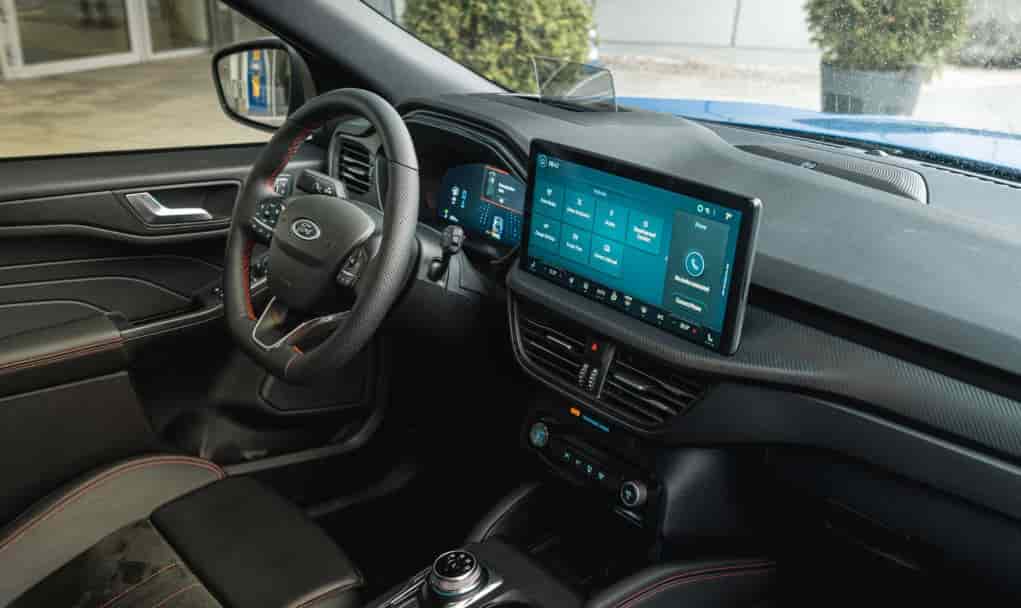
Ford SYNC is an advanced infotainment system developed to improve connectivity inside your vehicle. It allows you to control calls, music, navigation, and apps using voice commands or the touchscreen. This system plays a central role in modern driving because it keeps you connected without distractions.
Ford has released several versions of SYNC over the years. SYNC 1 focuses on basic voice control and Bluetooth features. SYNC 2 introduces a touchscreen interface but often struggles with speed and responsiveness. SYNC 3 improves performance, adds Apple CarPlay and Android Auto, and delivers a smoother user experience. SYNC 4 takes things further with cloud connectivity, faster processing, and enhanced interface design.
The system works by integrating both hardware and software. It connects your smartphone through Bluetooth or USB. It then syncs data such as contacts, media, and apps. Voice recognition allows you to control features without touching the screen. At the same time, the software manages communication between your car and your devices.
When everything runs correctly, Ford SYNC feels seamless and reliable. However, even a small disruption in software, connectivity, or compatibility can cause the system to fail. This is why many users suddenly face the issue of Ford SYNC not working without any clear warning.
Understanding how the system works helps you identify where the problem starts. It also makes troubleshooting faster and more accurate.
Common Signs That Ford SYNC Is Not Working
When Ford SYNC starts to fail, it often shows clear warning signs. Many drivers ignore these signals at first. Over time, the problems become more frequent and more frustrating.
One of the most common issues is Bluetooth not connecting. Your phone cannot pair, or the system fails to recognize it. In some cases, SYNC connects but drops the connection after a short time. This creates constant interruptions during calls or music playback.
Another common sign is a frozen or lagging screen. The display stops responding to touch, or it reacts very slowly. You may also notice that apps take longer to load or fail to open at all. This usually points to software or memory issues.
Voice commands can also stop working properly. SYNC may not understand your commands, or it may not respond at all. This problem often appears when the system struggles with software bugs or microphone input.
Audio problems are also frequent. Music may not play, or the sound may cut in and out. Sometimes the system connects to your phone but does not stream audio. This creates confusion because the connection seems active.
Another sign is random system restarts or crashes. The system may shut down and restart without warning. In some cases, it gets stuck on the Ford logo screen.
These signs show that your Ford SYNC not working is not a single issue. It is often a combination of small problems that affect the system’s performance. Identifying the exact symptom helps you choose the right fix faster.
Main Causes of Ford SYNC Not Working
To fix the issue effectively, you need to understand what causes Ford SYNC not working. Most problems do not come from serious damage. They often start from small system errors that grow over time.
One common cause is outdated software. Ford releases updates to improve performance and fix bugs. If you skip these updates, the system may become unstable. It can lag, freeze, or fail to connect with your phone.
Software bugs also play a major role. Even the latest version of SYNC can contain hidden issues. These bugs may affect Bluetooth, voice commands, or the touchscreen. In many cases, the system behaves unpredictably without a clear reason.
Phone compatibility issues can also trigger problems. Not all smartphones work perfectly with every SYNC version. A recent phone update can break the connection. This often leads to pairing failures or random disconnections.
Bluetooth interference is another hidden cause. Multiple devices connected at the same time can confuse the system. Nearby signals may also disrupt the connection. As a result, SYNC may fail to detect or maintain a stable link.
System overload can reduce performance. Over time, cached data and stored devices build up inside the system. This slows down processing and increases the risk of crashes or freezing.
In some cases, hardware issues may be the cause. A faulty USB port, damaged wiring, or a weak battery can affect SYNC performance. These problems are less common but more serious.
Each of these causes can lead to Ford SYNC not working in different ways. When you understand the root cause, you can choose the right solution instead of guessing.
Quick Fixes for Ford SYNC Not Working
If your Ford SYNC not working, you do not need to panic. Most issues can be fixed with simple steps. Start with the basic solutions before moving to advanced ones.
Restart the SYNC System
A quick restart can solve many temporary glitches. The system may freeze or stop responding due to memory errors.
Turn off your vehicle completely. Open the door and wait for the system to shut down. After a few minutes, restart the car.
This method clears minor bugs and restores normal function. It works best when the screen freezes or the system feels slow.
Perform a Master Reset
A master reset returns the system to its original settings. This helps when errors keep coming back.
Go to Settings on your SYNC screen. Select General, then choose Master Reset. Confirm the action and wait for the system to restart.
This process removes saved devices and settings. You will need to reconnect your phone afterward. Use this fix when the system behaves unpredictably.
Reconnect Your Bluetooth Device
Bluetooth issues are one of the main reasons for Ford SYNC not working. A fresh connection often solves the problem.
Delete your phone from the SYNC device list. Then remove SYNC from your phone’s Bluetooth settings. Restart both your phone and the car system.
After that, pair the devices again from scratch. This helps eliminate hidden connection conflicts.
Update the SYNC Software
Outdated software often causes bugs and compatibility issues. Updating the system improves performance and stability.
Visit the official Ford website and check for the latest SYNC update. Follow the instructions to install it using USB or WiFi.
After the update, restart the system. Many users notice better speed and fewer connection problems.
Check Phone Compatibility
Not all phones work perfectly with every SYNC version. A recent phone update can break compatibility.
Check if your device supports your SYNC version. You can find this information on Ford’s official support page.
If problems start after a phone update, try using another device. This helps confirm whether the issue comes from your phone.
Clear System Cache and Old Devices
Over time, the system stores too much data. This slows down performance and causes errors.
Remove old paired devices that you no longer use. Limit the number of connected phones.
If your system allows it, clear temporary data. This helps the system run faster and more smoothly.
Disconnect and Reconnect the Car Battery
This is a more advanced reset. It cuts power completely and forces the system to reboot.
Turn off the car and disconnect the battery for about 10 to 15 minutes. Then reconnect it and start the vehicle.
This method can fix deeper system issues. Use it only if other solutions do not work.
These fixes address most cases of Ford SYNC not working. Start with simple steps and move gradually to advanced solutions. This approach saves time and reduces risk.
How to Reset Ford SYNC
Resetting the system is one of the most effective ways to fix Ford SYNC not working. Many issues come from temporary glitches, corrupted data, or system overload. A proper reset can restore normal performance without the need for professional repair.
There are several reset methods you can apply depending on the severity of the problem. A soft reset works best for minor issues such as screen lag, slow response, or temporary freezing. You can perform this by holding the Power button and the Seek Forward button at the same time until the system restarts. This method keeps your data intact and is safe to use regularly.
If the problem continues, a master reset provides a deeper solution. This option removes all saved devices, settings, and cached data. You can access it through the Settings menu under General, then select Master Reset. After the process completes, you will need to reconnect your phone and reconfigure the system.
For more serious cases, you can reset the system by disconnecting the car battery. This forces a complete reboot and clears deeper system errors. Turn off the engine, disconnect the battery for several minutes, then reconnect it and restart the vehicle.
Each reset method plays an important role in fixing Ford SYNC not working. Start with simple solutions and move to more advanced steps only when necessary.
Ford SYNC Not Working After Update
Many drivers notice Ford SYNC not working right after a software update. The system may freeze, lose Bluetooth connection, or respond slowly. This situation often creates confusion because the update is supposed to improve performance.
One common cause is incomplete installation. If the update process gets interrupted, the system may not load all required files. This leads to errors and unstable behavior. Another cause is software conflict. New updates may not work well with existing data or older device settings.
Cached data from the previous version can also create problems. The system may try to use old configurations that no longer match the new software. As a result, features like Bluetooth or voice commands may stop working.
To fix this issue, start with a system restart. This helps the system reload properly after the update. If the problem continues, perform a master reset to clear old data and restore default settings. This step often resolves most post update errors.
You should also check if your phone reconnects correctly. Delete old pairings and connect your device again. In some cases, installing the update one more time can fix missing or corrupted files.
Ford SYNC not working after an update does not always mean a serious problem. With the right steps, you can restore the system quickly and avoid unnecessary repair costs.
When to Seek Professional Help
In most cases, you can fix Ford SYNC not working with simple steps at home. However, some situations require professional support. Ignoring serious issues can make the problem worse and increase repair costs.
If the system stays frozen even after multiple resets, the issue may come from hardware failure. A damaged screen, faulty module, or internal wiring problem can prevent SYNC from working properly. These issues need proper tools and diagnosis.
You should also seek help if the system keeps restarting or fails to boot. When SYNC gets stuck on the logo screen or does not turn on at all, it often indicates deeper system damage.
Another warning sign is complete loss of connectivity. If Bluetooth, USB, and voice commands all stop working at the same time, the system may have a central control issue. This is not something you can fix with basic troubleshooting.
In these cases, visiting a certified Ford technician is the safest choice. They can run diagnostics and identify the exact cause. While this may involve a cost, it ensures a correct and long term solution.
Conclusion
Ford SYNC not working can disrupt your driving experience and create daily frustration. From Bluetooth failures to frozen screens, these issues often appear without warning. However, most problems come from software glitches, outdated systems, or simple connectivity conflicts.
By understanding the causes and applying the right fixes, you can solve many of these issues on your own. Simple actions like restarting the system, updating software, or performing a reset can restore normal performance quickly.
For more complex problems, knowing when to seek professional help can save time and prevent further damage. The key is to take action early instead of ignoring the warning signs.
If your Ford SYNC not working, start with the solutions in this guide and follow the steps carefully. In most cases, you can bring your system back to life without expensive repairs.
Have you experienced any SYNC issues before? Share your situation and solution to help other drivers find the right fix faster.