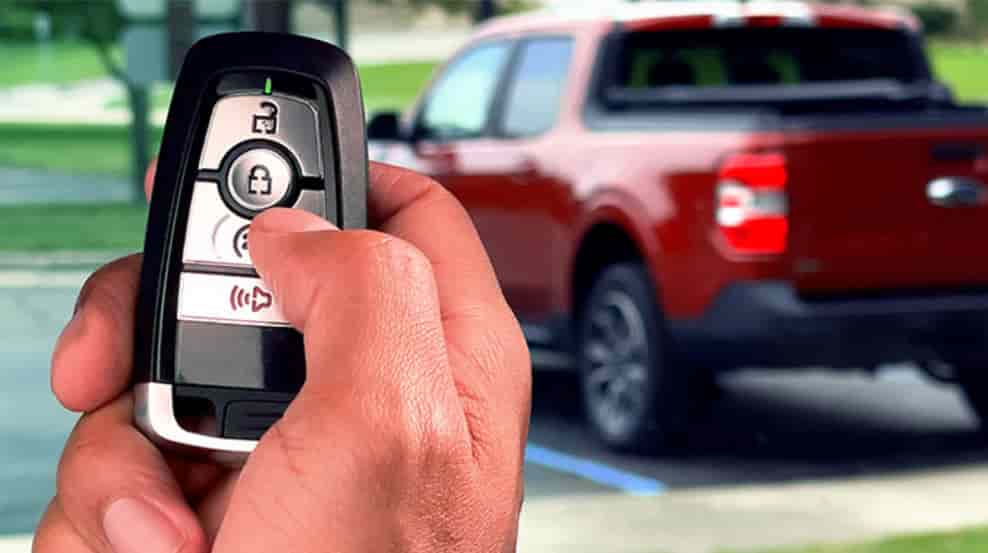
Have you ever stepped outside in extreme weather and realized you cannot start your Ford remotely because there is no button on your key fob? This situation frustrates many drivers, especially when they expect quick comfort and convenience.
Remote start is one of the most useful features in modern Ford vehicles. It allows you to warm up or cool down your car before you even get inside. However, many people assume they cannot use this feature without a physical button. That assumption often leads to unnecessary stress and confusion.
The good news is simple. You can still use Ford remote start without button in several effective ways. You just need to understand how your vehicle system works and what tools are available to you.
This guide focuses on real solutions. It helps you deal with common problems such as a lost key fob, a broken remote, or a vehicle that does not include a remote start button. You will learn practical methods that you can apply right away.
By the end of this guide, you will know how to start your Ford without relying on a key fob. More importantly, you will feel confident using smarter and more flexible options every day.
Contents
- What Is Ford Remote Start and How Does It Work?
- Can You Use Ford Remote Start Without a Button?
- Use FordPass App to Remote Start Without Button
- Use Keyless Entry and Push Start as an Alternative
- Install Aftermarket Remote Start System
- Common Problems and Fixes
- Which Ford Models Support Remote Start Without Button?
- Ford Remote Start vs Key Fob vs App
- Conclusion
What Is Ford Remote Start and How Does It Work?
Ford remote start is a system that allows you to start your vehicle engine from a distance. You do not need to sit inside the car to activate it. This feature improves comfort and saves time, especially in extreme weather conditions.
Ford integrates remote start into many modern vehicles through factory installed systems. These systems connect with your key fob or mobile app. In newer models, the system also links with connected services that allow remote control through your smartphone.
The system works based on a set of safety conditions. Your car must remain locked before the engine starts. The system also checks fuel level, battery status, and warning indicators. If any critical issue appears, the vehicle will block the remote start function to protect the engine and driver.
Many drivers confuse remote start with push start. These two features are not the same. Push start allows you to start the engine inside the car without inserting a key. Remote start allows you to start the engine while you are still outside the vehicle.
Ford designs this system to balance convenience and safety. The engine will run for a limited time, and it will shut off automatically if no one enters the vehicle. This prevents unnecessary fuel use and reduces security risks.
Understanding how this system works is important. It helps you identify why your remote start may not work and what alternatives you can use when there is no button available.
Can You Use Ford Remote Start Without a Button?
Yes, you can use Ford remote start without button, but the answer depends on your vehicle and its available technology. Not every Ford model supports this feature in the same way, so you need to understand what your car can actually do.
Many modern Ford vehicles include connected services that allow remote access through your smartphone. If your car supports these features, you do not need a physical button on the key fob at all. You can control the engine start using a mobile app or a digital system linked to your vehicle.
However, older models often do not include this technology. In those cases, you may need to install an additional system to enable remote start without a button. This is where aftermarket solutions become useful.
It is also important to clear up a common misunderstanding. Remote start is not the same as keyless push start. A push start system only works when you are inside the vehicle. It does not allow you to start the engine from a distance. Many drivers confuse these features and expect the same function.
Another factor to consider is compatibility. Even within the same brand, different trims and model years offer different features. Some vehicles support mobile remote start, while others require extra hardware or upgrades.
In short, the ability to use Ford remote start without button is real, but it depends on your setup. Once you identify your vehicle’s capabilities, you can choose the best method to start your car without relying on a traditional key fob.
Use FordPass App to Remote Start Without Button
One of the easiest and most effective ways to use Ford remote start without button is through the FordPass app. This solution works well for most modern Ford vehicles that support connected services.
FordPass allows you to control your vehicle directly from your smartphone. You can start the engine, lock or unlock doors, and even check vehicle status without using a key fob. This makes it a perfect solution if your remote is lost, damaged, or does not include a start button.
To use this feature, your vehicle must support FordPass Connect. You also need an active internet connection on your phone and a registered account linked to your car.
The setup process is simple and does not require technical knowledge. First, download the FordPass app from your app store. Next, create an account and add your vehicle using the VIN number. After that, follow the on screen instructions to activate remote access.
Once everything is set up, starting your car becomes very easy. Open the app, select your vehicle, and tap the start button. The engine will begin running within seconds. You can even activate climate settings to make the cabin comfortable before you enter.
This method solves one of the biggest pain points for drivers. You no longer need to rely on a physical key fob. As long as you have your phone, you stay in control.
Another advantage is range. Unlike traditional remotes, FordPass works from virtually anywhere. You can start your car from inside your home, office, or even a different city.
However, there are a few limitations. The system depends on internet connectivity, so it may not work well in areas with weak signals. Some older Ford models also do not support this feature without upgrades.
Despite these limitations, FordPass remains the most convenient and modern way to use Ford remote start without button. It combines flexibility, ease of use, and real world practicality in a way that traditional systems cannot match.
Use Keyless Entry and Push Start as an Alternative
If your vehicle does not support mobile apps, you can still rely on keyless entry and push start as a practical alternative. This method does not replace remote start completely, but it helps you start the engine without using a traditional key or button.
Many Ford vehicles come with a keyless entry system. This system detects the key fob when you are close to the car. You only need to pull the door handle to unlock the vehicle. Once inside, you can press the push start button to start the engine immediately.
This approach works well when your key fob does not have a remote start button but still functions normally. You do not need to press any remote controls from a distance. Instead, you rely on proximity and direct interaction with the vehicle.
The main advantage of this method is simplicity. You do not need an internet connection or additional setup. The system works automatically as long as your key fob is nearby and the battery is still active.
However, this method has clear limitations. You must be physically close to the car, so it does not offer true remote start functionality. You cannot start the engine from inside your home or office. This means you lose the ability to preheat or cool the cabin in advance.
Another limitation involves convenience. If your goal is to start the car from a distance, this method may not meet your expectations. It works best as a backup solution when other options are not available.
Even with these drawbacks, keyless entry and push start still provide a reliable way to start your Ford without a traditional button. It ensures that you are never completely stuck, even when remote features are limited.
Install Aftermarket Remote Start System
If your vehicle does not support built in remote start, installing an aftermarket system is one of the most effective ways to use Ford remote start without button. This solution works especially well for older Ford models or basic trims that lack modern features.
Aftermarket remote start systems add new functionality to your vehicle. Many of these systems allow you to start your car using a smartphone or a separate remote device. Some advanced options even integrate with apps, giving you a similar experience to newer Ford models.
You can choose between different types of systems depending on your needs. Some offer long range remotes, while others focus on mobile control through apps. Smartphone based systems are becoming more popular because they remove the need for an extra physical remote.
The biggest advantage of this method is flexibility. You can upgrade your car without replacing it. This helps you solve the common pain point of owning a vehicle that lacks modern convenience features.
However, installation requires careful consideration. Most systems need professional installation to ensure proper wiring and compatibility. A poor installation can cause issues with your vehicle’s electronics or security system.
Cost is another factor to think about. You will need to pay for both the device and the installation service. Prices vary depending on the brand and features you choose.
Compatibility also plays an important role. Not all systems work perfectly with every Ford model. You should always check compatibility before making a purchase.
Despite these challenges, aftermarket systems offer a powerful solution. They allow you to fully experience Ford remote start without button, even if your vehicle did not include this feature from the factory.
Common Problems and Fixes
Even when your vehicle supports remote start, you may still face issues when trying to use Ford remote start without button. These problems often frustrate drivers, especially when they need the feature the most.
One common issue is the system not responding at all. This usually happens when the car does not meet safety conditions. Make sure all doors are locked properly. Check that the hood is fully closed and the fuel level is not too low. The system will block remote start if it detects any risk.
Another frequent problem involves the mobile app. If you use FordPass, connection errors can prevent the engine from starting. This often happens due to weak internet signals or outdated app versions. You can fix this by updating the app, restarting your phone, or reconnecting your vehicle.
Battery issues also play a major role. A weak car battery or key fob battery can stop the system from working. Even if you do not use a physical button, the vehicle still relies on stable power to activate remote start.
Some drivers also face problems due to system restrictions. Ford vehicles include built in safety rules that limit remote start in certain situations. For example, the engine may not start if there is a warning light on the dashboard. This protects the engine from potential damage.
If none of these fixes work, resetting the system can help. You can lock the car, wait a few minutes, and try again. In more serious cases, you may need to visit a technician to check for software or hardware issues.
Understanding these problems helps you avoid unnecessary stress. Instead of guessing what went wrong, you can quickly identify the issue and apply the right solution.
Which Ford Models Support Remote Start Without Button?
Not every Ford vehicle supports remote start without a button, and this often confuses many drivers. The availability of this feature depends on the model year, trim level, and whether the vehicle includes connected technology.
Most newer Ford models come equipped with built in connectivity that allows remote access through mobile apps. Vehicles produced in recent years often support the FordPass system, which enables remote start without using a physical key fob.
Popular models that commonly support this feature include the Ford F 150, Ford Escape, Ford Explorer, and Ford Edge. However, even within these models, not every trim offers the same capabilities. Higher trims usually include advanced features, while base versions may lack remote start or require upgrades.
Older Ford vehicles often do not support remote start without additional hardware. In these cases, drivers need to install aftermarket systems to gain similar functionality. This creates a clear gap between older and newer models in terms of convenience and technology.
Another important factor is regional availability. Some features may vary depending on the market or software configuration. This means a vehicle sold in one country may support mobile remote start, while the same model in another region may not.
To check if your vehicle supports this feature, you can look at your owner manual, check inside your infotainment system, or try connecting your car to the FordPass app. If the remote start option appears, your vehicle is compatible.
Understanding your vehicle’s capabilities helps you choose the right solution. It also prevents you from wasting time on methods that may not work for your specific model.
Ford Remote Start vs Key Fob vs App
When exploring Ford remote start without button, understanding the differences between each method helps you choose the most practical solution. Each option offers a unique balance of convenience, range, and reliability depending on your needs.
The traditional key fob remains a familiar choice for many drivers. It allows you to start your car from a short distance with a simple press. This method works well in daily use, but it depends entirely on having a working remote. If the key fob is lost or the battery fails, you lose access to remote start immediately.
A more advanced option is using a mobile app such as FordPass. This approach allows you to start your vehicle from almost anywhere using your smartphone. It removes the need for a physical button and adds useful features like vehicle status and climate control. Many drivers prefer this method because it offers flexibility and control. However, it requires internet access and a compatible vehicle.
Keyless entry with push start provides a simple alternative. It lets you start the engine without inserting a key, but only when you are inside the car. This means it cannot replace true remote start functionality.
Aftermarket systems offer another solution, especially for older vehicles. They can add remote start features and even support smartphone control. While they require installation and extra cost, they help bridge the gap between older and newer Ford models.
Conclusion
Using Ford remote start without button is not only possible, but also easier than most drivers expect once you understand the available options. Whether you rely on a mobile app, use keyless entry as a backup, or install an aftermarket system, you still have full control over how your vehicle starts.
The key is to match the right solution with your specific situation. Newer Ford models offer seamless integration through apps like FordPass, giving you the ability to start your car from almost anywhere. Older vehicles may require upgrades, but they can still achieve similar convenience with the right system.
Many drivers feel frustrated when their key fob is missing or does not include a remote start button. This guide shows that you are not limited by that problem. You have multiple practical ways to solve it without replacing your vehicle or dealing with unnecessary stress.
In the end, convenience comes from understanding your car and using the tools available to you. Once you apply the right method, you can enjoy a smoother and more comfortable driving experience every day.
Now it is your turn. Which method works best for your Ford? Share your experience or questions so you can get the most out of your vehicle.