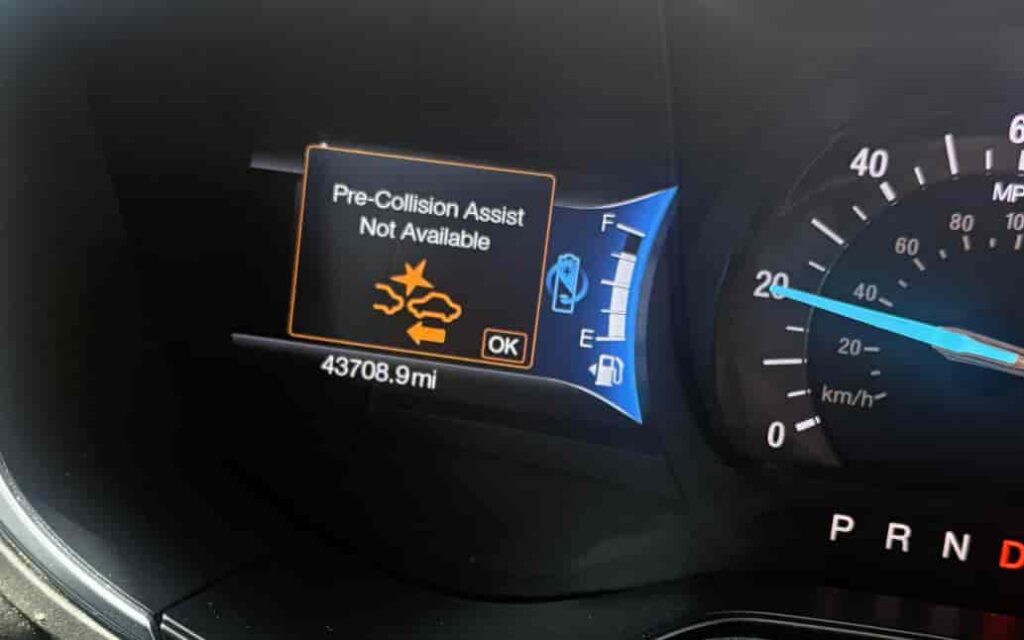
Seeing the warning Ford Pre-Collision Assist Not Available can frustrate and worry any driver. This system helps prevent collisions by alerting you to obstacles and applying the brakes automatically when needed. When it stops working, it can reduce your confidence on the road and raise safety concerns. Understanding why this message appears and how to fix it quickly is essential for every Ford owner.
Most of the time, minor issues trigger this warning. Dirty sensors, temporary software glitches, or harsh weather can block the system. Fixing these problems quickly often restores full functionality without expensive repairs. Taking action early saves time, reduces stress, and keeps your vehicle’s safety features ready when you need them most.
This guide shows practical steps to solve the Ford Pre-Collision Assist Not Available warning. You will learn how to check sensors, update software, and identify problems before they escalate. Following these strategies allows you to restore your vehicle’s safety features efficiently. Implementing them also prevents the warning from returning, ensuring your Ford continues to protect you reliably.
Contents
Check Your Sensors
The first step to fix the Ford Pre-Collision Assist Not Available warning is to inspect your vehicle’s sensors. Dirt, dust, snow, or ice can block the radar and camera sensors located at the front of your car. When these sensors are obstructed, the system cannot detect obstacles properly and displays the warning. Make sure to clean the sensors gently with a soft cloth and avoid harsh chemicals that could damage them.
Check the sensors regularly, especially after driving in bad weather or on dusty roads. Even minor debris can prevent the system from functioning correctly. If you notice scratches or cracks on the sensor covers, these may also trigger the warning and require professional inspection. Cleaning alone often resolves the issue, but physical damage will need repair at a Ford service center.
After cleaning, restart your vehicle to see if the warning disappears. Many drivers find that simply maintaining clean sensors prevents the Ford Pre-Collision Assist Not Available message from appearing repeatedly. Regular checks also help maintain the system’s accuracy and reliability.
By taking the time to inspect and clean your sensors, you address the most common cause of the warning quickly and safely. This step saves you from unnecessary stress and ensures your vehicle continues to provide the safety benefits you rely on every day. Proper sensor care is a simple habit that keeps your Ford’s advanced driver-assist features working at their best.
Restart Your Vehicle or ECU
If cleaning the sensors does not resolve the Ford Pre-Collision Assist Not Available warning, the next step is to restart your vehicle or reset the ECU. Sometimes, the system experiences a temporary software glitch that prevents it from functioning properly. Restarting the car can reset the system and clear minor errors.
To restart, turn off the engine and wait at least 30 seconds before turning it back on. This brief pause allows the vehicle’s computer systems to reset fully. In some models, a full ECU reset may be necessary. The ECU controls the sensors and warning systems, and resetting it can often resolve persistent errors. You can perform a simple ECU reset by disconnecting the battery for a few minutes, then reconnecting it. Make sure to follow your owner’s manual instructions to avoid affecting other systems.
After restarting, monitor your dashboard to see if the warning disappears. Many drivers find that this step alone fixes the issue and restores the Pre-Collision Assist system’s functionality. Restarting or resetting the ECU is a safe, effective, and low-cost solution that prevents unnecessary trips to the dealership.
Regularly performing a system restart can also help maintain optimal performance of your vehicle’s driver-assist features. Combining this step with sensor checks ensures that your Ford remains reliable, and the Ford Pre-Collision Assist Not Available warning appears only when there is a genuine problem that requires professional attention.
Update Ford SYNC or System Software
If restarting your vehicle or ECU does not remove the Ford Pre-Collision Assist Not Available warning, the next step is to check for software updates. Ford frequently releases updates for the SYNC system and other vehicle software that improve performance and fix known issues. Outdated software can cause the system to malfunction or display warnings incorrectly.
Start by connecting your vehicle to a Wi-Fi network if your model supports it, or visit the Ford owner website to check for available updates. Follow the instructions carefully to download and install the latest software. Installing updates often resolves glitches and ensures that all sensors, cameras, and warning systems work in harmony.
Updating your vehicle software is a straightforward solution that saves time and prevents unnecessary diagnostic visits. Many drivers find that the Ford Pre-Collision Assist Not Available warning disappears immediately after completing the update. Keeping your system up to date also ensures you benefit from the latest safety improvements and enhancements.
In addition to fixing the warning, regular software maintenance can prevent future issues and improve the overall reliability of your driver-assist features. Combining software updates with routine sensor checks and occasional system restarts keeps your Ford performing at its best and minimizes interruptions caused by warnings or errors. This proactive approach helps maintain peace of mind and ensures your vehicle continues to protect you effectively.
Inspect for Physical Damage
If cleaning sensors and updating software do not fix the Ford Pre-Collision Assist Not Available warning, it is important to inspect your vehicle for physical damage. The radar and camera sensors at the front of your Ford are sensitive components. Any cracks, scratches, or impacts can interfere with their operation and trigger the warning.
Start by visually examining the sensors for obvious signs of damage. Look for dents, misalignment, or debris lodged in hard-to-see areas. Even small cracks in the sensor cover can prevent the system from detecting obstacles correctly. If you notice any damage, avoid attempting DIY repairs that could worsen the problem. Instead, schedule an inspection at a certified Ford service center.
Repairing damaged sensors promptly ensures that your Pre-Collision Assist system functions reliably. Ignoring physical damage can lead to repeated warnings and compromise your vehicle’s safety. Many drivers find that replacing a damaged sensor resolves the warning immediately and restores full system performance.
Regularly checking for physical damage, especially after minor collisions or road debris impacts, is a simple habit that helps prevent future issues. Combining this step with sensor cleaning, software updates, and system restarts ensures that your Ford Pre-Collision Assist system operates effectively and provides the safety support you rely on every day.
Visit Ford Dealership if Issue Persists
If the Ford Pre-Collision Assist Not Available warning still appears after checking sensors, restarting the system, updating software, and inspecting for damage, it is time to visit a Ford dealership. Professional technicians have specialized tools to diagnose and repair issues that cannot be fixed at home. They can test the radar, camera, and ECU to identify the exact cause of the warning.
At the dealership, technicians may recalibrate sensors, replace damaged components, or perform advanced software updates. These services ensure that your Pre-Collision Assist system works accurately and reliably. Attempting complicated repairs on your own could cause further problems or void warranties, so professional support is often the safest choice.
Visiting a dealership also allows you to get an estimate of repair costs upfront. While some fixes, like sensor cleaning or simple resets, may be inexpensive, replacing sensors or recalibrating systems can involve higher costs. Knowing this information in advance helps you plan and avoid unexpected expenses.
Regular maintenance at a certified Ford service center can prevent future occurrences of the warning and maintain your vehicle’s safety features in optimal condition. Taking action promptly ensures that your Ford Pre-Collision Assist system continues to protect you and other drivers on the road, giving you peace of mind every time you drive.
Conclusion
Dealing with the Ford Pre-Collision Assist Not Available warning can feel stressful, but most cases have straightforward solutions. Start by checking your sensors for dirt, debris, or ice. Keeping them clean ensures the system can detect obstacles accurately. If the warning persists, restart your vehicle or reset the ECU to clear temporary software glitches.
Updating your Ford SYNC or system software often resolves errors caused by outdated programming. Inspecting for physical damage is essential, as cracks, scratches, or impacts can prevent the sensors from working properly. If these steps do not fix the warning, visiting a certified Ford dealership ensures that professional technicians can diagnose and repair any remaining issues safely.
By following these steps, you can restore your vehicle’s Pre-Collision Assist system and maintain its full safety features. Regular maintenance and quick attention to warnings prevent repeated messages and keep your Ford operating reliably. Taking proactive measures gives you confidence on the road and peace of mind knowing that your safety systems are functioning correctly. Share your experience with these steps or ask questions to ensure others can benefit from these solutions and keep their Ford vehicles safe and reliable.