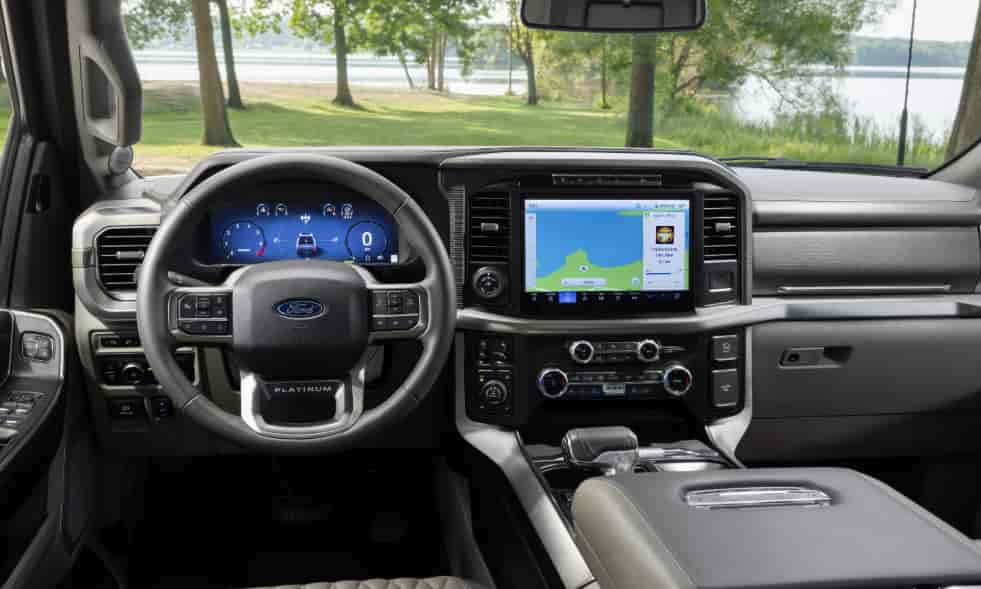
If your Ford F150 display screen is not working, it can make driving frustrating and inconvenient. The touchscreen controls navigation, audio, climate, and vehicle settings, so a failure affects both convenience and safety. Many Ford owners experience this problem at some point. Understanding the possible causes and solutions can save time and stress.
This guide walks you through everything you need to fix and troubleshoot a Ford F150 display screen not working. We explain the most common reasons the screen stops responding and provide step-by-step troubleshooting methods you can try at home. You will also learn how to recognize when professional help is necessary.
Additionally, we share practical tips to maintain your display and prevent future issues. By following this guide, you can address temporary glitches or hardware concerns effectively. You will gain the knowledge to restore your F150’s display and keep it working reliably. Whether the problem is minor or serious, this guide ensures you have the right steps to solve it quickly.
Contents
Ford F150 Display Screen Not Working? Common Causes You Need to Know
Several factors can cause a Ford F150 display screen not working. One common reason is a software glitch. The SYNC system may freeze or crash after updates or due to temporary errors, preventing the screen from responding. Sometimes, simply restarting the vehicle or performing a system reset can solve this type of issue quickly.
Hardware problems also play a significant role. Loose cables or connectors behind the dashboard can interrupt the connection to the touchscreen. A blown fuse may cut power to the display, making it unresponsive. These issues often require inspection under the hood or behind the dashboard panels.
Another possible cause involves the vehicle’s firmware. Outdated or corrupted software can lead to screen malfunctions. Regular updates from Ford are essential to keep the system running smoothly. Failing to install updates may increase the likelihood of encountering display issues.
Environmental factors can also affect screen performance. Excessive heat, moisture, or exposure to direct sunlight may temporarily interfere with the touchscreen’s responsiveness. While these problems are often minor, repeated exposure can reduce the lifespan of the display.
Understanding these causes helps you determine whether you can fix the problem at home or need professional assistance. Addressing software glitches early often prevents more serious hardware damage, while recognizing signs of electrical or physical issues ensures the display continues to function reliably. By knowing what causes a Ford F150 display screen not working, you can take the right steps to restore full functionality.
Step-by-Step Troubleshooting Guide for Ford F150 Display Screen Not Working
If your Ford F150 display screen is not working, following a systematic troubleshooting process can save time and prevent unnecessary repairs. Start by checking the simplest solutions first. Restart the vehicle and the SYNC system. Often, a temporary software glitch causes the screen to freeze, and a quick reboot restores normal functionality.
If restarting does not work, perform a system reset. Access the SYNC settings and choose the factory reset option. This can resolve many software-related issues without requiring professional help. Make sure to back up any saved data, such as navigation destinations or personal settings, before resetting.
Next, inspect the vehicle’s electrical connections. Check the dashboard for loose cables or connectors that might disrupt the display. A blown fuse is another common reason for a screen not responding. Locate the fuse box and verify that the display-related fuses are intact. Replacing a blown fuse often restores power to the screen immediately.
Updating the firmware is another critical step. Ford regularly releases updates for the SYNC system to fix bugs and improve performance. Connect your vehicle to Wi-Fi or a computer and follow the instructions from Ford to install the latest version. Outdated software can lead to repeated glitches and unresponsiveness.
Finally, consider environmental factors. Extreme heat or moisture can temporarily affect touchscreen performance. Avoid parking in direct sunlight for extended periods and ensure the interior remains dry. While these factors may not permanently damage the screen, consistent exposure can reduce the display’s responsiveness over time.
By following these steps, you can address most issues causing a Ford F150 display screen not working. Start with simple software fixes, inspect hardware and electrical connections, update the system, and take precautions against environmental damage. This approach allows you to restore functionality safely and efficiently.
When to Seek Professional Help for Ford F150 Display Screen Not Working
While many issues with a Ford F150 display screen not working can be fixed at home, some problems require professional attention. If the screen remains unresponsive after restarting, resetting, and checking fuses, it may indicate a deeper hardware or electrical issue. Attempting to repair these problems without experience can cause further damage.
Electrical faults such as wiring damage or complex dashboard connection issues often need specialized tools and knowledge. Certified Ford technicians have the expertise to diagnose and repair these faults safely. Additionally, if your SYNC system shows repeated software crashes even after updating the firmware, professional diagnostics can identify hidden issues that a simple reset cannot fix.
Replacing the display screen entirely is another situation where professional help is essential. After certain accidents or prolonged hardware malfunctions, the touchscreen may be physically damaged. A trained technician can ensure that the replacement is installed correctly and that all system settings are restored.
Consider professional help if you notice unusual sounds, flickering screens, or intermittent display failures. These signs often indicate electrical or component problems beyond DIY troubleshooting. While dealership repairs may cost more than at-home fixes, they ensure reliability and protect your vehicle’s warranty.
Understanding when to seek professional assistance helps prevent further complications and ensures the Ford F150 display screen not working is resolved effectively. Taking timely action allows you to maintain safety, restore convenience, and enjoy the full functionality of your vehicle’s advanced features.
Maintenance Tips to Prevent Ford F150 Display Screen Not Working
Proper maintenance can help prevent a Ford F150 display screen not working in the future. One of the simplest steps is keeping the screen clean. Dust, fingerprints, and debris can interfere with touchscreen responsiveness. Use a soft, lint-free cloth and avoid harsh chemicals to clean the display regularly.
Regular software updates are also essential. Ford frequently releases firmware updates for the SYNC system to fix bugs and improve performance. Installing these updates as soon as they become available reduces the risk of glitches and ensures the touchscreen runs smoothly.
Protecting the display from extreme environmental conditions can extend its lifespan. Avoid exposing the screen to direct sunlight for long periods, and keep the vehicle interior dry to prevent moisture-related issues. High heat and humidity can temporarily affect responsiveness and may lead to long-term damage.
Handle the screen gently and avoid pressing it with excessive force. Frequent or hard tapping can wear out the touchscreen over time. Using the vehicle’s controls and voice commands when possible reduces strain on the display and enhances overall durability.
Finally, schedule periodic inspections of the electrical system. Checking fuses, connections, and cables can help detect potential problems before they cause the screen to stop working. Preventive maintenance ensures your Ford F150 display remains reliable and functional.
By following these tips, you can significantly reduce the likelihood of experiencing a Ford F150 display screen not working. A combination of cleanliness, timely updates, environmental care, gentle handling, and regular inspections keeps the touchscreen operating at its best for years to come.
Conclusion
Experiencing a Ford F150 display screen not working can be frustrating, but understanding the causes and solutions makes it manageable. Most problems stem from software glitches, hardware issues, outdated firmware, or environmental factors. Following a systematic troubleshooting approach allows you to address these issues efficiently and determine when professional help is necessary.
Regular maintenance is key to preventing future problems. Keeping the screen clean, updating the SYNC system, avoiding extreme heat or moisture, handling the touchscreen gently, and inspecting electrical connections can significantly reduce the risk of malfunctions. By taking these steps, you maintain both the functionality and longevity of your F150 display.
Whether the issue is a temporary software error or a more serious hardware concern, knowing how to diagnose and respond ensures that your vehicle’s display remains reliable. Taking prompt action saves time, prevents further damage, and restores the convenience and safety features that the touchscreen provides. Following this guide equips you with the knowledge and tools to fix a Ford F150 display screen not working and maintain optimal performance for years to come.