Is your F150 remote start not working? You are not alone. Many F150 owners face this issue, especially during cold mornings or when they are in a hurry. A working remote start saves time, warms the cabin, and adds convenience, but when it stops functioning, it can create frustration and disrupt your daily routine. There are several common reasons why your remote start may fail, from key fob problems to sensor issues. Knowing these causes can help you identify the problem quickly and avoid unnecessary trips to the dealership.
The good news is that most of these problems have simple solutions you can try yourself. In this guide, we will cover seven easy fixes that can get your F150 remote start working again. Each fix is explained step by step, making it easy to follow whether you are a new F150 owner or have owned your truck for years. By following these tips, you can troubleshoot efficiently, save money on repairs, and enjoy the convenience of your remote start once more. Understanding the key steps and taking action early ensures that your F150 remote start stays reliable and ready whenever you need it.
Contents
Check Your Key Fob Battery
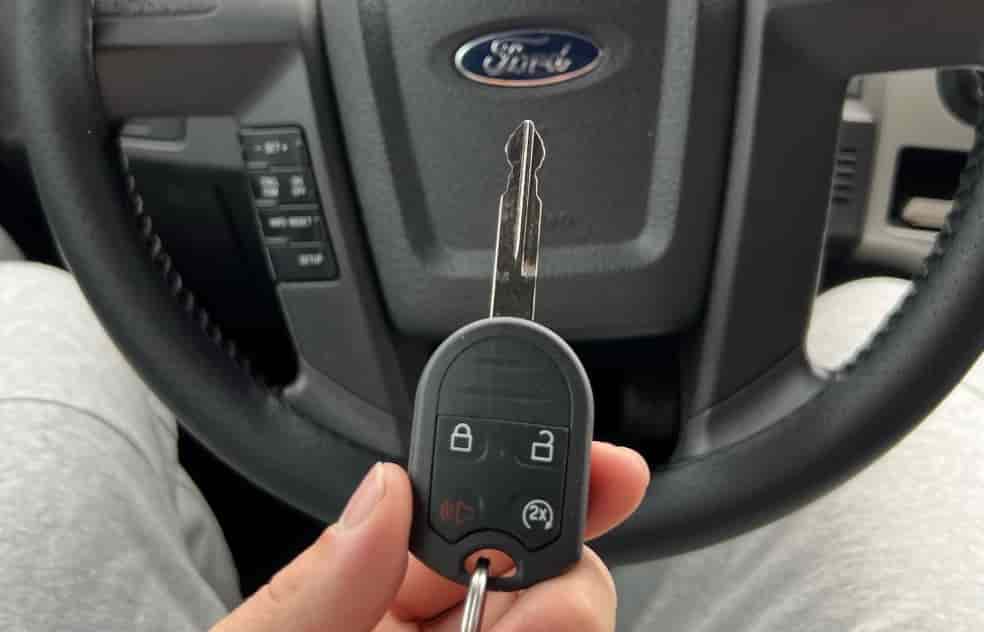
The most common reason your F150 remote start is not working is a dead or weak key fob battery. The key fob sends the signal to your truck, and if the battery is low, the signal may not reach the vehicle. To check the battery, remove the key fob cover and take out the battery carefully. Inspect it for corrosion or leakage, which can also interfere with performance. If the battery is weak or damaged, replace it with a new one of the exact same type. After replacing the battery, test the remote start to see if it works immediately.
Even if the battery seems fine, sometimes the key fob needs to be reset. Remove the battery for a few minutes and then reinsert it. Press the lock and unlock buttons a few times to reestablish the connection. Make sure to stay within the recommended distance from your F150, usually within twenty feet, as being too far can prevent the remote start from activating. A fresh battery and a proper reset usually resolve most remote start problems related to the key fob. Keeping a spare battery at home is a good idea so you can replace it quickly if needed. This simple step can save you a trip to the dealership and get your F150 remote start working reliably again.
Ensure Your Vehicle is in Park
Another common reason your F150 remote start is not working is that the vehicle is not in Park. Remote start systems are designed to operate only when the truck is in Park for safety reasons. If your truck is in any other gear, the system will automatically prevent the engine from starting. To check this, make sure your F150 is completely in Park and the parking brake is engaged.
Some F150 models have sensors that may misread the gear position, especially in older trucks or vehicles that have experienced wear and tear. If the remote start still does not work even when the truck is in Park, try shifting into Neutral and then back to Park to reset the sensor. You can also turn the ignition on and off to refresh the system. These steps often resolve minor sensor glitches. Always double-check that all doors and the hood are fully closed, as this can also block the remote start from activating. Ensuring the truck is properly in Park is a simple yet effective step to troubleshoot why your F150 remote start is not working and helps prevent unnecessary stress or trips to the dealership.
Verify Doors, Hood, and Trunk Are Closed
Your F150 remote start may not work if any door, the hood, or the trunk is open. The system prevents the engine from starting when sensors detect an open entry point. Check every door, the hood, and the trunk carefully. Make sure nothing blocks the latches and that each one closes completely.
Dirt, debris, or extreme weather can affect the sensors. Wipe the latch areas with a dry cloth. Close each door firmly to engage the sensors and send the correct signals to the remote start system.
If the remote start still does not activate, open and close each door while pressing the lock button on your key fob. This action usually resets the sensors and restores normal function. Also, confirm the truck is in Park and that the parking brake is on, as the system will not start otherwise.
Checking that all doors, the hood, and the trunk are fully closed prevents frustration and wasted attempts. Following this fix saves trips to the dealership and allows you to use your F150 remote start reliably. Inspect and clean the sensors regularly to keep the system ready. These simple steps ensure your remote start works whenever you need it and maintains the convenience you expect from your F150.
Inspect the Remote Start System Fuse
A blown fuse is a common reason your F150 remote start is not working. The fuse protects the remote start circuit from electrical damage. If it fails, the system cannot operate. Locate the fuse box in your truck, usually under the dashboard or in the engine compartment. Check the owner’s manual to find the exact fuse for the remote start system.
Remove the fuse carefully and inspect it. If the metal strip inside is broken, replace it with a new fuse of the same amperage. Using the wrong type can cause further damage. After replacing the fuse, test the remote start to ensure it works properly.
Even if the fuse appears intact, gently remove and reinsert it to confirm a solid connection. Sometimes a loose or partially seated fuse can prevent the system from functioning. Make sure the truck ignition is off while you perform this check to avoid electrical hazards.
Regularly inspecting the remote start fuse can prevent unexpected failures and save you trips to the dealership. Replacing or reseating the fuse is a simple and quick fix that restores the system’s reliability. By taking this step, you ensure that your F150 remote start works consistently, giving you the convenience and peace of mind you expect from your vehicle.
Reprogram or Reset Your Key Fob
If your F150 remote start is not working even after replacing the key fob battery, the problem may be with the key fob itself. Sometimes the key fob loses its connection to the truck and needs to be reprogrammed. Start by removing the battery for a few minutes. Reinsert the battery and press the lock and unlock buttons several times to reestablish communication.
If this step does not work, follow your owner’s manual to perform a full reprogramming procedure. Most F150 models allow you to reprogram the key fob using a series of ignition and button sequences. Make sure you follow the instructions exactly to avoid locking the key fob or causing further issues. Staying within the recommended distance from your truck during this process also ensures a successful reprogram.
After reprogramming, test the remote start to confirm it works. Keep a spare key fob or battery at home for emergencies. Reprogramming your key fob can often resolve connection issues that prevent the remote start from functioning. This fix allows you to regain the convenience of starting your truck remotely without unnecessary frustration. Regularly checking and maintaining your key fob ensures that your F150 remote start remains reliable and ready whenever you need it.
Check for Software or Firmware Updates
Sometimes your F150 remote start is not working due to outdated software or firmware. The truck’s electronic control unit (ECU) manages the remote start system. If the software is old or has glitches, the system may fail to respond. Check for available updates through your owner’s manual, the FordPass app, or by visiting a dealership.
Start by connecting your truck to a Wi-Fi network if supported. The FordPass app can notify you of updates and allow remote installation in some models. Follow the instructions carefully to avoid interruptions during the update. If your model does not support app updates, schedule a quick visit to your dealership. Technicians can update the ECU and other related systems, restoring full remote start functionality.
After updating, test the remote start to ensure it works properly. Keeping your truck software up to date prevents future issues and improves system reliability. Some updates also enhance safety and add new features, which may improve overall convenience. By checking and applying updates regularly, you reduce the chances of encountering unexpected failures. This step helps your F150 remote start stay reliable and ensures you enjoy the full benefits of your vehicle’s technology without interruptions.
Call a Professional if All Else Fails
If your F150 remote start is not working after trying all previous fixes, it is time to call a professional. Some problems require specialized tools and knowledge to diagnose. A trained technician can inspect the remote start system, check wiring, sensors, the ECU, and other components that may prevent proper operation.
Start by contacting your local dealership or a certified auto repair shop experienced with F150 trucks. Explain the steps you have already tried, including checking the key fob, fuses, doors, and software updates. Providing this information helps the technician diagnose the issue faster and may reduce labor costs.
If your truck is still under warranty, the dealership may cover the repair. Even out of warranty, professional service ensures that the remote start system works reliably and prevents damage from improper DIY attempts. Scheduling a professional inspection can save you time, prevent frustration, and restore the convenience of your remote start. Always choose a reputable service provider and confirm pricing before authorizing repairs.
By calling a professional when necessary, you ensure your F150 remote start works correctly and consistently. This step is the last resort but guarantees a safe and efficient solution to persistent problems. Investing in professional help maintains your truck’s reliability and allows you to enjoy the full benefits of remote start without ongoing issues.
Conclusion
If your F150 remote start is not working, following these seven fixes can help you troubleshoot and resolve most issues quickly. Start with the simple steps, such as checking your key fob battery, ensuring the truck is in Park, and verifying that all doors, the hood, and the trunk are closed. Inspecting the fuse, reprogramming the key fob, and checking for software updates can address more technical problems.
Remember that some issues may require professional assistance. Calling a certified technician or visiting a dealership ensures that the system works reliably and prevents further complications. By taking action early and maintaining your remote start system, you can avoid frustration, save time, and enjoy the full convenience of starting your F150 remotely whenever you need it.
Regular maintenance, such as keeping sensors clean, replacing batteries, and updating software, keeps your F150 remote start functional for years. Applying these tips allows you to maximize the efficiency and reliability of your truck’s remote start system. Try these fixes today and regain the comfort, convenience, and peace of mind that a working remote start provides. Your F150 deserves reliable performance, and with the right steps, your remote start can operate smoothly every time.