Have you ever turned on your AC and felt warm air instead of cool relief? Many Chevy Sonic drivers face this issue, especially during hot days. It makes every drive uncomfortable and frustrating.
In most cases, the problem comes from low refrigerant. That is why a proper Chevy Sonic AC recharge becomes necessary. You do not always need a mechanic. You can fix this issue yourself if you follow the right steps.
Many guides online feel confusing or too technical. Some even skip important safety details. This can lead to costly mistakes or damage to your AC system. You need a guide that is clear, simple, and reliable.
In this Chevy Sonic AC recharge guide, you will learn everything step by step. We will cover how the system works, how to spot warning signs, and how to recharge refrigerant safely at home. You will also learn how to avoid common mistakes that many beginners make.
If your Chevy Sonic AC is not cold and you want a simple solution that saves money, this guide will help you take control with confidence.
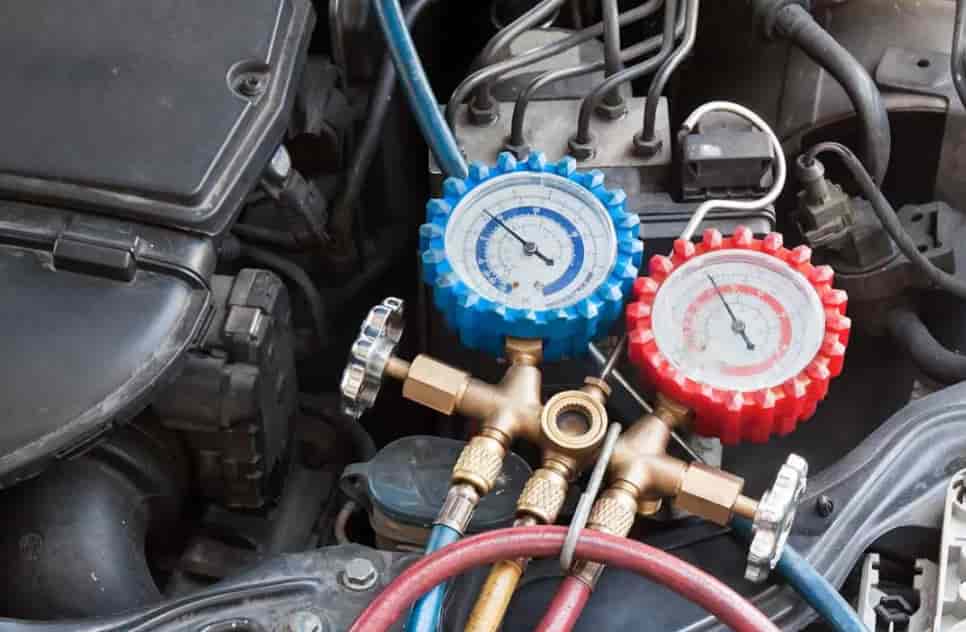
Chevy Sonic AC System Overview
To recharge your AC correctly, you need to understand how the system works. This helps you avoid mistakes and diagnose problems faster.
The AC system in a Chevy Sonic uses several key components that work together in a closed loop. Each part plays an important role in cooling the air inside your car.
The compressor acts as the heart of the system. It pressurizes the refrigerant and moves it through the system. When the compressor runs, it keeps the cooling cycle active.
Next, the condenser removes heat from the refrigerant. It turns hot gas into a cooler liquid. This step allows the system to release heat outside the car.
The evaporator sits inside the cabin. It absorbs heat from the air and produces the cool airflow you feel. This is the final step that creates comfort during driving.
The refrigerant, often R134a in most Chevy Sonic models, flows through all these components. It changes between gas and liquid states to transfer heat efficiently.
When the refrigerant level drops, the system cannot absorb enough heat. As a result, the AC blows warm or weak air. This is why a Chevy Sonic AC recharge becomes necessary.
Understanding this process gives you an advantage. You will know what to check before adding refrigerant. You will also reduce the risk of overcharging or misdiagnosing the issue.
Signs Your Chevy Sonic Needs an AC Recharge
Your AC system often gives clear warning signs before it stops working completely. If you notice these signs early, you can fix the issue faster and avoid bigger problems.
The most common sign is weak or warm airflow. You turn on the AC, but the air does not feel cold. This usually means the refrigerant level has dropped below the optimal range.
Another sign is slow cooling. The AC still works, but it takes much longer to cool the cabin. This often happens when the system struggles to circulate enough refrigerant.
You may also hear unusual noises when the AC runs. A clicking or rattling sound can indicate that the compressor is under stress. Low refrigerant levels often cause this issue.
In some cases, you might notice visible leaks. Refrigerant leaks often leave behind oily residue near hoses or connections. This is a strong signal that your system needs attention before a recharge.
Fuel efficiency can also drop when the AC system does not work properly. The compressor has to work harder, which increases engine load and fuel consumption.
Ignoring these signs can lead to bigger repairs. A simple Chevy Sonic AC recharge can solve the problem early. If you wait too long, you may need to replace expensive components like the compressor.
Pay attention to these symptoms. They help you decide when to recharge and when to inspect the system more carefully.
Tools and Materials for Chevy Sonic AC Recharge
Before you start, you need the right tools. Using proper equipment helps you work safely and avoid costly mistakes.
The most important item is an AC recharge kit. Choose a kit designed for R134a refrigerant, which most Chevy Sonic models use. Many kits include a hose and a pressure gauge. This makes the process easier and more accurate.
A pressure gauge is very important. It shows the current pressure inside the system. Without it, you cannot know how much refrigerant to add. This increases the risk of overcharging.
You also need safety gloves and protective glasses. Refrigerant can cause skin irritation or eye injury if handled incorrectly. Always protect yourself before connecting the system.
Make sure you have a clean working area. Good lighting helps you find the low pressure port quickly. It also reduces the chance of connecting to the wrong port.
If possible, choose a recharge kit with clear instructions. Some products include color coded gauges. These help beginners understand safe pressure levels.
Do not use unknown or low quality refrigerant. Poor quality products can damage your AC system over time. Always check compatibility before buying.
With the right tools, the Chevy Sonic AC recharge process becomes simple and safe. Preparation is the key to getting good results.
Chevy Sonic AC Recharge Step by Step Guide
Now you are ready to perform the Chevy Sonic AC recharge. Follow each step carefully to get the best result and avoid damage.
First, locate the low pressure port. You can usually find it on the larger AC line under the hood. It often has a black or blue cap marked with an “L”. Do not connect to the high pressure port.
Next, turn on the engine. Set the AC to maximum cooling and the fan to the highest speed. This allows the system to run at full capacity during the recharge.
Take your recharge kit and connect the hose to the low pressure port. Push it down firmly until it clicks into place. Make sure the connection is secure before moving on.
Check the pressure using the gauge. This tells you the current state of the system. If the pressure is low, you can begin adding refrigerant.
Hold the refrigerant can upright. Slowly squeeze the trigger to release refrigerant into the system. Do this in short bursts instead of one continuous flow.
Watch the pressure gauge closely. Stop adding refrigerant when the reading reaches the recommended range. Most kits show a green zone for safe levels.
Let the system run for a few minutes. This helps the refrigerant circulate properly. Then check the air from the vents. It should feel noticeably colder.
Disconnect the hose carefully. Replace the cap on the low pressure port to keep the system sealed.
Avoid overcharging at all costs. Too much refrigerant can damage the compressor and reduce cooling performance. Always rely on the gauge, not guesswork.
By following these steps, you can complete a Chevy Sonic AC recharge safely at home. The process is simple when you stay patient and precise.
Common Mistakes to Avoid During Chevy Sonic AC Recharge
Many people make simple mistakes during an AC recharge. These errors can reduce cooling performance or damage the system. If you avoid them, you will save time and money.
The most common mistake is overcharging the system. Many beginners think adding more refrigerant will make the AC colder. In reality, too much refrigerant increases pressure and reduces efficiency. It can also damage the compressor.
Another mistake is using the wrong type of refrigerant. Most Chevy Sonic models use R134a, but some newer systems may differ. Always check your vehicle specifications before you start.
Some people skip checking for leaks. This leads to a temporary fix. The AC may work for a short time, then lose cooling again. If refrigerant leaks exist, you must fix them before recharging.
Connecting to the wrong port is also a serious issue. The high pressure port looks similar but operates differently. If you connect to it by mistake, you risk injury or system damage.
Many users ignore the pressure gauge. They add refrigerant without monitoring the system. This increases the chance of overcharging and poor results.
Another common problem is rushing the process. Adding refrigerant too quickly prevents proper circulation. Always work slowly and allow the system to stabilize.
Avoid these mistakes to get the best outcome. A careful Chevy Sonic AC recharge will keep your system efficient and long lasting.
Chevy Sonic AC Recharge Cost: DIY vs Professional Service
Cost is one of the biggest concerns for most drivers. Many people hesitate because they fear expensive repairs. The good news is that a Chevy Sonic AC recharge is often affordable, especially if you do it yourself.
If you choose the DIY method, the cost usually ranges from 30 to 80 dollars. This includes an AC recharge kit with refrigerant and a pressure gauge. You only need to buy it once and can use it again later. This makes DIY a very cost effective option.
However, DIY requires basic knowledge and careful handling. If you make a mistake, you may cause more damage. This can lead to higher repair costs in the future.
If you go to a mechanic, the cost is higher. Most repair shops charge between 100 and 250 dollars for a full AC recharge service. The price depends on labor, refrigerant type, and system condition.
The advantage of professional service is safety and accuracy. Technicians can check for leaks, measure pressure precisely, and ensure the system works correctly. This reduces the risk of hidden issues.
Choosing between DIY and a mechanic depends on your situation. If your system only has low refrigerant, DIY can save money. If you suspect leaks or component failure, a professional service is the safer choice.
Understanding these options helps you make a smarter decision. You can balance cost, risk, and convenience based on your needs.
Why Your Chevy Sonic AC Is Still Not Cold After Recharge
Sometimes, you complete a Chevy Sonic AC recharge but the air still feels warm. This situation can be frustrating. It often means the problem goes beyond low refrigerant.
One common cause is a refrigerant leak. The system may lose gas quickly after you refill it. In this case, the AC will not stay cold for long. You need to find and fix the leak before recharging again.
The compressor may also fail. This component drives the entire AC system. If it does not work properly, the refrigerant cannot circulate. As a result, the air stays warm even after a recharge.
A blocked condenser can also reduce cooling performance. Dirt, debris, or damage can stop heat from leaving the system. This makes the AC less effective, especially in hot weather.
Faulty sensors or electrical issues can create similar problems. The system may not activate correctly or may shut down too early. These issues often require proper diagnosis.
Low airflow inside the cabin is another possible reason. A dirty cabin air filter can restrict airflow. Even if the AC works, the cooling effect will feel weak.
If your AC still does not cool after a recharge, do not keep adding refrigerant. This can make the problem worse. Instead, inspect the system or visit a professional for a full check.
Understanding these causes helps you avoid wasted time and money. A Chevy Sonic AC recharge works best when the system is in good condition.
Conclusion
A properly working AC system makes every drive more comfortable, especially in hot weather. When your system starts blowing warm air, a Chevy Sonic AC recharge can often solve the problem quickly and effectively.
In this guide, you have learned how the AC system works, how to spot early warning signs, and how to recharge refrigerant step by step. You also understand the tools you need, the common mistakes to avoid, and the real cost difference between DIY and professional service.
The key is to stay careful and follow the correct process. Always monitor pressure, use the right refrigerant, and avoid overcharging. These small details make a big difference in performance and system lifespan.
If your AC still does not work after a recharge, you now know what to check next. This helps you avoid wasting money and focus on the real issue.
A Chevy Sonic AC recharge is not just about fixing a problem. It gives you more control over your vehicle and helps you save on maintenance costs over time.
Have you tried recharging your Chevy Sonic AC yourself? Share your experience or questions in the comments. Your insights may help other drivers facing the same issue.