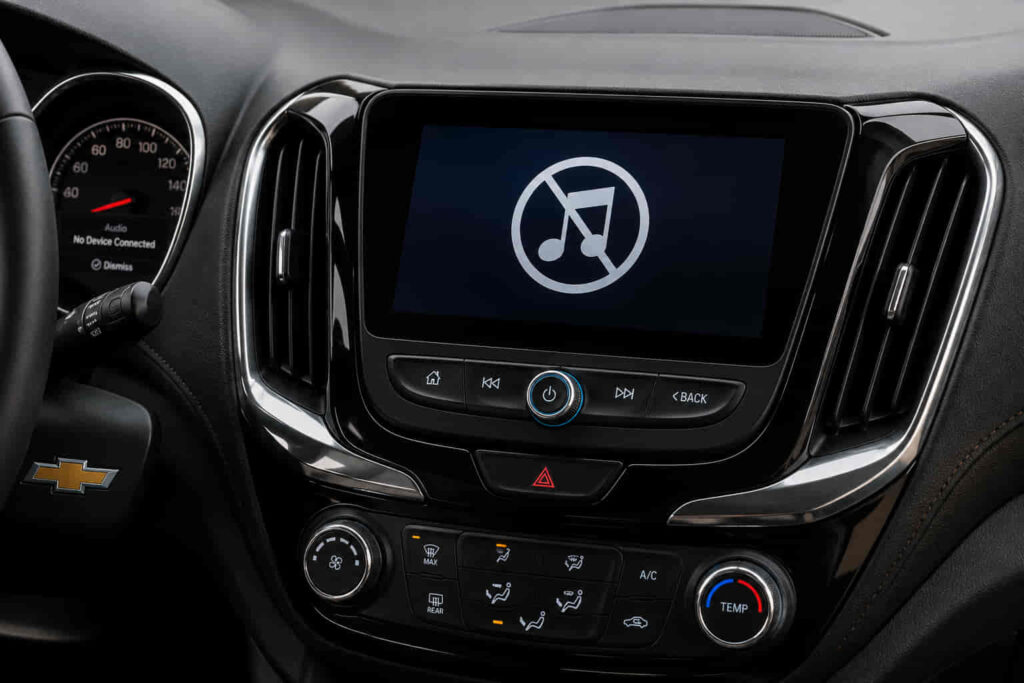
A Chevrolet that suddenly stops playing music does not always indicate a major hardware failure. In most cases, the problem originates from an incorrect audio source, a Bluetooth communication error, an Apple CarPlay or Android Auto connection issue, a frozen infotainment system, or outdated software. Less commonly, damaged speakers, a blown fuse, or a faulty amplifier can interrupt audio playback across every media source.
Because Chevrolet infotainment systems integrate multiple audio inputs, including Bluetooth, USB, radio, smartphone projection, and built-in media applications, identifying the exact cause requires more than simply increasing the volume or reconnecting a phone. The same symptom—no music playing—can result from completely different failures depending on whether radio audio still works, navigation prompts remain audible, or every sound in the vehicle disappears.
This guide explains the ten most common reasons a Chevrolet is not playing music and shows how to diagnose each issue logically before replacing parts or scheduling dealership service. By understanding how the infotainment system processes audio signals from different sources, you can eliminate simple configuration mistakes, restore normal playback faster, and determine when the problem is likely caused by software, electrical components, or hardware that requires professional repair.
Why Is My Chevrolet Not Playing Music?
A Chevrolet that is not playing music usually has a problem with the infotainment system, the selected audio source, the connection between the vehicle and the media device, or the audio hardware itself. Although every situation produces the same symptom—no music coming from the speakers—the underlying cause is rarely the same. Determining whether the issue affects Bluetooth audio, Apple CarPlay, Android Auto, USB playback, radio, or every audio source is the first step toward an accurate diagnosis because each component follows a different signal path inside the Chevrolet infotainment system.
Modern Chevrolet vehicles rely on an integrated infotainment platform rather than a standalone radio. Systems such as Chevrolet MyLink and Infotainment 3 continuously communicate with smartphones, USB devices, navigation software, voice assistants, steering wheel controls, amplifiers, and speaker modules. When one component fails to exchange data correctly, the infotainment unit may still appear to function normally while preventing music from reaching the speakers. For example, the touchscreen may respond to every command and display the currently playing song, yet the vehicle remains completely silent because the audio output has been redirected, muted, or interrupted by a software process running in the background.
The type of audio source that fails provides valuable diagnostic information. If FM or AM radio continues to play normally while Spotify, Apple Music, or YouTube Music remains silent, the fault usually originates from Bluetooth communication, Apple CarPlay, Android Auto, or the smartphone’s media output settings instead of the vehicle’s speakers. Conversely, when every sound disappears—including radio broadcasts, navigation prompts, turn-by-turn guidance, parking sensors, and system notifications—the problem is more likely related to the infotainment software, amplifier, fuse, electrical circuit, or speaker system.
Software has become one of the most common causes of Chevrolet audio issues because today’s infotainment systems operate much like a tablet computer. Every software update introduces new compatibility improvements for mobile devices, but it can also create temporary bugs, interrupted background services, or corrupted cached data. An incomplete update, unexpected system freeze, or communication error between the infotainment module and a connected smartphone may stop media playback without displaying any warning message. In many cases, restarting the infotainment system or reconnecting the mobile device restores normal audio immediately because it rebuilds the communication session between both devices.
Hardware failures become more likely after configuration and software problems have been eliminated. A damaged amplifier, blown audio fuse, loose wiring harness, deteriorated speaker, or unstable battery voltage can interrupt audio distribution throughout the vehicle. Unlike software-related issues, hardware faults often produce additional symptoms such as distorted sound, intermittent audio, crackling speakers, or complete silence across every media source regardless of which device is connected. These symptoms indicate that the infotainment system is successfully processing media data but cannot deliver the audio signal to the speaker network.
Understanding these different failure categories prevents unnecessary repairs and significantly shortens the troubleshooting process. Instead of assuming that every Chevrolet experiencing silent audio has a defective infotainment system, identifying whether the issue originates from the media source, wireless connection, operating software, electrical components, or physical hardware creates a logical diagnostic path. Once the affected component is identified, the correct solution becomes much easier to apply, whether that involves reconnecting a smartphone, resetting the infotainment system, installing a software update, replacing a damaged USB cable, or inspecting the vehicle’s audio hardware.
What Are the 10 Most Common Reasons a Chevrolet Is Not Playing Music?
Most Chevrolet audio problems can be traced to ten recurring causes that affect either the media source, the infotainment software, or the vehicle’s audio hardware. Although these causes produce similar symptoms, each interrupts a different stage of the audio playback process. Some prevent the infotainment system from receiving music from an external device, while others block the processed audio signal before it reaches the speakers. Understanding how each failure occurs makes troubleshooting faster and helps avoid replacing parts that are still functioning correctly.
The most common cause is selecting the wrong audio source. Chevrolet infotainment systems support multiple inputs, including AM/FM radio, SiriusXM, Bluetooth Audio, Apple CarPlay, Android Auto, USB devices, and built-in media applications. If the system remains on Radio while the phone streams music through Bluetooth, or if the media source switches automatically after reconnecting a smartphone, the infotainment display may appear connected without actually receiving audio from the intended device. This situation frequently occurs after software updates, battery disconnections, or pairing a new phone.
Bluetooth communication errors represent another leading cause of music playback failure. A smartphone can successfully pair with the vehicle while only enabling hands-free calling instead of media streaming. In this scenario, phone calls work normally, contact synchronization completes successfully, but Spotify, Apple Music, or other streaming applications remain silent because the Bluetooth media profile is disabled or interrupted. Re-establishing the Bluetooth pairing often restores the Advanced Audio Distribution Profile (A2DP) responsible for wireless music playback.
Apple CarPlay and Android Auto introduce another layer of communication that can interrupt audio even when Bluetooth functions correctly. Because these platforms route media through USB or wireless projection instead of traditional Bluetooth streaming, compatibility issues between the smartphone operating system and Chevrolet’s infotainment software may prevent music from playing. The display may continue showing album artwork, track progress, and navigation while no sound reaches the speakers. Restarting both devices or reconnecting CarPlay or Android Auto usually rebuilds the audio session and resolves temporary synchronization errors.
Another frequent cause involves the smartphone itself rather than the vehicle. Media output can be redirected to wireless earbuds, another paired Bluetooth device, or an inactive playback destination without the driver noticing. Some music applications also pause automatically after incoming calls, voice assistant activation, or switching between different apps. As a result, the Chevrolet infotainment system remains connected correctly but never receives an active audio stream from the mobile device.
What Are the 10 Most Common Reasons a Chevrolet Is Not Playing Music?
Another common reason is an unsupported or corrupted USB device. Chevrolet infotainment systems are designed to recognize specific file systems, storage capacities, and audio formats. If a USB drive contains corrupted files, unsupported codecs, or a damaged partition, the system may detect the device without being able to decode the audio content. Drivers often notice that the USB icon appears on the display while songs never begin playing or remain stuck on a loading screen. Reformatting the storage device or testing another USB drive helps determine whether the problem originates from the media itself rather than the vehicle.
Infotainment software freezes are equally common, especially after prolonged vehicle operation or repeated smartphone connections. Like any operating system, Chevrolet MyLink and Infotainment 3 continuously manage multiple background processes, including navigation, Bluetooth communication, voice recognition, media indexing, and smartphone projection. When one of these processes stops responding, the interface may still react to touch inputs while audio playback silently fails. This explains why drivers sometimes see the progress bar moving normally even though no sound is produced. Restarting the infotainment system clears temporary memory conflicts and reloads the audio services responsible for media playback.
Incorrect audio settings can also interrupt music without indicating a system failure. Chevrolet infotainment systems remember individual audio profiles for different users, connected phones, and input sources. During software updates, battery replacement, or profile synchronization, media volume may reset to zero, audio output may become muted, or balance and fade settings may shift entirely toward one side of the vehicle. Because these adjustments occur at the software level, many drivers mistakenly assume that the speakers have failed when the system is simply directing sound to an unintended output configuration.
Software updates occasionally introduce compatibility issues that affect music playback. Chevrolet periodically releases infotainment updates to improve stability, smartphone compatibility, cybersecurity, and system performance. However, interrupted installations, corrupted update files, or temporary firmware bugs can disable media functions immediately after an upgrade. A vehicle may recognize Bluetooth devices, display song information, and respond to playback controls while producing no audible sound. In many cases, installing the latest software revision or performing a factory reset restores the communication between the infotainment operating system and the audio processing module.
Electrical components become increasingly important when every media source fails simultaneously. The infotainment head unit relies on dedicated fuses, wiring harnesses, amplifiers, and power distribution modules to transmit audio signals throughout the vehicle. A blown fuse may completely disable the amplifier while allowing the touchscreen to continue operating normally because the display and audio circuitry receive power from different electrical circuits. Similarly, loose connectors or voltage fluctuations caused by a weak battery can interrupt amplifier communication, resulting in intermittent or complete audio loss across Bluetooth, USB, radio, and navigation guidance alike.
Speaker and amplifier failures represent the most serious causes of Chevrolet audio problems because they prevent sound from reaching the cabin even when every digital component functions correctly. Amplifiers process low-level audio signals generated by the infotainment system before sending sufficient power to the speakers. When an amplifier begins failing, drivers may first hear distorted music, crackling noises, sudden volume changes, or audio cutting in and out before complete silence develops. Individual speaker failures generally affect only one door or one side of the vehicle, whereas amplifier faults often silence the entire sound system regardless of the selected media source.
Although these ten issues vary significantly in complexity, they follow a logical diagnostic pattern. Problems affecting only Bluetooth, Apple CarPlay, Android Auto, or USB playback usually originate from device communication or software configuration. By contrast, the complete loss of sound across every source—including radio, navigation prompts, warning chimes, and hands-free calls—typically indicates an electrical or hardware-related fault. Separating these two categories allows drivers to eliminate simple software issues before investing time and money in component replacement or dealership diagnostics.
How Can You Diagnose Chevrolet Audio Problems Step by Step?
Diagnosing a Chevrolet that is not playing music becomes much easier when the audio system is tested in a logical sequence rather than replacing parts or resetting the infotainment system immediately. The goal is to identify where the audio signal stops traveling. Every Chevrolet infotainment system processes music through four stages: the media source, the infotainment software, the audio processing hardware, and the speakers. By checking each stage individually, drivers can quickly determine whether the issue is caused by a smartphone connection, software malfunction, electrical component, or physical hardware failure.
The first step is determining whether the problem affects one audio source or every source available in the vehicle. Switch between FM radio, AM radio, Bluetooth Audio, Apple CarPlay, Android Auto, USB media, and any built-in applications if equipped. If the radio plays normally while Bluetooth remains silent, the speakers and amplifier are functioning correctly, indicating that the issue is limited to the external media connection. On the other hand, if every source produces no sound, including navigation guidance and system alerts, the diagnosis should shift toward the infotainment software, amplifier, fuse, or speaker circuit instead of smartphone connectivity.
After identifying the affected source, verify that the infotainment system is receiving an active audio stream. Many drivers assume music is playing simply because the screen displays the current song title or album artwork. However, visual playback does not always confirm that audio data is being transmitted successfully. A smartphone may remain connected while media output is redirected to wireless earbuds, another Bluetooth device, or an inactive playback destination. Disconnecting unnecessary Bluetooth devices, selecting the Chevrolet infotainment system as the active media output, and restarting the music application often restore playback without requiring additional troubleshooting.
The infotainment system itself should then be evaluated for temporary software instability. Modern Chevrolet infotainment platforms continuously manage multiple background services, including Bluetooth communication, navigation, voice recognition, smartphone projection, and media indexing. When one of these services stops responding, audio playback may fail even though the interface appears fully operational. A complete restart of the infotainment system forces these services to reload, clears temporary memory conflicts, and restores communication between the operating system and the audio processor. If the problem disappears after restarting the system but returns later, software instability is a more likely cause than hardware failure.
Testing multiple devices provides another effective way to isolate the problem. Pairing a different smartphone or connecting another USB storage device helps determine whether the fault originates from the vehicle or the original media source. If a second phone streams music without interruption, the Chevrolet infotainment system is functioning correctly, and attention should shift toward the original smartphone’s Bluetooth configuration, operating system, or music application. Conversely, if every device experiences the same playback failure, the likelihood of a vehicle-related software or hardware issue increases significantly.
Audio settings should also be inspected before concluding that a component has failed. Chevrolet infotainment systems store independent volume levels for different media sources, meaning Bluetooth audio, navigation prompts, phone calls, and radio broadcasts may each retain separate output levels. In addition, balance, fade, equalizer profiles, and user preferences can unintentionally change after software updates or battery replacement. A system configured to direct sound almost entirely toward the rear speakers or muted media playback while retaining notification sounds can easily be mistaken for a major audio failure.
If software configuration appears normal, attention should move toward the vehicle’s electrical system. An infotainment display that functions correctly while producing no audio often indicates that the display module still receives power but the amplifier circuit does not. Inspecting the appropriate audio fuse, verifying battery voltage, and checking for warning messages related to the electrical system can reveal faults that prevent audio amplification. Low battery voltage is particularly important because infotainment modules rely on stable electrical supply to maintain communication with amplifiers and other control modules throughout the vehicle.
When every previous diagnostic step fails to restore sound, the remaining possibilities are typically hardware-related. A defective amplifier, damaged speaker wiring, failed speaker, or malfunctioning infotainment control module usually requires specialized diagnostic equipment capable of communicating with Chevrolet control modules and identifying stored diagnostic trouble codes. At this stage, professional diagnosis becomes more efficient than continued trial-and-error because dealership scan tools can determine whether audio commands are reaching the amplifier, whether communication errors exist between electronic modules, and whether hardware replacement is necessary.
Following this diagnostic sequence minimizes unnecessary repairs by eliminating the simplest and most common causes before investigating complex electrical faults. Rather than treating every instance of silent audio as an infotainment failure, separating software, connectivity, configuration, electrical, and hardware issues creates a structured troubleshooting process that mirrors the way Chevrolet technicians diagnose audio complaints in professional service environments.
Read more: How Much to Replace Thermostat in Car
How Do You Fix Chevrolet Not Playing Music?
Fixing a Chevrolet that is not playing music depends on restoring the point where the audio signal is interrupted rather than applying random resets or replacing components immediately. Once the diagnostic process has identified whether the failure originates from the media source, infotainment software, electrical system, or audio hardware, the appropriate solution becomes much more straightforward. Most playback problems can be resolved without replacing parts because they are caused by temporary communication failures between the infotainment system and connected devices.
If the issue is isolated to Bluetooth audio, removing the paired device and creating a new connection is often the most effective solution. Over time, Bluetooth pairing records may become corrupted after operating system updates on the smartphone or firmware updates on the infotainment system. Although the phone still appears connected, media profiles responsible for wireless audio streaming may no longer synchronize correctly. Deleting the existing pairing from both the Chevrolet infotainment system and the mobile device forces a completely new authentication process, rebuilding the communication channel used for music playback. This approach is significantly more reliable than repeatedly disconnecting and reconnecting Bluetooth without removing the original pairing.
Apple CarPlay and Android Auto require additional attention because they depend on multiple communication layers rather than Bluetooth alone. A compatible USB cable, stable data transmission, and software compatibility between the smartphone and Chevrolet infotainment system must all function correctly before audio can be transmitted successfully. A worn charging cable may continue supplying electrical power while failing to transfer data consistently, causing music playback to stop even though the device continues charging. Similarly, wireless CarPlay or Android Auto may experience temporary synchronization issues after switching between multiple vehicles or wireless networks. Restarting both the smartphone and the infotainment system before reconnecting often restores a clean communication session and eliminates temporary software conflicts.
Software updates should also be considered whenever music playback problems begin immediately after installing a new phone operating system or an infotainment firmware update. Chevrolet periodically releases software improvements that address Bluetooth stability, smartphone compatibility, system performance, and multimedia functionality. However, incomplete installations or temporary firmware defects can interrupt audio services until a subsequent update resolves the issue. Checking for the latest infotainment software version ensures the system includes recently released bug fixes while maintaining compatibility with current versions of iOS and Android.
When playback problems persist across multiple devices, performing an infotainment reset becomes one of the most effective troubleshooting methods. Unlike simply restarting the display, a factory reset restores the infotainment software to its default configuration by clearing stored Bluetooth profiles, cached multimedia data, customized user preferences, and temporary system files that may interfere with normal operation. This process eliminates configuration errors that accumulate over time without affecting the vehicle’s mechanical systems. After the reset is complete, reconnecting each smartphone individually allows the infotainment system to establish fresh communication profiles instead of relying on potentially corrupted settings stored from previous connections.
Physical accessories should never be overlooked during troubleshooting because they frequently create symptoms that resemble software failures. Damaged USB cables, worn charging ports, contaminated connectors, or low-quality aftermarket accessories can interrupt data transmission while maintaining enough electrical contact to charge a connected device. As a result, drivers often assume the infotainment system has malfunctioned when the actual problem lies in the connection between the smartphone and the vehicle. Testing an original manufacturer-certified cable or another USB port provides a quick method of eliminating this possibility before investigating more complex causes.
Electrical components become the primary focus when every media source remains silent after software troubleshooting has been completed. Inspecting the audio fuse is an important step because Chevrolet infotainment displays and audio amplifiers often operate on separate electrical circuits. A blown amplifier fuse may leave the touchscreen fully functional while preventing any sound from reaching the speakers. Battery condition should also be evaluated because unstable system voltage can interrupt communication between electronic control modules, particularly during engine startup or immediately after battery replacement. Maintaining a healthy electrical system helps ensure consistent operation of the infotainment unit, amplifier, and digital audio network.
If none of these corrective actions restores music playback, professional diagnosis becomes the most efficient solution. Persistent audio failures across every source usually indicate an internal amplifier fault, damaged speaker wiring, defective infotainment control module, or communication problem within the vehicle’s electronic network. Chevrolet technicians use factory diagnostic software capable of reading fault codes from multimedia control modules, verifying amplifier communication, and testing individual audio circuits without unnecessary component replacement. This level of diagnosis significantly reduces repair time while ensuring that defective hardware is accurately identified before replacement.
Applying solutions in this order prevents unnecessary expense because the majority of Chevrolet music playback problems originate from software configuration, smartphone connectivity, or temporary communication errors rather than permanent hardware damage. Resolving the simplest causes first creates an efficient troubleshooting workflow that restores audio faster while avoiding unnecessary repairs or replacement of fully functional components.
When Should You Visit a Chevrolet Dealer?
Most Chevrolet music playback issues can be resolved by correcting software settings, rebuilding smartphone connections, or resetting the infotainment system. However, there is a point where further troubleshooting offers little value because the failure originates from components that require specialized diagnostic equipment. Recognizing these situations helps prevent unnecessary trial-and-error while reducing the risk of damaging electronic modules through repeated resets or improper repairs.
The clearest indication that professional diagnosis is necessary is when every audio function stops working simultaneously. If FM radio, Bluetooth Audio, Apple CarPlay, Android Auto, USB playback, navigation voice guidance, parking sensor alerts, and hands-free phone calls all produce no sound, the problem extends beyond a single media source. This type of failure usually indicates a fault within the amplifier, infotainment control module, audio network, or vehicle electrical system rather than a simple software configuration error.
Intermittent audio loss is another symptom that deserves professional attention. Music that cuts in and out while driving, randomly returns after restarting the vehicle, or disappears whenever the cabin temperature changes often points to unstable electrical connections or failing hardware. Loose wiring connectors, deteriorating amplifier circuits, and overheating electronic components can all create inconsistent symptoms that are difficult to reproduce without factory diagnostic equipment. Unlike Bluetooth pairing issues, these failures generally become more frequent over time instead of resolving on their own.
Poor sound quality can also indicate that the problem extends beyond software. Crackling speakers, distorted bass, static noise, popping sounds during playback, or audio that only comes from one side of the vehicle usually reflects a physical problem within the speaker system or amplifier. Although equalizer settings can influence sound characteristics, they cannot produce severe distortion across every audio source. When distortion remains present regardless of whether the source is radio, Bluetooth, or USB media, the speaker circuit or amplifier should be inspected before permanent damage spreads to additional components.
Repeated infotainment crashes after software updates are another situation where dealership support becomes the most efficient solution. If the touchscreen freezes frequently, reboots without warning, loses Bluetooth pairings every few days, or continues to lose audio after multiple factory resets, the infotainment software may require firmware reinstallation using Chevrolet’s official service tools. Factory diagnostic software can verify software integrity, reinstall corrupted firmware, and identify communication faults between electronic control modules that cannot be detected through standard user settings.
Vehicles that remain covered under the manufacturer’s warranty should also be evaluated by an authorized Chevrolet dealer whenever hardware failure becomes a possibility. Attempting to disassemble dashboard components, replace factory wiring, or install aftermarket audio equipment before obtaining an official diagnosis may affect warranty coverage depending on the repair performed. Allowing certified technicians to inspect the system first creates a documented repair history while ensuring that defective factory components can be repaired or replaced according to Chevrolet’s warranty policies.
Professional diagnosis is ultimately recommended when software troubleshooting no longer changes the vehicle’s behavior. If restarting the infotainment system, reconnecting smartphones, updating software, replacing USB cables, resetting Bluetooth, and performing a factory reset all fail to restore music playback, continuing to repeat the same procedures rarely produces different results. At that stage, electronic testing of the amplifier, infotainment control module, speaker circuits, communication network, and electrical supply provides a faster and more accurate path toward identifying the underlying fault.
Which Chevrolet Models Commonly Experience Music Playback Issues?
Music playback issues are not limited to a single Chevrolet model because most modern vehicles share similar infotainment technologies. Chevrolet has gradually standardized platforms such as MyLink and Infotainment 3 across much of its lineup, meaning the same software architecture, Bluetooth communication protocols, smartphone integration features, and multimedia processing logic appear in multiple vehicles. As a result, similar symptoms often occur regardless of whether the vehicle is a sedan, SUV, or pickup truck.
The Chevrolet Silverado is one of the models most frequently associated with infotainment-related complaints due to its popularity and the wide range of infotainment configurations available across different model years and trim levels. Drivers commonly report Bluetooth audio interruptions, Apple CarPlay connection failures, delayed media loading, and occasional system freezes following smartphone operating system updates. Because many Silverado owners rely on wireless connectivity for navigation and entertainment during long-distance driving, communication issues between mobile devices and the infotainment system are often more noticeable than in vehicles used primarily for short commutes.
Chevrolet Equinox and Chevrolet Traverse owners experience similar playback issues, particularly in vehicles equipped with wireless Apple CarPlay and Android Auto. In many cases, music playback stops after reconnecting a previously paired smartphone or switching between multiple family members’ devices. Since these SUVs are frequently shared among several drivers, the infotainment system stores numerous Bluetooth profiles and user preferences, increasing the likelihood of synchronization conflicts and media routing errors over time.
The Chevrolet Malibu presents a slightly different pattern because many affected vehicles use earlier generations of Chevrolet MyLink. Older software versions may respond more slowly to modern smartphones, especially after major Android or iOS updates introduce new Bluetooth standards or multimedia protocols. Drivers may find that phone calls continue working normally while music applications fail to transmit audio until the Bluetooth pairing is rebuilt or the infotainment software is updated.
Larger SUVs such as the Chevrolet Tahoe and Chevrolet Suburban share infotainment technology with Chevrolet’s pickup lineup while supporting additional entertainment features on higher trim levels. Because these vehicles often include premium Bose sound systems, separate amplifiers, and more complex audio routing, diagnosing playback issues requires distinguishing between software communication problems and failures within the premium audio hardware itself. A silent speaker system in these models may originate from amplifier communication rather than the infotainment display, making systematic diagnosis particularly important.
The Chevrolet Colorado follows many of the same troubleshooting principles as the Silverado because both vehicles rely on similar multimedia architecture in recent model years. Most reported problems involve Bluetooth instability, delayed smartphone recognition, and temporary software freezes rather than permanent hardware failures. These symptoms typically respond well to firmware updates, infotainment resets, or rebuilding smartphone connections, reinforcing the importance of completing software diagnosis before replacing electrical components.
Although different Chevrolet models exhibit different frequencies of infotainment complaints, the underlying diagnostic approach remains remarkably consistent. Whether the vehicle is a Malibu, Equinox, Silverado, Tahoe, Traverse, Colorado, or Suburban, the audio system still depends on stable communication between the infotainment software, connected media source, electrical network, amplifier, and speaker system. Understanding this shared architecture allows drivers to apply the same logical troubleshooting process across nearly every modern Chevrolet model instead of assuming that each vehicle requires a completely different repair strategy.
How Can You Prevent Chevrolet Audio Problems?
Most Chevrolet audio problems develop gradually rather than appearing without warning. Although hardware failures cannot always be prevented, the majority of music playback issues originate from software conflicts, unstable smartphone connections, outdated firmware, or accessories that no longer communicate reliably with the infotainment system. Preventive maintenance therefore focuses on preserving stable communication between every component involved in audio playback instead of waiting until the system stops working completely.
Keeping the infotainment software updated is one of the most effective ways to maintain reliable audio performance. Chevrolet regularly releases software updates that improve Bluetooth stability, expand compatibility with newer Android and iOS versions, resolve multimedia bugs, and optimize system responsiveness. As smartphones receive major operating system updates several times each year, older infotainment software may eventually struggle to communicate with newer Bluetooth protocols or smartphone projection services. Installing official software updates helps maintain compatibility and reduces the likelihood of unexpected playback failures after a phone update.
Smartphone connectivity should also be managed carefully, particularly when multiple devices are paired with the same vehicle. Over time, an infotainment system may store numerous Bluetooth profiles, previously connected phones, and cached connection data. As these records accumulate, the system can become slower when establishing new connections or mistakenly prioritize an inactive device over the driver’s phone. Removing unused Bluetooth devices and maintaining only the phones that are regularly used minimizes communication conflicts and allows the infotainment system to establish media connections more efficiently each time the vehicle starts.
Using high-quality accessories is equally important because audio transmission depends on more than the infotainment software itself. USB cables experience continuous bending, vibration, and repeated connection cycles inside a vehicle, eventually causing internal conductor damage that is not always visible from the outside. A deteriorated cable may continue charging a smartphone while intermittently interrupting data transmission, creating symptoms that resemble an infotainment malfunction. Using manufacturer-certified cables and replacing worn accessories before they fail completely helps maintain consistent communication between the vehicle and connected mobile devices.
Restarting the infotainment system after major software updates can further improve long-term stability. Whether the update is installed on the vehicle or the smartphone, restarting both devices allows communication services to initialize using the latest software configuration instead of relying on temporary cached processes that were created before the update. This simple procedure reduces synchronization problems that commonly appear after firmware installations and helps the infotainment platform rebuild clean Bluetooth, Apple CarPlay, or Android Auto sessions.
Maintaining a healthy electrical system also contributes to stable infotainment performance. Modern Chevrolet vehicles depend on consistent battery voltage to support communication between electronic control modules, multimedia processors, amplifiers, and wireless connectivity systems. A battery approaching the end of its service life may still provide enough power to start the engine while producing voltage fluctuations capable of interrupting sensitive electronic modules during startup. Regular battery inspection, clean terminal connections, and prompt replacement of weak batteries reduce the likelihood of intermittent infotainment behavior that is often mistaken for software failure.
Finally, addressing minor audio issues early prevents them from developing into more complicated faults. Occasional Bluetooth disconnects, delayed media loading, or temporary infotainment freezes should not be ignored simply because restarting the vehicle restores normal operation. These symptoms often indicate early software instability, accessory degradation, or communication inconsistencies that become more frequent over time. Investigating and resolving these warning signs before they become persistent improves system reliability and reduces the possibility of unexpected audio loss during everyday driving.
Frequently Asked Questions
Why does my Chevrolet radio work but Bluetooth music does not?
When the radio functions normally but Bluetooth music remains silent, the vehicle’s speakers and amplifier are generally operating correctly. The problem usually lies in the Bluetooth media connection rather than the audio hardware. In many cases, the smartphone is connected only for phone calls, the media audio profile has been disabled, or the music application is sending audio to another connected device. Removing the Bluetooth pairing and reconnecting the phone typically restores wireless audio streaming.
Why is Apple CarPlay connected but there is no sound?
Apple CarPlay can establish a successful connection while failing to transmit audio if the USB cable is damaged, wireless communication becomes unstable, or the infotainment software encounters a temporary synchronization error. Restarting both the smartphone and the infotainment system, reconnecting CarPlay, and testing a certified USB cable are usually the first corrective actions before considering software updates or hardware diagnosis.
Why did my Chevrolet stop playing music after a software update?
Software updates modify the communication between the infotainment system and connected devices. If cached Bluetooth data, user profiles, or multimedia services become corrupted during the update process, music playback may stop even though the connection appears normal. Installing the latest available firmware, removing previous Bluetooth pairings, or performing an infotainment factory reset usually restores normal operation by rebuilding the system configuration.
Can a weak battery cause infotainment audio problems?
Yes. Modern Chevrolet infotainment systems depend on stable battery voltage to maintain communication with amplifiers, multimedia processors, and other electronic control modules. A weak or deteriorating battery may create intermittent audio loss, unexpected infotainment restarts, delayed Bluetooth connections, or temporary communication failures even before traditional starting problems become noticeable.
Can I reset the Chevrolet infotainment system without affecting the vehicle?
Yes. An infotainment factory reset restores multimedia settings, Bluetooth pairings, user preferences, and cached system data without changing the vehicle’s mechanical configuration or powertrain settings. However, drivers should expect to reconnect smartphones, reconfigure audio preferences, and pair Bluetooth devices again after the reset is completed.