Resetting an LCI electronic leveling system requires identifying the Lippert leveling controller, checking for active errors, and following the reset procedure specified for that system. A reset can restore normal controller operation after certain electronic faults, but it does not automatically correct mechanical failures, low battery voltage, or incorrect leveling calibration. The correct procedure depends on whether your RV uses an electric leveling system, such as Lippert Ground Control 3.0, or a hydraulic system, such as Lippert Level Up.
An LCI leveling system uses electronic controls, sensors, and electric or hydraulic actuators to stabilize and level a recreational vehicle. When the system displays an error, stops responding, or fails to complete an automatic leveling cycle, the underlying problem determines whether you need a controller reset, error recovery, or zero-point calibration. These operations serve different purposes and are not interchangeable.
Before attempting a reset, park the RV on stable ground, secure the vehicle against movement, and verify that the leveling system has adequate electrical power. This guide explains how to identify your LCI leveling system, perform the appropriate reset procedure, recalibrate the zero point, clear common error conditions, and troubleshoot leveling problems that remain after resetting the controller.
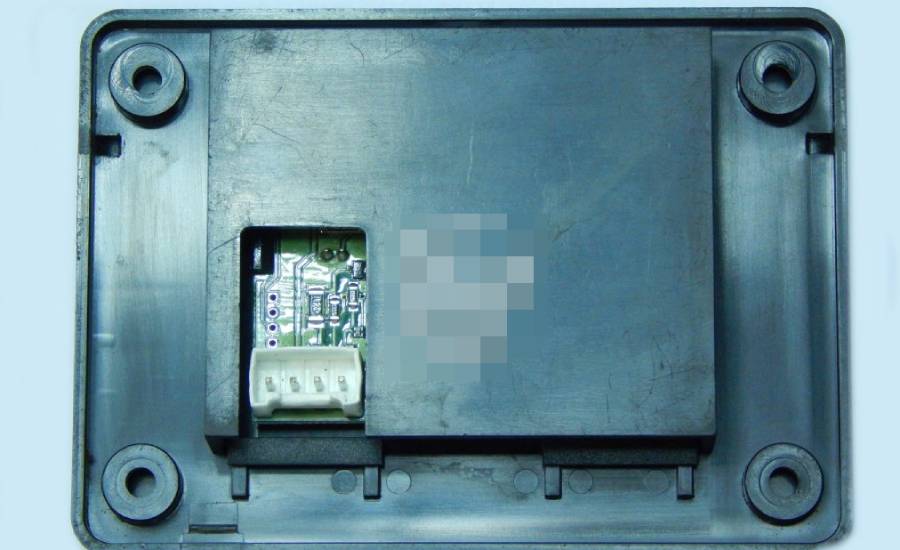
How Do You Reset an LCI Electronic Leveling System?
To reset an LCI electronic leveling system, identify the leveling controller, verify the power supply, correct any active fault, and perform the reset or recovery procedure specified for your Lippert system. Ground Control 3.0 electric leveling systems and Level Up hydraulic leveling systems use different control components, so their reset procedures are not interchangeable.
Follow these five steps to diagnose the problem and perform the appropriate reset.
1. Secure the RV before operating the leveling system. Park on firm, reasonably level ground, engage the parking brake where applicable, and follow the manufacturer’s requirements for wheel chocks and vehicle positioning. Keep people and objects clear of the leveling jacks because unexpected jack movement can damage equipment or cause injury.
2. Check the RV battery and electrical connections. Verify that the leveling controller receives adequate power and inspect accessible battery terminals, fuses, and wiring connections. Low voltage can interrupt controller communication or prevent electric motors and hydraulic pumps from operating correctly. A controller reset will not resolve an inadequate power supply.
3. Identify the LCI leveling controller. Examine the touchpad, model label, and RV documentation to determine whether the vehicle uses Ground Control 3.0, Level Up, or another Lippert leveling system. This identification determines which reset instructions and error-recovery procedures apply.
4. Perform the model-specific reset or recovery procedure. Record any displayed error message before changing controller settings. Follow the applicable Lippert manual to restart the controller or acknowledge a fault where supported. Turning the touchpad off and on may restart its interface, but it does not necessarily reset the leveling control module or clear a stored error. Do not disconnect controller wiring or repeatedly cycle power as a substitute for the documented procedure.
5. Verify normal leveling operation. Check whether the control panel responds correctly, whether error messages remain, and whether the system recognizes the required operating conditions. Test jack movement only after confirming that the RV is properly supported and the selected operation is safe.
A successful reset restores normal controller functionality without recurring fault messages. If the touchpad remains unresponsive, the jacks fail to operate, or the same error returns, further electrical or mechanical diagnosis is necessary. Zero-point calibration is a separate procedure used when the system’s stored level reference is incorrect.
How Do You Identify Your LCI Electronic Leveling System?
You can identify an LCI electronic leveling system by checking the touchpad model, leveling jack configuration, control module identification, and RV manufacturer’s documentation. Lippert produces electric and hydraulic leveling systems with different operating mechanisms, and identifying the correct system prevents the use of incompatible reset instructions.
Two common Lippert leveling systems are Ground Control 3.0 and Level Up. Ground Control 3.0 uses electrically driven leveling jacks, while hydraulic Level Up systems use hydraulic pressure to extend and retract their leveling cylinders. Both can support automatic leveling, but their electrical architecture, fault conditions, and service procedures differ.
| Feature | Ground Control 3.0 | Hydraulic Level Up |
|---|---|---|
| Leveling mechanism | Electric jack motors | Hydraulic cylinders |
| Primary actuation | Electric motors and gear mechanisms | Hydraulic pump and valves |
| Electronic controls | Touchpad and controller | Touchpad and hydraulic control electronics |
| Common fault areas | Motor circuits, wiring, voltage, jack operation | Pump, valves, hydraulic fluid, wiring |
| Reset procedure | Controller-specific | Controller-specific |
| Zero-point calibration | Supported on applicable controllers | Supported on applicable controllers |
To confirm the installed system, locate the identification label on the touchpad or control module and compare it with the owner’s manual. Lippert also provides product documentation through its official website. Match the documentation to the exact controller and system model rather than relying on the appearance of the touchpad alone.
The distinction matters because an electric jack that fails to retract may indicate a motor, wiring, or mechanical problem, whereas a hydraulic cylinder that fails to retract may require inspection of the hydraulic pump, valves, or fluid system. Neither problem is necessarily corrected by resetting the electronic controller.
How Do You Reset the Zero Point on an LCI Leveling System?
To reset the zero point on an LCI leveling system, manually level the RV, activate the controller’s zero-point calibration mode, and save the current position as the new level reference. Zero-point calibration establishes the position that the electronic leveling controller uses when performing automatic leveling.
The leveling system relies on a level sensor to determine the RV’s position relative to its stored reference. When this reference is incorrect, the auto-level function may stop with the vehicle tilted or display a leveling-related fault. Recalibrating the zero point corrects the stored reference but does not repair damaged sensors, malfunctioning jacks, or electrical faults.
Before calibration, position the RV on firm, stable ground and use a reliable bubble level or digital level to verify the floor’s position. Check the level in both the front-to-back and side-to-side directions. Follow the RV manufacturer’s instructions for slide-out positioning, parking brakes, and wheel chocks.
How Do You Calibrate the Zero Point on a Lippert Ground Control 3.0 System?
To calibrate the zero point on a Lippert Ground Control 3.0 system, manually position the RV at the desired level and save that position through the controller’s calibration function. The exact button sequence depends on the installed touchpad and controller version.
Follow these steps:
- Activate the leveling controller. Turn on the Ground Control 3.0 touchpad and confirm that the system has adequate battery power and no unresolved fault preventing calibration.
- Enter manual leveling mode. Use the controller’s manual leveling functions according to the applicable Lippert operating instructions.
- Level the RV. Adjust the leveling jacks until a bubble level or digital level confirms that the RV is level from front to back and side to side.
- Access zero-point calibration. Enter the calibration mode using the button sequence specified for the installed Ground Control 3.0 controller.
- Save the level reference. Complete the controller’s calibration confirmation sequence to store the current position as the new zero point.
- Verify the calibration. Confirm that the controller has accepted the reference and test automatic leveling when operating conditions permit.
Ground Control 3.0 touchpad versions do not necessarily use identical calibration commands. Use the exact controller-specific instructions from Lippert rather than applying a button combination intended for another leveling system.
How Do You Calibrate the Zero Point on a Lippert Level Up System?
To calibrate the zero point on a Lippert Level Up hydraulic leveling system, manually level the RV and store the position using the hydraulic leveling controller’s zero-point configuration procedure. The controller uses this reference to determine the correct position during subsequent automatic leveling operations.
The calibration process involves five main steps:
- Prepare the RV. Position the vehicle on stable ground, secure it against movement, and verify that the hydraulic leveling system has sufficient electrical power.
- Activate manual leveling. Turn on the Level Up controller and select the appropriate manual operation mode.
- Adjust the hydraulic leveling jacks. Use the available leveling controls to bring the RV into a level position, checking both directions with an independent level.
- Store the zero point. Follow the calibration-entry and confirmation sequence documented for the specific Level Up controller.
- Confirm normal operation. Verify that the controller accepts the calibration and that subsequent automatic leveling operations position the RV correctly.
Hydraulic Level Up systems use a pump, valves, and hydraulic cylinders to move the leveling jacks. Zero-point calibration changes the controller’s stored level reference; it does not adjust hydraulic pressure, remove air from the hydraulic system, or repair leaking components.
If the RV remains uneven after calibration, inspect the leveling sensor, jack operation, and controller fault indicators before repeating the procedure. Repeated calibration cannot compensate for a defective sensor or a leveling jack that fails to reach its commanded position.
How Do You Clear Error Messages on an LCI Leveling System?
To clear error messages on an LCI leveling system, identify the displayed fault, correct its underlying cause, and follow the error-recovery procedure specified for the installed Lippert controller. Common fault categories include jack movement failures, low voltage, leveling sensor problems, and communication errors. Clearing a warning without resolving the original problem can cause the same error to return during the next leveling cycle.
An LCI leveling controller monitors operating conditions through electrical inputs, sensor feedback, and jack control circuits. When the system detects an abnormal condition, it may interrupt automatic leveling to prevent further movement. The displayed message or illuminated fault indicator helps identify which component or operating condition requires attention.
The following table summarizes common leveling faults and their appropriate troubleshooting actions.
| Error condition | Possible cause | Recommended action |
|---|---|---|
| Jack timeout | Jack obstruction, motor problem, or excessive resistance | Inspect jack movement and electrical supply |
| Low voltage | Discharged battery or poor electrical connection | Check battery voltage and terminals |
| Level sensor error | Sensor malfunction or communication problem | Inspect sensor connections and controller status |
| Jack not retracting | Motor, mechanical, or hydraulic failure | Check the affected jack and drive system |
| Controller communication error | Damaged wiring or loose connectors | Inspect controller wiring and connections |
A jack timeout occurs when the controller determines that a leveling operation has not completed within its permitted operating conditions. This can result from restricted jack movement, inadequate electrical power, or a component malfunction. Inspect the affected jack for visible obstructions and verify the electrical supply before attempting the documented recovery procedure. Do not repeatedly operate a stalled jack because continued attempts can damage the motor or mechanical components.
Low-voltage errors indicate that the leveling system has detected an electrical supply problem. Electric jack motors and hydraulic pump motors require sufficient voltage during operation, and voltage can drop significantly under load when the battery is weak or connections have excessive resistance. Measure voltage at the appropriate electrical points using the manufacturer’s specifications, correct the power problem, and then follow the controller’s fault-clearing instructions.
Level sensor errors require a different approach because the controller depends on sensor information to calculate vehicle position. Inspect accessible wiring and connectors for damage or corrosion. If the controller reports a persistent sensor fault, recalibrating the zero point should not replace proper sensor diagnosis.
Error-clearing commands vary by Lippert controller model. Record the exact error message and consult the matching Lippert troubleshooting documentation before using any button combination or attempting to override a safety-related fault.
Why Is My LCI Electronic Leveling System Not Working After a Reset?
An LCI electronic leveling system may remain inoperative after a reset because the original electrical, mechanical, hydraulic, or sensor-related fault has not been corrected. Resetting the controller can restore electronic operation in certain fault conditions, but it cannot repair damaged components or eliminate physical restrictions that prevent jack movement.
Troubleshooting should begin by determining whether the problem affects the control panel, all leveling jacks, or only one jack. A completely unresponsive controller suggests a different fault path from a working controller that cannot extend or retract a particular jack.
Why Is My LCI Leveling Control Panel Not Responding?
An LCI leveling control panel may stop responding because of insufficient power, a blown fuse, a loose electrical connector, damaged wiring, or a defective controller. The touchpad requires a functioning power supply and communication path to operate the leveling system.
Begin by checking whether the RV’s electrical system supplies power to the leveling controller. Inspect the relevant fuse or circuit protection device according to the RV wiring diagram. A blown fuse should be replaced only with the specified type and rating after checking for the cause of the failure.
Next, inspect accessible controller connections for corrosion, loose terminals, or damaged wiring. Vibration, moisture, and repeated electrical loading can contribute to connection problems in RV electrical systems. A loose connector may interrupt controller operation even when the battery itself is fully charged.
If the panel powers on but does not respond to commands, record any displayed indicators and check the controller-specific troubleshooting instructions. A persistent communication failure may require electrical testing of the touchpad, control module, and connecting harness.
Why Won’t My LCI Leveling Jacks Extend or Retract?
LCI leveling jacks may fail to extend or retract because of insufficient electrical power, mechanical binding, motor failure, hydraulic malfunction, or an active controller fault. The correct diagnostic procedure depends on whether the RV uses electric or hydraulic leveling equipment.
On a Ground Control 3.0 electric leveling system, each powered jack relies on an electric motor and mechanical drive assembly. A jack that does not move may have a damaged motor circuit, a mechanical obstruction, or excessive resistance within its drive mechanism. If only one jack fails while the others operate normally, inspect the affected jack and its associated electrical connections rather than assuming the entire controller has failed.
On a hydraulic Level Up system, jack movement depends on hydraulic pressure generated by the pump and directed through valves and hydraulic lines. A hydraulic jack that fails to move may indicate a pump problem, valve malfunction, fluid leak, or restricted hydraulic operation. Visible fluid leakage or abnormal pump operation requires further diagnosis before the leveling system is used again.
The pattern of failure provides useful diagnostic information. When every jack stops operating simultaneously, investigate shared components such as the power supply, controller, and hydraulic pump where applicable. When only one jack fails, focus on that jack’s motor, wiring, hydraulic circuit, or mechanical condition.
Do not crawl beneath an RV supported only by its leveling jacks or attempt to force a stuck jack while the system is energized. If the jacks cannot retract normally, consult the exact Lippert model’s emergency retraction instructions or contact a qualified RV technician. Manual override procedures differ between electric and hydraulic systems.
Recurring errors after a reset indicate that the fault condition remains active or returns during operation. Record the error message, identify when it appears, and compare the symptoms with the manufacturer’s diagnostic instructions. This approach helps distinguish a controller problem from a jack, sensor, or power supply failure without repeatedly resetting the system.
Can a Weak RV Battery Cause LCI Electronic Leveling Problems?
A weak RV battery can cause LCI electronic leveling problems by reducing the electrical power available to the controller, electric jack motors, or hydraulic pump. Low voltage can prevent the leveling system from completing an automatic leveling cycle, interrupt jack movement, or trigger a fault message. Resetting the controller will not resolve these problems until the electrical supply is restored.
LCI leveling systems require adequate voltage during operation, particularly when the leveling jacks are moving under load. Electric leveling systems use battery power to operate individual jack motors, while hydraulic systems use an electrically driven pump to generate hydraulic pressure. Both configurations place substantial demands on the RV’s electrical system. A battery that appears adequately charged without a load may experience a significant voltage drop when the leveling equipment starts operating.
Battery-related leveling problems generally involve four electrical conditions:
- Low battery charge: Insufficient stored energy can prevent the controller, jack motors, or hydraulic pump from operating reliably.
- Loose battery terminals: Poor electrical contact increases resistance and causes voltage loss during high-current operation.
- Corroded electrical connections: Corrosion interferes with current flow and can produce intermittent leveling faults.
- Damaged wiring or circuit protection: Faulty cables, blown fuses, and defective connections can interrupt power to the leveling system.
To diagnose a suspected battery problem, measure the battery voltage with a digital multimeter and compare the reading with the battery manufacturer’s specifications. For a conventional 12-volt lead-acid RV battery, approximately 12.6–12.8 volts at rest generally indicates a full charge, although the reading depends on battery chemistry, temperature, and resting conditions. Lithium batteries require different voltage interpretations.
A voltage measurement taken while the leveling equipment operates provides additional information because it reveals how the electrical system responds to load. Significant voltage loss between the battery and leveling controller can indicate excessive resistance in the wiring or connections. Use the Lippert system’s specified operating-voltage limits rather than relying on battery voltage alone.
If the battery is discharged, restore its charge using a compatible charging system. Inspect accessible terminals and electrical connections before repeating the leveling operation. Persistent low-voltage warnings after charging require further testing of the battery, power cables, grounds, and controller supply circuit.
Read more: Power Gear Leveling System Reset: Step-by-Step Guide
How Can You Prevent LCI Electronic Leveling System Errors?
Prevent LCI electronic leveling system errors by maintaining the electrical supply, inspecting leveling components, protecting electrical connections, and following the correct operating procedures. Preventive maintenance reduces faults caused by corrosion, restricted jack movement, and inadequate power, although it cannot eliminate every electronic or mechanical failure.
Five maintenance practices help preserve reliable leveling system operation.
1. Maintain the RV battery and charging system.
Check the battery’s state of charge before operating the leveling system, especially after extended storage. Inspect battery terminals for corrosion, loose connections, and damaged cables. A properly maintained power supply reduces the likelihood of low-voltage faults when electric jack motors or hydraulic pumps operate under load.
2. Inspect leveling jacks for damage and obstructions.
Examine accessible leveling jack components for physical damage, debris, corrosion, and unusual wear. Dirt accumulation or mechanical interference can restrict jack movement and contribute to incomplete leveling cycles. Clean exposed components according to Lippert’s maintenance instructions, and avoid applying lubricants to components unless the manufacturer specifies an approved product and application method.
3. Protect electrical connectors and wiring.
Inspect accessible wiring harnesses for damaged insulation, loose connectors, moisture intrusion, and corrosion. RV vibration and exposure to road conditions can gradually affect electrical connections. Damaged wiring can cause intermittent controller communication, incorrect sensor readings, or interrupted jack operation. Repair electrical faults using components and procedures appropriate for the installed system.
4. Follow the correct leveling procedure.
Position the RV on stable ground and follow the manufacturer’s requirements for parking brakes, wheel chocks, and leveling operations. Avoid operating the leveling jacks beyond their intended range or using them to lift the vehicle for maintenance. Leveling equipment is designed to stabilize and position the RV within its specified operating limits, not to replace approved vehicle lifting and support equipment.
5. Check the leveling system after extended storage.
Inspect the system before the first leveling operation following prolonged inactivity. Verify battery condition, examine visible jack components, and confirm that the controller displays no unresolved faults. For hydraulic systems, check for visible fluid leakage and follow the manufacturer’s fluid inspection requirements. Testing the system under safe operating conditions can reveal problems before the next trip.
Maintenance requirements vary between Ground Control 3.0, Level Up, and other Lippert leveling products. Use the maintenance schedule and service procedures specified for the installed system, particularly when inspecting hydraulic components, lubricating mechanical assemblies, or servicing electrical connections.
Preventive maintenance also improves troubleshooting accuracy. When the battery, wiring, and leveling components are regularly inspected, a newly occurring error can be evaluated against known operating conditions. This makes it easier to determine whether the problem involves an electrical interruption, mechanical restriction, sensor malfunction, or controller fault.
When Should You Contact a Technician for an LCI Leveling System Problem?
Contact a qualified RV technician when an LCI leveling system continues displaying errors after troubleshooting, fails to extend or retract its jacks, develops hydraulic leaks, or shows signs of electrical or mechanical damage. These conditions can indicate component failures that require specialized diagnostic equipment, electrical testing, or mechanical repairs rather than another controller reset.
Five conditions indicate that professional inspection is necessary.
1. Persistent controller errors: Error messages that return after the underlying operating conditions have been checked may indicate a defective control module, sensor, or communication circuit. A technician can test the affected components and determine whether repair or replacement is necessary.
2. Leveling jacks that fail to retract: A jack that remains extended can prevent safe RV movement. Electric systems may have motor or mechanical drive failures, while hydraulic systems may experience pump, valve, or cylinder problems. Use only the emergency retraction procedure approved for the installed system.
3. Visible hydraulic fluid leaks: Fluid around hydraulic cylinders, hoses, fittings, or the pump assembly indicates a potential hydraulic system problem. Leaks can reduce leveling performance and require inspection before further operation.
4. Damaged electrical wiring: Burned connectors, melted insulation, repeated fuse failures, or persistent power interruptions indicate electrical faults that should be diagnosed before the system is energized again.
5. Unexpected or uneven jack movement: Jacks that move unpredictably, stop without completing a command, or repeatedly position the RV incorrectly may indicate sensor, controller, or mechanical problems. Stop operating the system until the cause is identified.
Before requesting service, record the leveling system model, controller identification, displayed error messages, and the circumstances under which the failure occurs. This information helps the technician narrow the diagnostic process and identify the relevant Lippert service documentation.
Do not drive the RV with leveling jacks extended or work beneath a vehicle supported only by its leveling system. Confirm that all jacks are fully retracted and the vehicle is safe for travel before moving it.