Hyundai Remote Start Not Working is a problem that many drivers face without warning. It can be frustrating because the feature often works normally and then suddenly stops. Vehicles from Hyundai Motor Company are designed with remote start systems that allow drivers to start the engine from a distance using a key fob or a mobile app. When this function fails, drivers usually assume there is a serious issue, but in most cases the cause is simple.
The problem often comes from small factors rather than major system damage. A weak key fob battery can stop the signal from reaching the car. Incorrect vehicle settings can also block the remote start function. For connected vehicles that use Hyundai Bluelink, network issues or login errors can interrupt the command process.
This guide explains why Hyundai Remote Start Not Working happens and shows how to find the exact cause. It also provides clear steps to fix the issue. You will learn how to check the system, identify common faults, and apply simple solutions. The goal is to help you solve the problem quickly without confusion or unnecessary repairs.
How Hyundai Remote Start System Works
To understand why Hyundai Remote Start Not Working happens, it is important to know how the system operates. The remote start feature does not rely on a single component. It works through a coordinated process between the key fob, the vehicle control system, and connected services in modern vehicles from Hyundai Motor Company.
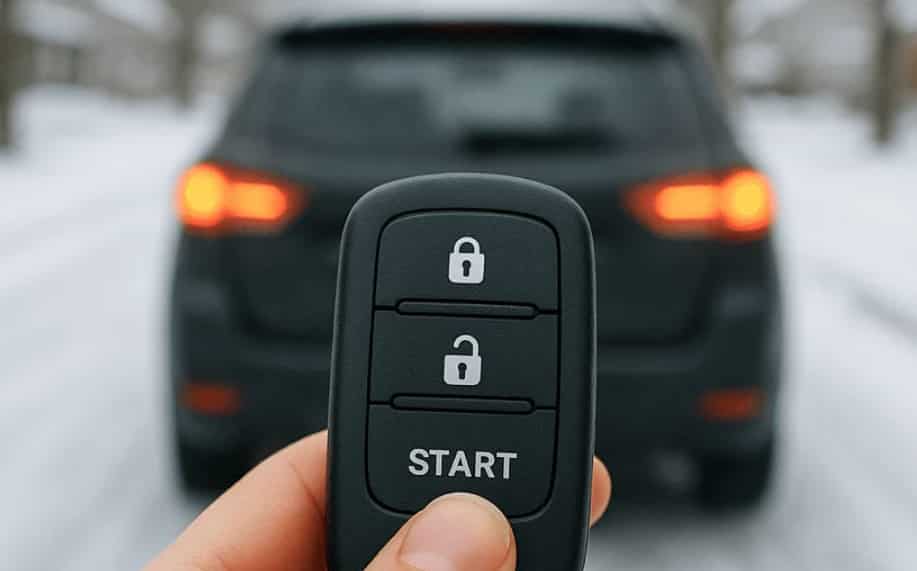
When you press the remote start button on the key fob, it sends a radio signal to the car. The vehicle then checks several safety conditions before starting the engine. It verifies that the gear is in park, the doors are closed, and the vehicle is locked. If any condition is not met, the system will block the command immediately.
In newer models, the process can also happen through Hyundai Bluelink. In this case, the app sends a command through a mobile network to Hyundai’s servers, and then the signal is forwarded to the vehicle. This adds another layer of communication, which means network or server issues can also affect performance.
Because multiple systems must work together, even a small failure in one part can stop the entire remote start function. This is why Hyundai Remote Start Not Working can happen even when the car itself is in perfect condition.
Common Causes of Hyundai Remote Start Not Working
Hyundai Remote Start Not Working usually happens due to simple issues rather than serious vehicle damage. Most problems come from either the key fob, vehicle settings, or the connected system. Understanding these causes helps you fix the issue faster without guessing.
One of the most common reasons is a weak key fob battery. When the battery is low, the signal cannot reach the vehicle properly. This causes the remote start command to fail or respond inconsistently. Another frequent cause is incorrect vehicle conditions. The system will not activate if the car is not in park, if a door is open, or if the hood is not fully closed.
Some issues also come from the vehicle itself. Temporary software glitches in control modules can block the remote start function. In other cases, the system may disable remote start after maintenance or a software update.
For vehicles that use Hyundai Bluelink, connection problems are also very common. The app may fail due to login errors, poor internet connection, or server downtime. When this happens, remote commands cannot reach the vehicle.
Environmental factors can also play a role. Signal interference in parking garages or crowded urban areas can weaken communication between the key fob and the car. This leads to unexpected failures even when everything appears normal.
Diagnostic Steps to Identify the Problem
When Hyundai Remote Start Not Working occurs, the most effective way to fix it is to identify the exact cause first. A structured diagnosis helps you avoid unnecessary repairs and focus only on the real issue.
Start with the key fob. Check if the buttons respond normally and if the battery is still strong. A weak battery is one of the most common reasons the remote start signal fails. If possible, test a spare key fob to confirm whether the issue comes from the device itself.
Next, check the vehicle conditions. The remote start system will only work when the car is in park mode, all doors are fully closed, and the hood is secured. If any of these conditions are not met, the system will block the command automatically for safety reasons.
After that, look at the dashboard indicators. Warning lights or system alerts may show that the vehicle has temporarily disabled remote start. These alerts often point to electrical or system related restrictions.
If your vehicle uses Hyundai Bluelink, open the app and check the connection status. Make sure you are logged in and the vehicle status is updating correctly. If the app cannot connect or shows outdated information, the issue is likely related to network or account synchronization.
If all basic checks are normal, the problem may be deeper in the vehicle system. In that case, professional diagnostics will be needed to scan for hidden faults in the control modules.
How to Fix Hyundai Remote Start Not Working
Once you identify the possible cause of Hyundai Remote Start Not Working, you can move on to applying the correct fix. Most solutions are simple and can be done without professional tools.
Start with the key fob. Replace the battery if it is weak or old. A low battery is one of the fastest reasons the signal fails. After replacing it, test the remote start again to see if the issue is resolved.
If the problem continues, try re-syncing the key fob with the vehicle. Some Hyundai models require reinitialization after battery replacement or signal disruption. This process restores communication between the key and the car system.
Next, check the vehicle settings. The remote start feature may be disabled in the settings menu after servicing or software updates. Make sure the function is turned on and properly configured.
For vehicles using Hyundai Bluelink, log out and log back into the app. This helps refresh the connection between the app and the vehicle. Also ensure the app is updated to the latest version, since outdated versions can cause command failures.
If none of these steps work, the issue may come from the vehicle control system. In this case, a system reset or diagnostic scan is needed. Disconnecting the battery for a short time may also help in some situations, but it should be done carefully.
When all basic fixes fail, the best option is to visit an authorized service center for a full inspection.
Hyundai Bluelink Remote Start Issues
In some cases, Hyundai Remote Start Not Working is not caused by the key fob or the vehicle itself but by the connected app system. This is especially common in vehicles that rely on Hyundai Bluelink for remote commands.
One frequent issue is login failure. If the account session expires or the credentials are not synced correctly, the app cannot send remote start commands to the vehicle. Another common problem is poor internet connection on either the phone or the vehicle network module. Without a stable connection, the command will not reach the car.
Server-side interruptions can also affect performance. When the Bluelink service is under maintenance or experiencing downtime, remote start functions may stop working temporarily even if everything else is fine on the vehicle side.
Outdated app versions are another hidden cause. If the application is not updated, it may lose compatibility with the vehicle software. This leads to command failures or delayed responses.
To fix these issues, users should update the app, log out and log back in, and check network stability. If the problem continues, reinstalling the app often helps restore proper synchronization between the phone and the vehicle system.
When You Need Professional Help
If Hyundai Remote Start Not Working continues after all basic troubleshooting steps, the issue may be more complex and require professional inspection. At this stage, the problem is usually no longer related to the key fob or simple settings, but instead involves deeper electrical or software components inside the vehicle.
One clear sign that you need expert help is when both the key fob and Hyundai Bluelink fail at the same time. This often indicates a system level issue rather than a user level mistake. Another warning sign is repeated system errors or dashboard alerts that do not disappear after restarting the vehicle.
In some cases, the vehicle control modules may develop faults that prevent remote start commands from being processed. These issues cannot be fixed manually and require diagnostic tools to identify the exact failure point. Technicians at an authorized service center of Hyundai Motor Company can perform a full system scan to detect hidden errors and software conflicts.
It is also important to seek help if the problem appears suddenly after an accident, battery replacement, or software update. These events can sometimes disrupt the communication between vehicle systems and require recalibration.
Professional diagnosis ensures that the root cause is fixed correctly instead of applying temporary solutions. This helps restore full remote start functionality and prevents the issue from recurring.
Prevention Tips
Preventing Hyundai Remote Start Not Working is easier than fixing it after it happens. Most issues come from small maintenance gaps or system neglect, so a few simple habits can keep the system stable over time.
Start by replacing the key fob battery regularly. A weak battery is one of the most common reasons the remote start signal fails. Keeping a spare battery ready can also help avoid sudden disruptions.
Make sure your vehicle software stays updated. Modern vehicles from Hyundai Motor Company rely on software stability to manage remote functions. Updates often include bug fixes that improve system reliability.
If your car uses Hyundai Bluelink, keep the app updated as well. Old versions may lose compatibility with the vehicle system and cause command failures. Logging in regularly also helps maintain proper account synchronization.
Avoid using remote start in areas with strong signal interference such as underground parking structures or locations with heavy electronic noise. These environments can weaken communication between the key fob and the vehicle.
It is also a good idea to have periodic vehicle inspections. A simple diagnostic scan can detect early system issues before they affect remote start functionality.
Conclusion
Hyundai Remote Start Not Working is usually caused by simple and fixable issues rather than serious system failure. In most cases, the problem comes from the key fob, vehicle settings, or connectivity issues related to Hyundai Bluelink.
By following a structured diagnostic approach, you can quickly identify whether the issue is related to hardware, software, or network communication. This helps you avoid unnecessary repairs and focus on the real cause.
Most problems can be solved at home with basic steps such as replacing the key fob battery, checking settings, or refreshing the mobile app connection. However, if the issue persists, professional inspection at an authorized service center of Hyundai Motor Company is the safest solution.
With proper maintenance and regular system checks, you can keep your remote start system working smoothly and avoid unexpected failures in the future.