Few things are more frustrating than opening your Hyundai Blue Link app and realizing nothing responds. You try to remote start the vehicle before work, but the command fails. You attempt to lock the doors remotely, yet the app keeps loading without updating the vehicle status. For many Hyundai owners, these connectivity issues appear unexpectedly and often at the worst possible moment.
Hyundai Blue Link is designed to make driving more convenient and connected. Drivers rely on it every day for remote access, climate control, vehicle diagnostics, and security features. When the system suddenly stops working, even simple tasks can become stressful. Some users experience server connection failures, while others deal with app syncing problems, subscription errors, or remote start issues after replacing the vehicle battery.
The good news is that most Hyundai Blue Link problems can be fixed without expensive repairs or dealership visits. In many cases, the issue comes from weak internet connectivity, outdated software, temporary server outages, or account synchronization problems. Understanding the real cause is the first step toward restoring full functionality.
This guide explains why Hyundai Blue Link is not working and how to fix the most common problems quickly. You will also learn how to reset the system, restore app connectivity, troubleshoot remote start failures, and prevent future issues from happening again.
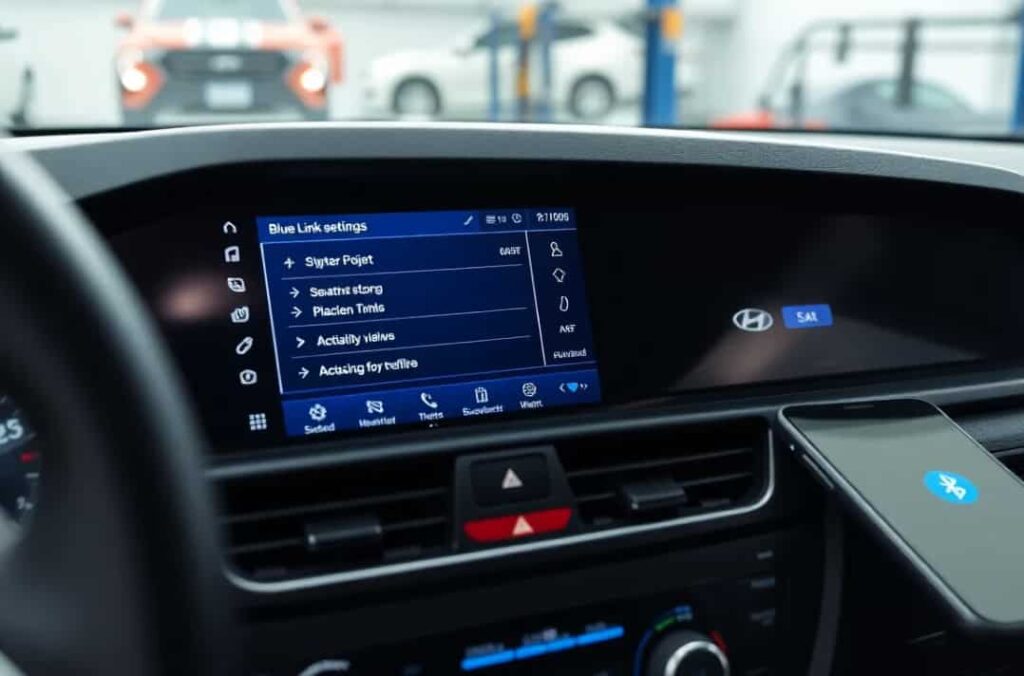
What Is Hyundai Blue Link and Why Does It Matter?
Hyundai Blue Link is a connected vehicle system that allows drivers to communicate with their car through a smartphone application. The platform uses cloud based services, mobile networks, and the vehicle’s telematics system to provide remote access and real time information. Modern Hyundai owners depend on these features for convenience, safety, and everyday usability.
Once connected, the Hyundai Blue Link app can remotely start the engine, lock or unlock doors, locate the vehicle, and send maintenance alerts directly to the driver’s phone. Some models also support remote climate control, vehicle health reports, roadside assistance, and emergency support services. These features are especially useful during extreme weather conditions or busy daily schedules.
However, when Hyundai Blue Link stops working, drivers can quickly lose access to these important functions. Remote start commands may fail without warning. Vehicle status updates can freeze or disappear entirely. In some situations, the app may display connection errors even though the car itself appears normal.
Many users become concerned when the issue affects security related features such as remote locking or stolen vehicle tracking. Others become frustrated because the app fails during urgent situations, especially when they need to warm up or cool down the vehicle before driving. Since Hyundai Blue Link depends on several systems working together, even a small interruption can create communication problems between the app and the vehicle.
Understanding how Hyundai Blue Link works makes troubleshooting much easier. The system depends on stable internet access, active subscriptions, updated software, healthy vehicle electronics, and proper account synchronization. If one part of that chain fails, the entire service may stop responding.
Fortunately, most connectivity issues can be identified and resolved with simple troubleshooting steps. The next sections will explain the most common reasons why Hyundai Blue Link is not working and how drivers can restore full functionality quickly.
Why Is Hyundai Blue Link Not Working?
Hyundai Blue Link connectivity issues can happen for many different reasons. In some cases, the problem comes from the smartphone application itself. In other situations, the issue may involve the vehicle’s telematics system, server communication failures, or account related errors. Understanding the exact cause can save time and prevent unnecessary repairs.
Many Hyundai owners assume the app is broken when remote features suddenly stop responding. However, the real problem is often much simpler. A weak internet connection, an expired subscription, or outdated software can interrupt communication between the vehicle and the Hyundai Blue Link servers.
Weak Internet or Cellular Signal
One of the most common reasons Hyundai Blue Link is not working is poor network connectivity. The system relies on stable communication between the smartphone, Hyundai servers, and the vehicle itself. If one of those connections becomes unstable, commands may fail or take a long time to process.
Drivers often notice these issues in underground parking garages, rural areas, or locations with weak cellular coverage. In these situations, the Hyundai Blue Link app may continue loading without refreshing the vehicle status. Remote start commands may also time out before reaching the vehicle.
Smartphone related connectivity problems can also affect performance. Weak Wi Fi signals, unstable mobile data connections, or VPN interference may prevent the app from syncing correctly. Sometimes the app appears offline even though the vehicle itself is functioning normally.
Restarting the smartphone or switching between Wi Fi and mobile data can often restore communication quickly. Users should also verify that the Hyundai Blue Link app has permission to use background data and location services.
Hyundai Blue Link Server Problems
Sometimes the issue is not caused by the vehicle or the smartphone at all. Hyundai Blue Link servers occasionally experience temporary outages or maintenance periods. During these interruptions, users may lose access to remote commands, vehicle updates, and account synchronization features.
Server related problems usually affect multiple users at the same time. Drivers may receive error messages such as “Request Failed” or “Unable to Connect to Vehicle.” In some cases, the app may continue displaying outdated vehicle information even after several refresh attempts.
These outages are usually temporary and often resolve without user intervention. Waiting a few minutes and trying again later may restore normal functionality. However, if the problem continues for several hours, checking Hyundai service announcements or customer support channels can help confirm whether a larger outage exists.
Expired Hyundai Blue Link Subscription
Many Hyundai owners forget that certain Blue Link features require an active subscription. Once the subscription expires, remote access services may stop working completely. This often confuses drivers because the mobile application itself may still open normally even though commands no longer function.
Common signs of an expired subscription include failed remote start attempts, delayed vehicle updates, and disabled connected services. Some users also receive account related notifications inside the application.
Checking the subscription status inside the Hyundai owner portal can quickly confirm whether the service remains active. Renewing the subscription usually restores access immediately once the account updates successfully.
Outdated Hyundai Blue Link App
An outdated app version can create compatibility problems between the smartphone and Hyundai servers. Software bugs, corrupted cache files, and operating system updates may also interfere with app performance.
Drivers often experience login failures, frozen loading screens, or synchronization errors after ignoring app updates for long periods. In some situations, the app may crash repeatedly or fail to send remote commands entirely.
Updating the Hyundai Blue Link app through the App Store or Google Play Store is one of the simplest troubleshooting steps. Clearing cache files and reinstalling the application can also remove corrupted data that affects connectivity.
Vehicle Battery or Electrical Problems
Hyundai Blue Link depends heavily on the vehicle’s electrical system. If the 12V battery becomes weak or unstable, the telematics system may lose communication with Hyundai servers.
Many users report connectivity problems immediately after replacing the battery. This happens because the infotainment system and telematics module may reset during the installation process. In some cases, the vehicle temporarily loses synchronization with the Hyundai Blue Link account.
Electrical issues can also prevent remote start from functioning correctly. If the vehicle detects low battery voltage, it may disable remote features to protect the electrical system.
Checking battery health is important when troubleshooting recurring Blue Link failures. A weak battery can create intermittent problems that appear randomly and become difficult to diagnose over time.
Incorrect Login Information or Account Sync Errors
Account related problems can also prevent Hyundai Blue Link from working properly. Entering the wrong password, using multiple devices simultaneously, or failing account verification may interrupt communication between the app and the vehicle.
Some drivers accidentally log into different Hyundai accounts, which creates synchronization conflicts inside the system. Others experience issues after changing passwords without re authenticating the mobile app.
Logging out completely and signing back into the application often resolves these issues. Re verifying account details and removing inactive devices can also improve system stability.
When multiple small issues combine, Hyundai Blue Link may appear completely broken even though the solution is relatively simple. Identifying the exact cause is the key to restoring connectivity quickly and avoiding unnecessary frustration.
Hyundai Blue Link Remote Start Not Working
Hyundai Blue Link remote start is one of the most convenient connected car features, but it is also one of the most commonly reported issues when the system is not working properly. In many cases, the problem is not a complete system failure but a specific condition that prevents the command from being executed. Understanding these conditions helps you quickly identify why remote start is unavailable and how to fix it.
One of the main reasons remote start does not work is that the vehicle is not in a safe state to accept the command. Hyundai Blue Link has built in safety requirements that must be met before the engine can be started remotely. If a door, hood, or trunk is not fully closed, the system will automatically block the request. In addition, warning lights on the dashboard such as engine alerts or low fuel indicators can also disable the feature to protect the vehicle.
Another common issue is related to connectivity and communication delays. Hyundai Blue Link relies on mobile networks and cloud servers to send commands from your smartphone to the vehicle. If the internet connection is weak or unstable, the request may time out before reaching the car. This often results in a failed command or a loading screen that never completes. In some cases, the command is actually sent but confirmation is delayed, making it appear as if the feature is not working.
Software synchronization issues can also affect remote start performance. If the app is outdated or the vehicle has not recently refreshed its status, the system may fail to process the command correctly. Logging out and back into the app, restarting the vehicle infotainment system, or ensuring both the app and system are updated can often resolve these issues quickly.
How to Fix Hyundai Blue Link Not Working
When Hyundai Blue Link is not working, the issue is usually caused by temporary software glitches, connectivity problems, or account synchronization errors rather than a serious system failure. In most cases, you can restore full functionality with a few simple troubleshooting steps without needing a dealership visit.
The first step is to restart the Hyundai Blue Link app and your smartphone. This helps clear temporary system errors and refreshes the connection between your phone and Hyundai servers. If the app was stuck or not syncing properly, reopening it after a restart often resolves the issue immediately.
Next, make sure your internet connection is stable. Hyundai Blue Link requires a strong mobile data or Wi Fi connection to send commands to your vehicle. If the network is weak or unstable, the app may fail to load vehicle status or execute remote commands. Switching between Wi Fi and mobile data or moving to an area with better coverage can significantly improve performance.
Updating the Hyundai Blue Link app is also essential. Outdated versions may contain bugs or compatibility issues that prevent proper communication with the vehicle. Installing the latest version from the app store ensures you have the most stable and secure version of the software.
If the problem continues, clearing the app cache or reinstalling the application can help remove corrupted data that may be interfering with performance. Logging out and signing back into your Hyundai account can also refresh authentication and fix synchronization errors between the app and the vehicle.
Finally, if none of these steps work, the issue may be related to the vehicle’s infotainment system or telematics module. In this case, restarting the system inside the car or contacting Hyundai support may be necessary to fully restore Blue Link services.
How to Reset Hyundai Blue Link System
Resetting the Hyundai Blue Link system is often an effective solution when the app stops responding, remote features fail, or the vehicle cannot connect to the server. A reset helps refresh the communication between your car, your smartphone, and Hyundai’s cloud services, especially when normal troubleshooting steps do not work.
The simplest method is a soft reset through the vehicle’s infotainment system. In most Hyundai models, you can restart the system by holding the power button on the display or audio unit for several seconds until the screen turns off and restarts. This process clears temporary glitches and refreshes the internal connection without deleting any saved settings.
If the issue persists, a deeper system reset may be required. Some vehicles offer a reset option within the settings menu of the infotainment system. This can restore system stability and fix hidden software errors that may be interfering with Hyundai Blue Link. However, it is important to use this option carefully because certain settings may be reset to default values.
After performing a reset, it is necessary to reconnect the Hyundai Blue Link app with your vehicle. Open the app, log into your account, and allow the system to refresh vehicle data. In some cases, you may need to re pair the vehicle by verifying your account information and confirming the connection inside the app.
A successful reset usually restores remote functions such as lock, unlock, and remote start. If Blue Link still does not work after resetting the system, the problem may be related to subscription status, server issues, or hardware faults in the telematics module, which may require professional assistance.
Hyundai Blue Link Not Working After Battery Replacement
Hyundai Blue Link not working after a battery replacement is a common issue that often surprises vehicle owners. Even when the new battery is installed correctly, the system may temporarily lose connection with Hyundai’s servers or stop responding to remote commands. This usually happens because the vehicle’s electronic systems reset during the power interruption, affecting the telematics module that manages Blue Link services.
When the 12V battery is disconnected or replaced, the infotainment system and connected services can lose their stored configuration. As a result, Hyundai Blue Link may appear offline, fail to update vehicle status, or reject remote start commands. In some cases, the app continues to show outdated information even though the vehicle itself is functioning normally.
To fix this issue, the first step is to allow the vehicle to fully reboot. Start the engine and let it run for several minutes so the system can stabilize and reconnect to internal modules. After that, open the Hyundai Blue Link app and refresh the vehicle status to re establish communication with the server. Logging out and back into the app can also help reset authentication tokens and restore syncing between the phone and the car.
If the problem continues, re pairing the vehicle with your Hyundai account may be required. This process re links the telematics system with your profile and ensures that remote services are properly activated again. In some situations, a dealership may need to perform a system reinitialization if the connection does not restore automatically.
Most battery related Blue Link issues are temporary and resolve after the system fully re synchronizes, but it is important to ensure the battery installation is stable and the vehicle electrical system is functioning correctly to avoid repeated disruptions.
Signs Your Hyundai Blue Link Problem May Require Professional Repair
In many cases, Hyundai Blue Link not working can be fixed with simple troubleshooting steps such as restarting the app, checking connectivity, or resetting the system. However, there are situations where the issue goes beyond basic software or network problems and may require professional diagnosis from a Hyundai technician.
One of the most important warning signs is persistent connection failure. If the Hyundai Blue Link app continues showing offline status or fails to send remote commands even after repeated resets, updates, and account re logins, the issue may be related to deeper system faults. This often indicates a problem with the vehicle’s telematics module or internal communication system rather than the mobile app itself.
Hardware related issues can also prevent Hyundai Blue Link from functioning correctly. Damage to the vehicle’s antenna, SIM communication failure, or malfunctioning infotainment components can completely block data transmission between the car and Hyundai servers. In these cases, no amount of app troubleshooting will fully restore functionality.
Another sign that professional repair may be needed is the presence of dashboard warnings or infotainment system errors. If the vehicle displays electrical system alerts or repeated connectivity errors on the screen, it suggests that the problem is rooted in the vehicle’s hardware or software architecture.
If Hyundai Blue Link stops working immediately after major service work, software updates, or battery replacement and does not recover after several attempts, visiting a Hyundai dealership becomes necessary. Technicians can run diagnostic tests, reinitialize the telematics system, and verify whether the hardware is functioning properly.
Identifying these signs early helps prevent unnecessary frustration and ensures that more complex issues are handled correctly by professionals.
Tips to Prevent Hyundai Blue Link Problems
Preventing Hyundai Blue Link issues is often easier than fixing them after they occur. Since the system depends on a combination of mobile connectivity, vehicle software, and cloud services, maintaining stability across all components is the key to reliable performance.
One of the most important habits is keeping both the Hyundai Blue Link app and your vehicle software updated. Updates often include bug fixes, security improvements, and compatibility enhancements that help the system communicate more smoothly. Ignoring updates can lead to synchronization errors, login issues, or remote command failures.
Another important factor is maintaining a healthy vehicle battery. A weak or unstable 12V battery can interrupt the telematics system and cause Hyundai Blue Link to disconnect unexpectedly. Regular battery checks, especially before long trips or after several years of use, can help avoid sudden connectivity loss.
It is also recommended to avoid using multiple accounts or logging in on too many devices at the same time. This can create account conflicts that prevent proper synchronization between the app and the vehicle. Keeping a single active session helps ensure stable communication.
Finally, restarting the infotainment system occasionally can help refresh internal processes and prevent minor software glitches from building up over time. This simple habit can improve system responsiveness and reduce the chance of unexpected errors.
By following these preventive steps, Hyundai owners can significantly reduce the risk of Blue Link failures and ensure that remote features like lock, unlock, and remote start remain reliable when needed most.
Conclusion
Hyundai Blue Link is a powerful connected car system, but like any digital service it can sometimes stop working due to connectivity issues, software glitches, subscription problems, or vehicle system interruptions. When this happens, it often affects key features such as remote start, door lock and unlock, and real time vehicle status updates, which can quickly become frustrating for drivers who rely on them daily.
In most situations, Hyundai Blue Link not working is not caused by serious hardware failure. Instead, it is usually related to simple issues such as weak internet connection, outdated app versions, temporary server outages, or account synchronization errors. These problems can typically be resolved with basic troubleshooting steps like restarting the app, updating software, checking network stability, or re logging into your Hyundai account.
More persistent issues, especially those occurring after battery replacement or system updates, may require resetting the infotainment system or re pairing the vehicle with the app. Only in rare cases, such as hardware or telematics module failure, is professional dealership support necessary.
By understanding the common causes and applying the right fixes, Hyundai owners can restore Blue Link functionality quickly and reduce downtime. Regular maintenance, keeping software updated, and ensuring a stable vehicle battery are the most effective ways to prevent future issues.
If you experience Hyundai Blue Link problems again, use this guide as a step by step reference to identify and resolve the issue efficiently.