Have you ever started your Subaru only to find that the touch screen is frozen, unresponsive, or refusing to connect to your smartphone? Since modern Subaru vehicles rely heavily on the STARLINK infotainment system for navigation, entertainment, hands-free communication, and vehicle settings, even a minor software glitch can quickly become a frustrating experience.
The good news is that many of these problems can be resolved without an expensive trip to the dealership. In fact, a simple reset is often all it takes to restore normal functionality. Whether your screen has stopped responding, Apple CarPlay keeps disconnecting, or the system appears stuck during startup, knowing how to reset your Subaru touch screen can save you both time and unnecessary stress.
In this step-by-step guide, you will learn the safest and most effective methods to reset your Subaru touch screen. We will explain when a soft reset is sufficient, when a more advanced hard reset may be necessary, and what to do if the issue persists. You will also discover common causes behind infotainment system failures and practical tips to prevent future problems.
If your Subaru touch screen is not working properly, do not panic. Before scheduling a service appointment, follow the troubleshooting steps below to get your infotainment system back up and running.
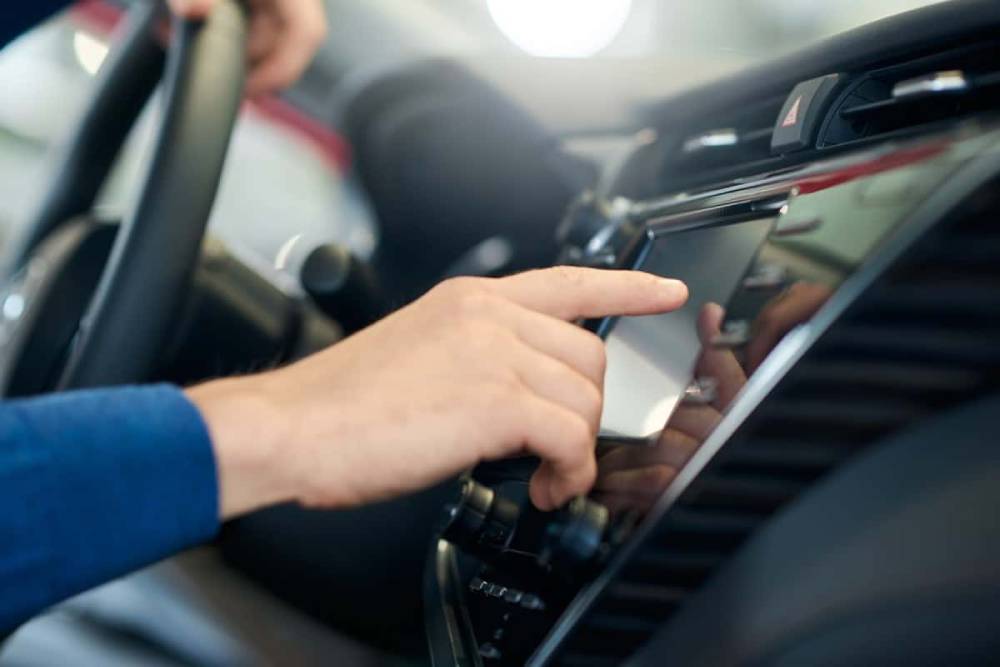
Why Does a Subaru Touch Screen Need Resetting?
Understanding why your Subaru touch screen stops working can help you choose the right solution and avoid unnecessary repairs. In many cases, the issue is not caused by a defective screen but rather by temporary software glitches within the infotainment system.
One of the most common causes is a system overload. Subaru STARLINK continuously manages multiple functions, including navigation, Bluetooth connectivity, smartphone integration, media playback, and vehicle settings. When several processes compete for resources simultaneously, the system may become sluggish or freeze completely.
Software updates can also contribute to unexpected behavior. While updates are designed to improve performance and security, installation errors or compatibility issues occasionally lead to touchscreen malfunctions. Drivers may notice delayed responses, repeated system reboots, or applications that fail to launch properly after an update.
Another common trigger involves Bluetooth, Apple CarPlay, or Android Auto connectivity problems. If a smartphone repeatedly disconnects or sends conflicting commands, the infotainment system may become unstable. Similarly, power interruptions caused by a weak battery or recent battery replacement can temporarily affect system performance.
The important thing to remember is that most touchscreen issues are software related and can often be resolved with a simple reset. Knowing the possible causes allows you to troubleshoot more effectively and determine whether professional assistance is truly necessary.
Before You Reset Your Subaru Touch Screen
Before attempting any reset procedure, it is essential to take a few precautionary steps to ensure both your safety and the integrity of your vehicle’s settings. Although resetting the infotainment system is generally straightforward, preparing properly can prevent unnecessary complications.
First, park your Subaru in a safe location and shift the transmission into Park. Avoid performing any troubleshooting steps while driving, as interacting with the infotainment system can distract you from the road and create dangerous situations.
Next, start the vehicle or switch the ignition to the appropriate mode recommended in your owner’s manual. Some Subaru models require the engine to be running during a soft reset to maintain a stable power supply throughout the reboot process.
If you rely heavily on navigation favorites, customized audio preferences, or connected devices, it may be helpful to note these settings beforehand. A standard soft reset typically preserves your personal information and paired devices, but certain advanced reset methods could require you to reconnect your smartphone or adjust a few preferences afterward.
Finally, familiarize yourself with the location of the power and volume knob on your infotainment system. This button plays a key role in the reset process and will be used in the next section.
Taking these simple precautions ensures that the reset procedure goes smoothly and minimizes the chances of losing important settings or encountering avoidable issues.
Method 1: Perform a Soft Reset on the Subaru Touch Screen
A soft reset is the safest and most commonly recommended method for resolving minor infotainment problems. This procedure refreshes the STARLINK system without deleting personal data or altering most user settings. If your Subaru touch screen is frozen, slow to respond, or experiencing temporary connectivity issues, this should be your first troubleshooting step.
Step 1: Start the Vehicle
Turn on your Subaru and allow the infotainment system to load completely. Wait until the home screen appears before proceeding to the next step. Attempting the reset while the system is still initializing may interfere with the reboot process.
Step 2: Locate the Power and Volume Knob
Find the power and volume control knob on your infotainment unit. In most Subaru models, this knob is positioned on the left side of the display. It functions as both the audio control and the system power button.
Step 3: Press and Hold the Knob
Press and hold the power and volume knob continuously for approximately ten to fifteen seconds. During this time, the screen may go black or appear to shut down completely. This is a normal part of the reboot sequence.
Avoid repeatedly pressing the button or releasing it too early. Maintaining consistent pressure allows the system to initiate the reset properly.
Step 4: Wait for the System to Restart
After several seconds, the Subaru logo should appear on the display, indicating that the infotainment system is restarting. Once you see the logo, release the button and allow the reboot process to complete.
Depending on the vehicle model and software version, startup may take a few moments longer than usual. Be patient and avoid pressing additional controls during this period.
Step 5: Test the Touch Screen
Once the system has fully restarted, verify that everything is functioning correctly. Check whether the touch screen responds accurately to commands and ensure that audio controls operate normally.
Reconnect your smartphone and confirm that Bluetooth, Apple CarPlay, or Android Auto establish stable connections. If navigation, media playback, and other applications work as expected, the soft reset has successfully resolved the issue.
Because this method does not typically erase saved settings or personal information, it represents the simplest and least disruptive way to restore normal operation. In many cases, a soft reset is all that is needed to eliminate temporary glitches and improve overall system responsiveness.
Method 2: Perform a Hard Reset on the Subaru Touch Screen
If a soft reset does not resolve the issue, you may consider performing a hard reset. This method involves disconnecting the vehicle’s battery to completely power down the infotainment system. Because this procedure can affect other vehicle settings, it should only be used when less invasive troubleshooting methods have failed.
Begin by turning off the engine and removing the key from the ignition if applicable. Ensure that all electrical accessories, including headlights and interior lights, are switched off before proceeding.
Open the hood and locate the vehicle’s battery. Using the appropriate tools, carefully disconnect the negative battery terminal. The negative terminal is typically marked with a minus sign and is often covered with a black protective cap. If you are unfamiliar with battery maintenance procedures, consult your owner’s manual before attempting this step.
Once the negative terminal has been disconnected, wait approximately ten to fifteen minutes. This allows residual electrical power within the infotainment system to dissipate completely, effectively forcing a full system reboot.
After the waiting period, reconnect the negative battery terminal securely and ensure that the connection is tight. Close the hood, start the vehicle, and allow the STARLINK system to initialize normally.
Check the touch screen to determine whether responsiveness has improved. Test essential functions such as audio controls, navigation, Bluetooth pairing, and smartphone integration. If the issue was caused by a persistent software conflict, a hard reset may restore proper functionality.
Keep in mind that disconnecting the battery can reset certain vehicle settings. You may need to adjust the clock, reprogram automatic window functions, or reconnect previously paired devices. If the touch screen remains unresponsive even after a hard reset, additional diagnosis may be necessary.
What If the Subaru Touch Screen Is Still Not Working?
Although most infotainment issues can be corrected through a reset, some problems require further investigation. If your Subaru touch screen continues to freeze, lag, or fail to respond after both soft and hard reset procedures, there are several additional troubleshooting steps worth considering.
Start by checking whether your vehicle’s infotainment software is up to date. Manufacturers periodically release updates designed to address known bugs, improve compatibility, and enhance overall system stability. Outdated software can contribute to recurring performance issues that simple resets cannot permanently resolve.
Next, inspect any devices connected to the infotainment system. Smartphones with outdated operating systems or problematic applications may interfere with Bluetooth, Apple CarPlay, or Android Auto functionality. Disconnect all external devices and observe whether the system performs normally without them.
You should also examine the display itself for signs of physical damage. Cracks, liquid exposure, or evidence of impact can affect touchscreen responsiveness. In these situations, the problem may involve hardware components rather than software glitches.
Battery health is another factor that should not be overlooked. A weak or failing battery can lead to inconsistent voltage delivery, which may negatively impact electronic systems throughout the vehicle, including the infotainment unit.
If you have exhausted these troubleshooting measures without success, document the symptoms carefully. Take note of when the problem occurs, whether error messages appear, and what functions are affected. This information can be valuable if professional diagnostic services become necessary.
When Should You Visit a Subaru Dealer?
While many touchscreen issues can be resolved independently, there are circumstances in which professional assistance is strongly recommended. Ignoring persistent problems may lead to increased inconvenience and potentially affect important vehicle functions.
Consider scheduling a visit to an authorized Subaru service center if your touch screen repeatedly freezes despite multiple reset attempts. Frequent system crashes often indicate underlying software corruption or hardware faults that require specialized diagnostic equipment.
A completely black screen that fails to restart should also be evaluated by qualified technicians. Since the infotainment system is integrated with several vehicle features, a nonfunctional display may signal more complex electrical concerns.
Backup camera malfunctions deserve immediate attention as well. In many Subaru models, the rearview camera interface relies on the infotainment display. If the camera image does not appear consistently or the screen remains blank while reversing, professional inspection is advisable to maintain safe driving conditions.
You should also seek expert assistance if audio functions stop working entirely, if the touch controls become permanently unresponsive, or if persistent STARLINK error messages continue to appear after troubleshooting efforts.
In some cases, repairs related to infotainment defects may be covered under the manufacturer’s warranty or extended service programs. Contacting your local Subaru dealership can help determine whether your vehicle qualifies for coverage, potentially reducing out of pocket expenses.
Recognizing when a problem extends beyond routine troubleshooting is an important part of responsible vehicle ownership. Seeking timely professional support can prevent small issues from developing into more extensive and costly repairs.
Tips to Prevent Future Subaru Touch Screen Problems
Although occasional software glitches can occur in any modern vehicle, there are several proactive measures you can take to reduce the likelihood of experiencing touchscreen issues in your Subaru.
One of the most effective strategies is to keep your infotainment software updated. Subaru periodically releases updates designed to improve system stability, enhance compatibility with smartphones, and address known performance concerns. Checking for available updates during routine maintenance visits can help ensure that your STARLINK system operates as intended.
Using high quality charging cables is equally important. Damaged or uncertified USB cables may interfere with Apple CarPlay or Android Auto connectivity, leading to communication errors that affect overall system performance. Whenever possible, use manufacturer approved accessories to maintain reliable connections.
Avoid rapidly switching between multiple applications while the infotainment system is still loading. Giving the system a few moments to initialize completely after starting the vehicle can reduce unnecessary strain on processing resources.
Maintaining your vehicle’s battery health also plays a significant role in supporting electronic components. A weak battery may contribute to voltage fluctuations that disrupt sensitive systems, including the touchscreen interface. Regular battery inspections can help identify potential problems before they impact daily use.
Finally, disconnect smartphones properly when ending a journey and periodically restart connected devices. Simple habits such as these can minimize software conflicts and contribute to a smoother infotainment experience over time.
By incorporating these preventive practices into your vehicle maintenance routine, you can improve the reliability of your Subaru touch screen and reduce the chances of unexpected interruptions on the road.
Frequently Asked Questions
How do I reset my Subaru touch screen?
The easiest way to reset a Subaru touch screen is by performing a soft reset. Start the vehicle, then press and hold the power and volume knob for approximately ten to fifteen seconds until the screen turns off and the Subaru logo reappears. Once the system finishes restarting, test the touchscreen to confirm that it is functioning normally.
Will resetting my Subaru touch screen erase my settings?
In most cases, a soft reset does not erase saved preferences, paired devices, or personal information. It simply reboots the infotainment system to clear temporary glitches. However, a hard reset involving battery disconnection may require you to reset the clock, reconnect Bluetooth devices, or restore certain vehicle settings.
Why does my Subaru touch screen keep freezing?
Repeated freezing may result from outdated software, Bluetooth connectivity conflicts, smartphone compatibility issues, or electrical problems related to the vehicle’s battery. If the problem continues after multiple reset attempts, professional diagnosis may be necessary.
Which Subaru models use the STARLINK infotainment system?
Several Subaru models are equipped with the STARLINK infotainment platform, including the Subaru Outback, Forester, Crosstrek, Legacy, Ascent, and Impreza. The exact reset procedure may vary slightly depending on the model year and software version installed.
Can I fix a frozen Subaru screen without visiting a dealership?
Yes. Many temporary touchscreen issues can be resolved by performing a soft reset. This method is safe, quick, and often restores normal operation without requiring professional assistance. However, persistent problems that do not respond to troubleshooting should be evaluated by qualified technicians.
Conclusion
Learning how to reset a Subaru touch screen is a valuable skill for any Subaru owner. Whether you are dealing with a frozen display, unresponsive controls, or recurring connectivity issues, understanding the proper troubleshooting steps can save both time and unnecessary frustration.
In many situations, a simple soft reset is enough to restore normal functionality to the STARLINK infotainment system. When more persistent problems occur, a hard reset may provide an additional solution. Knowing when to escalate the issue to a Subaru dealership is equally important, especially if symptoms suggest a deeper software or hardware concern.
Modern infotainment systems have become an essential part of the driving experience, providing access to navigation, communication, entertainment, and important vehicle information. Taking a proactive approach to maintenance by keeping software updated, using reliable accessories, and monitoring battery health can help ensure these systems continue to operate smoothly.
If your Subaru touch screen stops responding, do not assume the worst. By following the step by step methods outlined in this guide, you may be able to resolve the issue quickly and confidently. A few minutes spent troubleshooting today could help you avoid costly repairs and get back to enjoying every journey with peace of mind.