Modern vehicles rely heavily on infotainment systems to provide navigation, entertainment, smartphone connectivity, and access to essential driving features. Subaru is no exception. While the brand is widely recognized for its reliability, safety, and all wheel drive capability, some owners have reported frustrations with their infotainment systems over the years.
If you have experienced a frozen touchscreen, random system reboots, Bluetooth connectivity failures, or Apple CarPlay issues in your Subaru, you are certainly not alone. These problems can range from minor inconveniences to disruptions that affect your daily driving experience. In some cases, features such as backup cameras, climate controls, or navigation functions may also be impacted, leaving drivers searching for quick and effective solutions.
The good news is that many Subaru infotainment system problems can be diagnosed and resolved without immediately resorting to expensive repairs. Understanding the common symptoms, their potential causes, and the available fixes can save both time and money.
In this guide, we will explore the most frequently reported Subaru infotainment issues, identify which models are most commonly affected, and provide practical troubleshooting steps to help you restore your system’s performance and reliability.
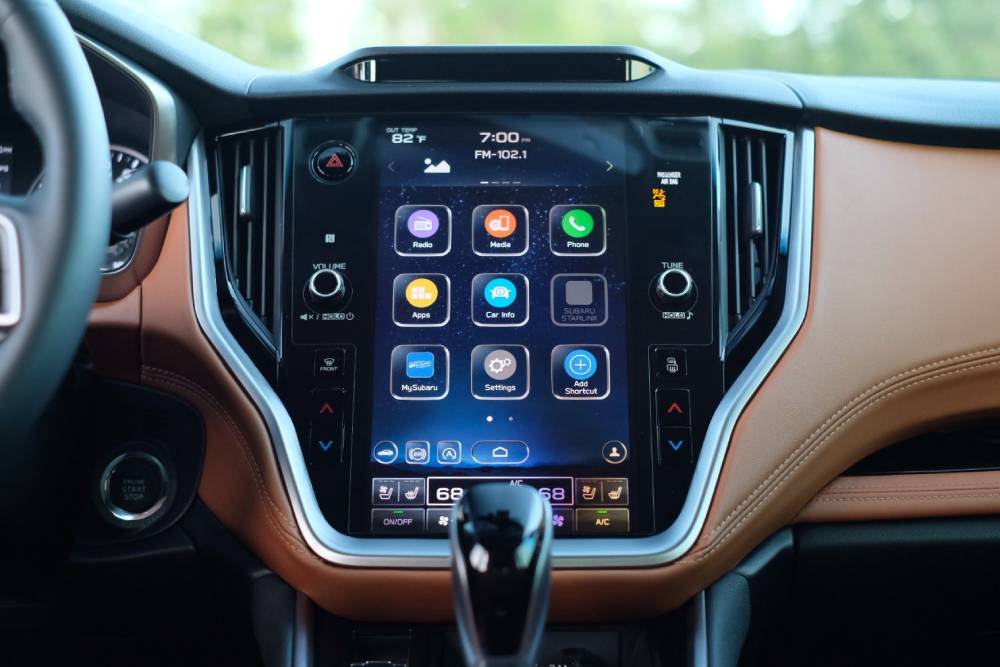
What Are the Most Common Subaru Infotainment Problems?
Subaru infotainment systems are designed to enhance convenience and connectivity, but certain issues have been repeatedly reported by owners across various models. While not every vehicle experiences these problems, understanding the most common symptoms can help drivers identify and address them before they become more serious.
Touchscreen Freezing or Slow Response
One of the most frequently reported Subaru infotainment system problems involves a touchscreen that becomes unresponsive or reacts slowly to user input. Drivers may notice delays when switching between menus, adjusting settings, or accessing navigation functions. In some cases, the display may freeze completely and require a restart.
These issues are often linked to software glitches, outdated firmware, or temporary system overloads. Performing a soft reset by turning the vehicle off for several minutes can sometimes resolve the problem. If the issue continues to occur, checking for software updates through a Subaru dealership is strongly recommended.
Bluetooth Connectivity Problems
Bluetooth issues can significantly affect the driving experience, especially for owners who rely on hands free calling or audio streaming. Common complaints include random disconnections, difficulty pairing devices, failure to sync contacts, and poor call quality.
The cause may be as simple as an outdated smartphone operating system or a conflict between multiple paired devices. Removing all previously connected devices and pairing the phone again from scratch often resolves the issue. Ensuring that both the vehicle software and smartphone software are up to date can also improve connection stability.
Apple CarPlay and Android Auto Malfunctions
Many Subaru owners depend on Apple CarPlay or Android Auto for navigation, music, and communication while driving. When these features stop working properly, it can quickly become frustrating.
Drivers have reported instances where their phones fail to connect, the connection drops unexpectedly, or supported applications do not appear on the infotainment display. Faulty cables, software incompatibility, and outdated system updates are among the most common causes.
Using certified cables, updating mobile devices, and verifying that the infotainment system is running the latest available software are important first steps in troubleshooting these problems.
Black Screens, Random Reboots, and System Failures
Although less common than connectivity issues, complete system failures can have a more significant impact on everyday vehicle operation. Some Subaru owners have reported black screens that appear without warning, repeated reboot cycles, or systems that fail to load after starting the vehicle.
A black screen may leave drivers unable to access navigation, media controls, or other integrated vehicle functions. In certain Subaru models, climate controls and backup camera displays are also tied to the infotainment unit, increasing the inconvenience when the system malfunctions.
Random rebooting is another concern. The screen may repeatedly shut down and restart while driving, disrupting music playback, navigation instructions, and connected services. These incidents can stem from corrupted software, hardware defects within the head unit, or electrical irregularities affecting the system.
Drivers experiencing these symptoms should first attempt a soft reset according to the instructions provided in the owner’s manual. If the problem persists, scheduling an inspection with an authorized Subaru service center becomes essential. Professional technicians can perform diagnostic scans, install updated firmware, and determine whether the infotainment unit itself requires replacement.
Ignoring persistent black screens or reboot loops may eventually lead to more extensive repairs. Addressing the issue early can improve reliability and potentially reduce long term repair costs.
How to Fix Subaru Infotainment Problems Yourself
Before scheduling a dealership appointment, there are several troubleshooting steps Subaru owners can try at home. While these solutions may not resolve every situation, they are often effective for addressing minor software related problems.
Perform a Soft Reset
A soft reset can refresh the infotainment system and clear temporary glitches that may be affecting performance. In many cases, simply shutting the vehicle off completely, exiting the car, and waiting several minutes before restarting can restore normal functionality.
Check for Available Software Updates
Software updates frequently contain bug fixes and performance improvements designed to address known infotainment concerns. Subaru dealerships can verify whether your vehicle qualifies for updated software versions. Staying current with these updates may prevent recurring issues from developing.
Remove and Reconnect Paired Devices
If Bluetooth, Apple CarPlay, or Android Auto connectivity problems continue to occur, deleting all paired devices from both the infotainment system and the smartphone can help. Afterward, reconnect the device as if setting it up for the first time. This process often eliminates conflicts caused by corrupted connection data.
Perform a Factory Reset
A factory reset should generally be considered a last resort after simpler solutions have failed. This process restores the infotainment system to its original settings, removing saved preferences, paired devices, and customized configurations. Drivers should back up any important information before proceeding.
If none of these methods resolves the issue, professional diagnosis may be necessary. Persistent problems could indicate underlying hardware faults that require specialized equipment and expertise to identify accurately.
Subaru Models Most Commonly Associated With Infotainment Complaints
Although infotainment issues can occur in any modern vehicle, discussions among Subaru owners suggest that certain models and production years have generated more complaints than others. It is important to note that experiencing one of these problems does not necessarily indicate that every vehicle within the same model range is affected. However, understanding these trends may help owners identify potential concerns more quickly.
Subaru Outback
The Subaru Outback has been one of the models most frequently mentioned in conversations about infotainment performance. Owners have reported touchscreen lag, delayed responses when switching between menus, and intermittent Apple CarPlay connectivity issues. In some cases, users have also experienced unexpected system restarts that interrupt navigation and audio playback.
Because many of the Outback’s key functions are integrated into the central display, even minor software glitches can create noticeable frustration during everyday driving. Regular software updates have improved performance for many drivers, making it worthwhile to verify whether the latest version has been installed.
Subaru Forester
Forester owners have occasionally described problems involving Bluetooth instability and delayed touchscreen responses. Some users have noted that their phones disconnect unexpectedly during calls or while streaming music.
These concerns often appear intermittently, making them difficult to reproduce during service appointments. Keeping records of when the issue occurs and documenting any error messages may assist technicians in identifying the root cause.
Subaru Ascent
As Subaru’s larger family oriented SUV, the Ascent places considerable emphasis on comfort and technology. Some owners, however, have reported black screens, sluggish system performance, and occasional backup camera delays.
Given the importance of these features in a family vehicle, addressing problems promptly is recommended. In many instances, software updates have helped improve system stability and responsiveness.
Subaru Legacy and Crosstrek
Drivers of the Legacy and Crosstrek have also reported isolated infotainment concerns, including touchscreen sensitivity problems and inconsistent smartphone integration.
While these complaints do not necessarily reflect widespread defects, they highlight the increasing complexity of modern automotive technology. As vehicles become more connected, maintaining software compatibility becomes just as important as traditional mechanical maintenance.
When Should You Visit a Subaru Dealer?
Many Subaru infotainment system problems can be resolved through basic troubleshooting. However, there are situations where professional assistance becomes necessary. Recognizing these warning signs can prevent small issues from escalating into more costly repairs.
One of the clearest indications that dealership intervention is needed is the presence of a persistent black screen that does not recover after restarting the vehicle. If the infotainment display remains blank despite multiple reset attempts, a hardware related problem may be present.
Repeated reboot cycles are another cause for concern. If the system continuously shuts down and restarts during normal operation, professional diagnostic testing is recommended. This behavior may indicate corrupted software, head unit malfunctions, or electrical faults that require specialized equipment to diagnose accurately.
Drivers should also seek assistance if essential functions linked to the infotainment system stop working. Backup camera failures, climate control disruptions, or the inability to access important vehicle settings should never be ignored.
If your Subaru remains under warranty, contacting an authorized dealership as soon as symptoms appear may help minimize out of pocket expenses. Service technicians can determine whether software updates, component replacements, or warranty repairs apply to your specific situation.
Attempting extensive repairs without proper training may lead to unintended complications. When problems persist despite multiple troubleshooting efforts, professional evaluation is often the safest and most effective course of action.
Frequently Asked Questions About Subaru Infotainment System Problems
Why does my Subaru infotainment system keep freezing?
A frozen infotainment system is commonly associated with software glitches, outdated firmware, or temporary processing errors. Performing a soft reset and checking for available updates are often effective first steps. If freezing occurs frequently, professional diagnosis may be necessary.
Can a software update fix Subaru infotainment problems?
Yes. Software updates are designed to address known bugs, improve system stability, and enhance compatibility with smartphones and connected services. Many owners have reported improvements after installing the latest available updates.
Which Subaru models experience infotainment complaints most often?
Reports from owners frequently mention the Outback, Forester, Ascent, Legacy, and Crosstrek. However, the severity and frequency of issues can vary significantly depending on the production year, software version, and individual vehicle circumstances.
How much does it cost to replace a Subaru infotainment system?
Replacement costs depend on factors such as vehicle model, warranty status, labor charges, and whether original equipment components are used. Minor software related repairs may involve minimal expense, while complete head unit replacement can represent a more substantial investment.
Is a dealership visit always necessary?
Not always. Simple measures such as restarting the system, reconnecting devices, or installing software updates may resolve many common issues. However, recurring failures, black screens, or malfunctioning safety related features should be evaluated by qualified technicians.
Can I prevent future infotainment problems?
Although no electronic system is entirely immune to malfunctions, maintaining current software versions, using quality charging accessories, and addressing unusual behavior promptly can reduce the likelihood of recurring issues. Proactive maintenance often contributes to a more reliable ownership experience.
By understanding the most common Subaru infotainment system problems and responding appropriately when symptoms arise, drivers can make informed decisions that protect both convenience and vehicle functionality.
Conclusion
Experiencing Subaru infotainment system problems can be frustrating, especially when the technology you rely on every day suddenly stops working as expected. From touchscreen freezing and Bluetooth connectivity issues to Apple CarPlay malfunctions and unexpected system reboots, these problems can disrupt both convenience and confidence behind the wheel.
Fortunately, not every infotainment issue requires an expensive repair. In many situations, simple troubleshooting methods such as performing a soft reset, reconnecting mobile devices, or installing the latest software updates can restore normal operation. Understanding the warning signs and addressing them early may prevent minor glitches from developing into more serious concerns.
For drivers dealing with persistent black screens, repeated reboot cycles, or failures involving essential vehicle functions, seeking assistance from an authorized Subaru service center remains the most reliable option. Professional technicians have access to specialized diagnostic tools and manufacturer updates that can help identify and resolve underlying issues more effectively.
As automotive technology continues to evolve, infotainment systems have become an increasingly important part of the ownership experience. Staying informed about common Subaru infotainment system problems empowers drivers to respond quickly when issues arise and maintain the level of convenience and connectivity they expect from their vehicles.
If you are currently facing problems with your Subaru infotainment system, start with the practical solutions outlined in this guide. A proactive approach can save valuable time, reduce unnecessary expenses, and help ensure that every journey remains as smooth and enjoyable as possible.
Why are so many people having issues with info system and no recalls. Very frustrating to still have low mileage car and have the entertainment center not work anymore. Also had to have transmission replaced and it is again, slow to take off and hesitates sometimes. Not good on a busy highway.
My 2020 Outback is having infotainment system problems too. It works sometimes and just goes blank other times. It is sooooo frustrating!