If your Honda Pilot radio displays “CODE” after a battery replacement, the anti-theft system has activated. The radio is not broken. It simply needs the correct security code before it can work again. Honda designed this feature to prevent unauthorized use after the radio loses power.
You can unlock the radio by finding the correct code for your vehicle. In most cases, you need the vehicle identification number (VIN) and the radio serial number. You may also find the code on the original anti-theft card or inside the owner’s document package. If those records are unavailable, Honda provides an official service to retrieve the correct code.
This guide explains the complete process from start to finish. You will learn why the radio requests a code, how to find the radio serial number, and how to retrieve the correct unlock code. You will also learn how to enter the code correctly and fix common problems such as incorrect codes, radio lockouts, or replaced audio units. By the end of this guide, you can restore your Honda Pilot radio quickly and avoid unnecessary troubleshooting.
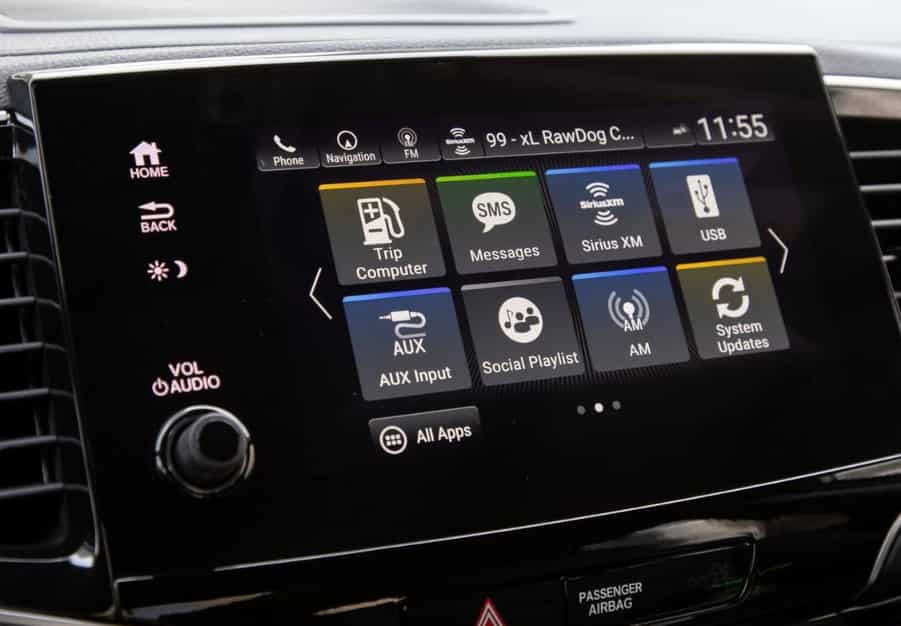
Why Is My Honda Pilot Radio Asking for a Code?
Your Honda Pilot radio asks for a code because the factory anti-theft system detects that the audio unit has lost its power source. This feature protects the radio from unauthorized use if someone removes it from the vehicle. When electrical power returns, the system cannot verify the radio automatically. Instead, it requests the original security code before restoring normal operation. In most cases, the radio works normally once you enter the correct code.
A battery replacement is the most common reason the code screen appears. However, the same problem can happen after a completely discharged battery, a disconnected battery cable, an electrical repair, or a blown fuse. Any event that interrupts power long enough can activate the anti-theft feature. The radio does not recognize why the power was lost. It only detects that the stored security information has been erased.
Many owners assume the radio has failed when they see “CODE” or “ENTER CODE” on the display. In reality, these messages simply indicate that the security system is waiting for verification. They do not mean the radio is defective. In contrast, an “ERR” message usually appears after several incorrect code attempts. The system temporarily blocks additional entries to prevent repeated guessing. That is why you should always verify the correct code before trying again.
Some Honda Pilot owners also believe that disconnecting the battery a second time will clear the lock. Unfortunately, this method does not solve the problem. Another power interruption usually causes the radio to request the same security code again. The only reliable solution is to retrieve the code assigned to the installed radio and enter it correctly. Once the system verifies the code, the audio functions return immediately, and you can use the radio as normal.
Where Can You Find the Honda Pilot Radio Code?
The first place to look for your Honda Pilot radio code is the original documentation that came with the vehicle. Honda often provides the code on an anti-theft identification card inside the owner’s document package. Some vehicles also include a sticker inside the glove compartment that lists either the radio code or the radio serial number. Checking these records first can save time because you may not need to retrieve the code online.
If you purchased the vehicle used, the previous owner may have written the radio code inside the owner’s manual or attached the anti-theft card to the maintenance records. It is worth checking every document before moving to the next step. Many owners overlook these materials and immediately search for an online solution. However, the original paperwork often provides the fastest way to unlock the factory radio.
It is also important to understand the difference between the radio code and the radio serial number. The radio code unlocks the audio system after it loses power. The radio serial number identifies the physical radio installed in the vehicle. Honda uses the serial number to generate or verify the correct unlock code. These numbers are not interchangeable, and entering the serial number as the unlock code will not restore the radio.
If you cannot find the code in the vehicle records, do not guess random numbers. Multiple incorrect attempts can lock the radio and create additional delays. Instead, locate the radio serial number and use Honda’s official radio code retrieval service. This method ensures that you receive the correct code for the radio currently installed in your Honda Pilot. It also reduces the risk of entering invalid codes that could trigger an error message or temporary lockout.
What Information Do You Need to Retrieve a Honda Pilot Radio Code?
You need two pieces of information to retrieve a Honda Pilot radio code. The first is the vehicle identification number (VIN). The second is the radio serial number. Honda uses both numbers to identify the vehicle and verify the factory audio unit. In some situations, you may also need to confirm vehicle ownership before the system releases the unlock code.
The VIN is a unique number assigned to your Honda Pilot. It identifies the vehicle rather than the radio itself. You can usually find the VIN at the lower corner of the driver’s side windshield. It also appears on the driver’s door jamb, the vehicle registration, the insurance card, and the title. Before requesting a radio code, compare the VIN in your documents with the VIN on the vehicle. Matching information helps prevent lookup errors.
The radio serial number serves a different purpose. It identifies the audio unit installed in your Honda Pilot. Honda links the unlock code to this serial number instead of the VIN alone. As a result, entering the correct VIN with the wrong serial number will not generate a valid code. This situation often occurs when a previous owner replaces the factory radio or installs another original Honda unit from a different vehicle.
Some owners expect Honda to generate a radio code by using only the VIN. Unfortunately, the process does not work that way. The radio serial number remains an essential part of the verification process. Once you have both numbers, you can use Honda’s official radio code retrieval service or visit an authorized Honda dealership. Providing accurate information from the beginning helps you receive the correct code faster and avoids unnecessary delays during the verification process.
How Do You Find the Honda Pilot Radio Serial Number?
Finding the radio serial number is an essential step if you need to recover your Honda Pilot radio code. Honda assigns every factory radio a unique serial number and links the unlock code to that specific unit. Without the correct serial number, the online lookup tool or dealership cannot verify the radio or provide the right code. The retrieval method varies by model year, but most Honda Pilot owners can find the serial number without removing the radio.
How Do You Display the Serial Number With Buttons 1 and 6?
Many Honda Pilot models with a factory radio allow you to display the serial number directly on the screen. Turn the ignition to the ON position, but do not start the engine. Make sure the radio is switched OFF. Next, press and hold the preset 1 and 6 buttons together. While holding both buttons, press the Power button once. The display will show two groups of characters, such as U1234 and L5678. Combine these groups to create the complete radio serial number. Write the number down exactly as it appears because even one incorrect digit can prevent you from retrieving the correct radio code.
If your Honda Pilot has a newer touchscreen infotainment system, the process may be different. Some models display the serial number through the system settings, while others retrieve it automatically when you use Honda’s official radio code lookup service. If you cannot access the serial number on the screen, check the owner’s manual for model-specific instructions before attempting any repairs.
In rare cases, the radio may have been replaced or the display may not support the built-in retrieval method. A technician may need to remove the radio and read the serial number from the label attached to the unit. Although this approach requires more time, it guarantees that you obtain the correct serial number. Once you have this information, you can request the matching Honda Pilot radio code and unlock the audio system safely.
How Do You Get a Honda Pilot Radio Code Online?
Honda provides an official online service that allows many owners to retrieve their Honda Pilot radio code without visiting a dealership. This is usually the fastest and most reliable option because the database matches the factory radio to your vehicle information. Before starting the lookup process, make sure you have the vehicle identification number (VIN) and the correct radio serial number. Entering accurate information is essential because even a small mistake can result in an incorrect code or a failed lookup.
Once you have the required information, visit Honda’s official radio code retrieval page and enter the requested details. The system verifies the VIN and the radio serial number before searching the manufacturer’s database. If the information matches the original factory records, the website displays the correct radio code immediately. In many cases, the process only takes a few minutes and does not require technical knowledge. After receiving the code, store it in a safe location so you can access it again if the battery is disconnected in the future.
Some owners cannot retrieve a code online even when they enter the correct information. This situation usually occurs because the radio has been replaced, the serial number was entered incorrectly, or the vehicle records cannot be verified automatically. It may also happen if the vehicle uses an older radio system that is not fully supported by the online lookup service. Before assuming the system has failed, double-check every character in the VIN and the radio serial number to eliminate common typing errors.
If the online lookup does not return a valid code, contact an authorized Honda dealership for assistance. The service department can verify vehicle ownership and access additional factory records that may not be available through the public website. Although this process may take longer than the online tool, it remains the safest way to obtain the correct Honda Pilot radio code. Avoid using unofficial code generators because they often provide inaccurate results and may expose your personal information to unnecessary security risks.
How Do You Enter the Radio Code in a Honda Pilot?
Entering the Honda Pilot radio code is a simple process, but accuracy is essential. The radio accepts only the correct security code assigned to the factory audio unit. If you enter the wrong numbers several times, the system may temporarily lock itself and display an error message. Before you begin, verify that you have the correct radio code for your vehicle and make sure each digit is easy to read.
Turn the ignition switch to the ON position without starting the engine. If the radio is locked, the display should show “CODE” or “ENTER CODE.” Use the radio preset buttons to enter each digit of the security code. For example, press the 1 button once to enter the number 1 or the 5 button once to enter the number 5. Continue until you have entered every digit in the correct order. Most Honda Pilot models automatically unlock the radio after the final digit is entered. Some systems may require you to press the Power or Enter button to confirm the code.
If the radio does not unlock immediately, stop and review the code before trying again. A single incorrect digit is enough to trigger an error. Many failed attempts occur because owners confuse similar characters or accidentally enter the code too quickly. Comparing the displayed code with your written record can help you identify mistakes before the system counts another failed attempt.
Once the correct code is accepted, the radio returns to normal operation and restores access to audio functions. Depending on the model, you may need to reset the clock, save your favorite radio stations, or reconnect Bluetooth devices after the power interruption. To avoid repeating the same process in the future, record the radio code in a secure location or store it with your vehicle documents so it is available whenever the battery is disconnected again.
Why Is the Honda Pilot Radio Code Not Working?
A Honda Pilot radio code may not work even when it appears to be correct. In most cases, the problem is not the radio itself. Instead, the issue comes from incorrect vehicle information, typing mistakes, or a mismatch between the code and the installed radio. Identifying the exact cause can save time and prevent the radio from entering a temporary lockout mode after multiple failed attempts.
The most common reason is that the radio code does not belong to the current audio unit. This situation often occurs when a previous owner replaces the factory radio with another original Honda radio from a different vehicle. Although the replacement radio looks identical, it has a different serial number and requires its own unique security code. If you retrieve a code by using the wrong serial number, the radio will reject every attempt.
Another common cause is entering the code incorrectly. A single wrong digit prevents the radio from unlocking. Many owners accidentally reverse the order of the numbers or confuse similar digits while entering the code. Before trying again, compare the code with your records and verify that the radio serial number and VIN match the information used during the lookup process. Taking a few extra seconds to review the details is much safer than making repeated guesses.
What Should You Do After Entering the Wrong Code Too Many Times?
If you enter the wrong code several times, the radio may display “ERR” or stop accepting additional input. This security feature protects the audio system from unauthorized access by limiting repeated attempts. Do not continue pressing random numbers because doing so will only extend the lockout period. Leave the ignition in the ON position for the amount of time recommended in your owner’s manual, then enter the correct code once the radio accepts input again.
If the correct code still does not work after the lockout ends, verify that the radio is the original factory unit installed in your Honda Pilot. If the radio has been replaced, you must retrieve the code assigned to that specific unit instead of the vehicle’s original code. When you cannot confirm the radio’s history or the official lookup service cannot verify your information, an authorized Honda dealership can inspect the radio, identify the correct serial number, and provide the appropriate unlock code.
Do All Honda Pilot Model Years Use the Same Radio Code Procedure?
Honda Pilot model years do not all use the same radio code procedure. While every factory radio uses an anti-theft system, Honda has changed the retrieval and unlocking process as the audio system evolved. Older models usually require owners to enter a five-digit radio code manually after the battery loses power. Newer models with advanced infotainment systems may recognize the vehicle automatically or use a different verification method that reduces the need for manual code entry.
Most Honda Pilot models produced in the early and mid-2000s rely on the traditional radio code system. After reconnecting the battery, the display shows “CODE,” and the owner must enter the correct security code using the preset buttons. These vehicles often allow the radio serial number to appear on the screen by holding the 1 and 6 preset buttons while turning on the radio. This built-in function makes it easier to retrieve the correct code through Honda’s official lookup service.
Many newer Honda Pilot models feature touchscreen infotainment systems with additional security features. Some systems can recognize the vehicle after power is restored and unlock automatically without requesting a radio code. Others still require verification, but the retrieval process may occur through the infotainment menu or an online database instead of the traditional button sequence. The exact procedure depends on the model year, trim level, and factory-installed audio system.
Before following instructions from another Honda Pilot owner, confirm that the guide matches your vehicle’s model year and radio type. Procedures that work on a 2008 Honda Pilot may not apply to a 2022 model with a touchscreen display. Using the correct method saves time, prevents unnecessary troubleshooting, and reduces the risk of entering incorrect information. If you are unsure which system your vehicle uses, check the owner’s manual or contact an authorized Honda dealership for model-specific instructions.
Can You Reset a Honda Pilot Radio Without the Code?
You cannot permanently reset a Honda Pilot radio without the correct security code if the anti-theft system is active. The security feature protects the factory radio whenever it loses electrical power. After the display shows “CODE,” the system requires the original unlock code before normal operation can continue. Disconnecting the battery again or pressing random button combinations will not bypass this protection.
Many owners look for a quick reset after replacing the battery or completing electrical repairs. However, Honda does not include a hidden reset button or a universal key sequence that disables the anti-theft feature. Restarting the vehicle, removing the radio fuse, or leaving the battery disconnected for several hours produces the same result. Once power returns, the radio performs another security check and requests the unlock code again.
Newer Honda Pilot models may behave differently after a battery replacement. Certain infotainment systems automatically recognize the vehicle and restore normal operation without asking for a manual code. This feature depends on the model year, software version, and factory-installed audio system. When the radio resumes normal operation immediately, the verification process has completed successfully. Otherwise, the display continues to show “CODE” until the correct security code is entered.
Owners who cannot locate the original code should use Honda’s official radio code retrieval service or visit an authorized Honda dealership. Both options verify the vehicle information and provide the correct code for the installed radio. Unofficial bypass tools, online hacks, and random code generators rarely solve the problem. They may even return incorrect codes or create additional security concerns. Following Honda’s official recovery process remains the safest, fastest, and most reliable way to unlock the radio.
When Should You Contact a Honda Dealer?
Most Honda Pilot owners can recover their radio code without visiting a dealership. However, certain situations require professional assistance. A Honda dealer has access to factory records and diagnostic tools that are not available through the public radio code retrieval service. When standard recovery methods do not work, the dealership can verify the vehicle information and determine why the radio remains locked.
One common reason to contact a dealer is when the official online lookup cannot generate a valid radio code. This problem may occur because the radio serial number was entered incorrectly, the vehicle records are incomplete, or the factory radio has been replaced. In these cases, dealership technicians can inspect the installed unit and confirm whether it matches the vehicle’s original equipment. Accurate identification prevents unnecessary troubleshooting and ensures that the correct unlock code is requested.
Professional assistance is also recommended if the radio continues to reject the correct code. Repeated failures may indicate that the radio is not the original factory unit or that an internal hardware issue is preventing successful verification. Rather than making additional attempts, allow a technician to inspect the system and confirm the correct procedure. This approach reduces the risk of extended lockout periods and avoids unnecessary frustration.
Bring your vehicle identification number (VIN), radio serial number, proof of ownership, and a valid photo ID before visiting the dealership. Having these documents ready allows the service department to verify ownership and retrieve the correct information more quickly. Although a dealer visit may require more time than the online lookup process, it remains the most reliable solution when other recovery methods fail. Professional verification also provides peace of mind by ensuring that the radio code matches the factory audio system installed in your Honda Pilot.
How Can You Prevent Losing the Honda Pilot Radio Code Again?
Keeping your Honda Pilot radio code in a secure location is the easiest way to avoid future problems. The anti-theft system requests the code whenever the factory radio loses power, so having quick access to the correct information can save time after a battery replacement or electrical repair. Instead of searching for the code during an emergency, store it in a place where you can find it within minutes.
One effective solution is to record the radio code together with the vehicle identification number (VIN) and the radio serial number. Keeping all three numbers in the same location makes future recovery much easier. Many owners write the information inside the owner’s manual, while others store a digital copy in a secure password manager or encrypted notes application. Either option reduces the chance of losing important records when the original anti-theft card is misplaced.
Maintaining accurate vehicle records also helps prevent unnecessary troubleshooting. Whenever the battery is replaced or the factory radio is serviced, verify that your stored information still matches the installed audio unit. This step is especially important if the radio has been repaired or replaced because a different factory radio requires a different security code. Updating your records immediately eliminates confusion the next time the anti-theft system activates.
Good preparation can also reduce the likelihood of unexpected lockouts. Before disconnecting the battery for maintenance, confirm that you know where the radio code is stored or retrieve it through Honda’s official service if necessary. Taking a few minutes to verify this information is much easier than searching for it after the radio stops working. By keeping accurate records and using Honda’s official recovery methods, you can restore your Honda Pilot radio quickly whenever the anti-theft system requests the security code.
Are Third-Party Honda Radio Code Generators Safe?
Most third-party Honda radio code generators are not a safe or reliable solution. While many websites promise to generate a free unlock code within seconds, few have access to Honda’s official factory database. As a result, the code they provide may not match the radio installed in your Honda Pilot. Entering an incorrect code repeatedly can trigger a temporary lockout and make the recovery process more difficult.
Many unofficial websites also ask users to provide personal information, including the vehicle identification number (VIN), radio serial number, email address, or payment details. Although some services appear legitimate, others collect this information for marketing purposes or charge unnecessary fees without guaranteeing accurate results. Choosing an unverified service increases the risk of receiving incorrect information while exposing personal data to potential security concerns.
The safest approach is to use Honda’s official radio code retrieval service or contact an authorized Honda dealership. Both options verify the VIN and the radio serial number before providing the correct unlock code. This verification process helps ensure that the code matches the factory-installed radio and minimizes the chance of unnecessary errors. Official sources also provide support if the radio has been replaced or the vehicle records require additional verification.
Third-party code generators may seem convenient, but they rarely offer the same level of accuracy or security as Honda’s official recovery process. Saving a few minutes is not worth the risk of receiving an invalid code or sharing sensitive vehicle information with an unknown provider. Whenever possible, rely on verified Honda resources to recover your Honda Pilot radio code safely and restore normal radio operation.
What Is the Fastest Way to Unlock a Honda Pilot Radio?
The fastest way to unlock a Honda Pilot radio is to retrieve the correct security code through Honda’s official radio code lookup service. Before starting the process, gather the vehicle identification number (VIN) and the radio serial number. Entering accurate information allows Honda to verify the factory radio and return the correct unlock code within minutes in many cases. After receiving the code, enter it carefully using the radio preset buttons to restore normal operation.
If the online lookup does not provide a result, verify that the VIN and radio serial number are correct before trying again. Small typing mistakes are one of the most common reasons for failed lookups. You should also confirm that the installed radio is the original factory unit because a replacement radio requires its own unique security code. Checking these details first can prevent unnecessary delays and repeated troubleshooting.
Owners who still cannot retrieve a valid code should contact an authorized Honda dealership. Service technicians can inspect the installed radio, verify vehicle ownership, and access factory records that are unavailable through the public lookup system. Although this option may take more time than the online service, it remains the most dependable solution when the standard recovery process cannot identify the correct code.
Recovering a Honda Pilot radio code is usually a straightforward process when you follow the correct steps. Keeping the radio code, VIN, and radio serial number in a secure location makes future recovery much easier after a battery replacement or electrical repair. By using Honda’s official resources and avoiding unofficial code generators, you can unlock the factory radio safely, restore your audio system quickly, and reduce the risk of future lockouts.
Conclusion
Recovering a Honda Pilot radio code is much easier when you know the correct process. In most cases, you only need the vehicle identification number (VIN), the radio serial number, and Honda’s official radio code retrieval service to unlock the factory audio system. Taking a few minutes to verify this information can save you from unnecessary troubleshooting and prevent repeated lockouts caused by incorrect code entries.
Keeping a record of your radio code, VIN, and radio serial number is the best way to prepare for future battery replacements or electrical repairs. If the online lookup does not return a valid code, an authorized Honda dealership can verify the installed radio and provide the correct information. Avoid relying on unofficial code generators because they often produce inaccurate results and may expose your personal data to unnecessary risks.
By following the steps in this guide, you can restore your Honda Pilot radio safely and quickly. More importantly, you will understand why the radio requests a security code, how the anti-theft system works, and what to do if the standard recovery process does not solve the problem. Saving your radio information today will make the next recovery process faster, easier, and completely stress-free.