Modern Jeep vehicles are designed to deliver more than just off-road capability. With the Uconnect infotainment system, drivers can enjoy navigation, hands-free calling, Bluetooth connectivity, Apple CarPlay®, Android Auto™, media streaming, climate controls, and access to important vehicle settings through a single touchscreen interface. However, when Jeep Uconnect is not working, even a short drive can become frustrating and inconvenient.
You might encounter a frozen touchscreen, an unresponsive display, a black screen, Bluetooth pairing failures, or a system that continuously restarts without warning. In some cases, the radio may stop producing sound, navigation may fail to load, or Apple CarPlay and Android Auto may suddenly disconnect. These problems can occur unexpectedly and often leave drivers wondering whether the issue is caused by a simple software glitch or an expensive hardware failure.
The good news is that many Uconnect problems can be resolved without visiting a dealership. Issues such as temporary software bugs, outdated firmware, low battery voltage, or corrupted Bluetooth connections can often be fixed using straightforward troubleshooting methods that take only a few minutes.
This comprehensive guide explains the most common reasons why Jeep Uconnect is not working and walks you through proven solutions, beginning with the easiest fixes and progressing to more advanced troubleshooting techniques. Whether you drive a Jeep Wrangler, Grand Cherokee, Compass, Gladiator, Cherokee, Renegade, Wagoneer, or another model equipped with Uconnect, this article will help you diagnose the problem, restore normal operation, and determine when professional repair is truly necessary.
By the end of this guide, you will know how to identify the root cause of your Uconnect issue, perform safe reset procedures, install software updates correctly, and avoid unnecessary repair costs while keeping your infotainment system running smoothly.
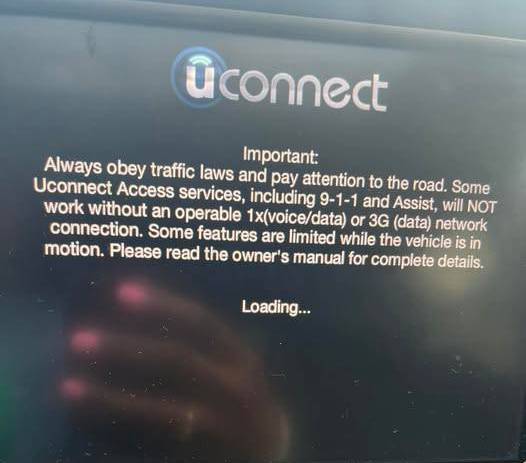
Why Is My Jeep Uconnect Not Working?
When Jeep Uconnect is not working, the problem does not always mean that the entire infotainment unit has failed. In many cases, the system is responding to a temporary software error, an unstable power supply, a damaged cable, or a connection conflict with a paired device. Identifying the exact symptoms before attempting repairs can help you avoid unnecessary resets, replacement parts, and dealership charges.
Common Symptoms of a Uconnect Problem
A malfunctioning Uconnect system can behave in several different ways. The touchscreen may remain completely black after the engine starts, or the Jeep logo may appear without the system progressing to the main menu. Some drivers encounter a frozen display that shows an image but does not respond to touch commands.
Other common symptoms include a radio that produces no sound, Bluetooth that refuses to pair, Apple CarPlay or Android Auto that disconnects repeatedly, missing navigation information, delayed touchscreen responses, or a system that restarts itself every few minutes. You may also notice that steering wheel controls, voice commands, climate settings, or USB ports stop communicating with the display.
The exact symptoms matter because they can point toward different causes. A black screen may indicate a power supply, fuse, display, or head unit problem. A working screen with failed Bluetooth is more likely to involve phone compatibility, pairing data, or software. A repeated reboot cycle may suggest corrupted software, unstable battery voltage, or an internal hardware fault.
Temporary Software Glitches
Like a smartphone or computer, the Uconnect system relies on software to manage multiple functions at the same time. A failed startup process, an interrupted update, or a conflict between connected devices can cause the system to freeze.
Temporary glitches often appear without warning. The system may have worked normally during the previous drive but fail to load the next time the vehicle starts. In these situations, a complete ignition cycle or soft reset may restore normal operation without deleting saved settings.
Software problems are especially likely when the screen still receives power but does not respond correctly. Delayed menus, disappearing icons, random restarts, audio interruptions, and failed phone connections can all be signs that the system needs to reboot or receive an available update.
Uconnect provides an official software update center where owners of eligible vehicles can check for updates. Depending on the vehicle and system, updates may be delivered over the air through a protected Wi-Fi connection or installed through another supported method.
Low Battery Voltage
A weak battery can affect more than the engine starting process. Modern Jeep vehicles depend on stable voltage to operate electronic modules, including the Uconnect head unit. If the battery voltage drops too low during startup, the infotainment system may fail to boot, display a black screen, lose stored settings, or restart repeatedly.
This issue is common after the vehicle has been parked for an extended period, after a battery replacement, or when the battery is approaching the end of its service life. It can also occur when a charging system problem prevents the battery from maintaining a consistent voltage.
If your Jeep starts slowly, the interior lights appear dim, or other electronic systems are behaving strangely, inspect the battery before assuming the Uconnect unit is damaged.
Blown Fuse or Interrupted Power
The Uconnect system receives power through one or more electrical circuits protected by fuses. A blown fuse can prevent the screen, radio, amplifier, or USB ports from operating.
The correct fuse number and location vary by Jeep model, model year, trim, and infotainment configuration. Do not rely on a generic fuse diagram from another vehicle. Consult the owner’s manual for your specific Jeep before removing or replacing a fuse.
A replacement fuse must have the same amperage rating as the original. Installing a higher rated fuse can damage wiring or create a safety risk. If a new fuse blows shortly after installation, an electrical fault may be present and the vehicle should be inspected by a qualified technician.
Damaged Cables or Connected Devices
A defective USB cable can make it appear that Uconnect itself has stopped working. This is particularly common when Apple CarPlay or Android Auto fails to launch, disconnects during a drive, or repeatedly switches between connected and disconnected states.
Low quality cables, damaged connectors, dirt inside the phone port, and unsupported adapters can interrupt data transfer even if the phone continues charging. Wireless connections can also fail when old pairing records, phone updates, battery saving modes, or competing Bluetooth devices interfere with communication.
Hardware Failure
Hardware failure should be considered when basic troubleshooting does not restore the system. Possible faults include a damaged touchscreen digitizer, failing display panel, loose wiring connector, defective amplifier, damaged USB hub, or internal head unit failure.
Physical clues can make a hardware problem easier to identify. These may include visible screen separation, bubbles under the display, moisture damage, flickering, overheating, burnt odors, distorted audio, or a touchscreen that activates controls without being touched.
When Jeep Uconnect is not working because of hardware damage, repeated resets are unlikely to provide a permanent solution. Professional testing may be required to determine whether the display, wiring, amplifier, or complete radio unit needs repair.
Quick Fixes Before Trying Advanced Repairs
Before disconnecting the battery, removing fuses, or performing a factory reset, start with the least invasive solutions. These steps can resolve many temporary problems without erasing paired phones, radio presets, navigation favorites, or personal preferences.
Restart the Vehicle Completely
Park the Jeep in a safe location, shift into Park, and turn off the ignition. Open the driver’s door, exit the vehicle, close all doors, and lock the Jeep.
Wait several minutes before unlocking and restarting it. This gives the vehicle’s electronic modules time to shut down instead of remaining in an accessory or standby state.
Simply switching the engine off and immediately restarting it may not be enough. Some modules remain active temporarily, especially when a door is open, a key is detected nearby, or connected accessories are still drawing power.
After restarting, allow the Uconnect system time to load fully before pressing multiple buttons. Rapid inputs during startup can make a slow system appear frozen.
Disconnect USB Devices
Remove phones, flash drives, charging cables, wireless adapters, and other accessories from every USB port. Then restart the vehicle and test the Uconnect system with nothing connected.
A damaged storage device, unsupported file, defective cable, or malfunctioning adapter can interfere with system startup. If Uconnect works normally after the devices are removed, reconnect them one at a time until the problem returns.
This method can help identify whether the issue is caused by the vehicle or by an accessory.
Test a Different Cable and USB Port
When Apple CarPlay or Android Auto is not working, replace the current cable with a known good data cable. Some cables are designed primarily for charging and may not transfer data reliably.
Inspect both ends for bent contacts, loose connectors, or debris. Also check the phone’s charging port and the Jeep’s USB port. Clean them carefully without inserting metal objects.
If your Jeep has multiple USB ports, remember that not every port necessarily supports smartphone projection. Some ports may provide charging only. Use the designated media or data port described in the vehicle manual.
Restart Your Phone
Turn the phone completely off and restart it before attempting to pair again. This clears temporary Bluetooth, Wi-Fi, and smartphone projection errors.
Confirm that Bluetooth is enabled and that Apple CarPlay or Android Auto has not been disabled in the phone’s settings. Also check whether the phone is connected to another vehicle, headset, wireless adapter, or audio device.
Uconnect supports phone connectivity, voice functions, navigation, and related infotainment features, but availability varies by vehicle and system configuration. Jeep and Uconnect provide model-specific instructions and phone pairing guidance through their official support resources.
Delete and Pair the Phone Again
Open the Bluetooth settings on your phone and remove the saved Uconnect connection. Then open the phone settings on the Uconnect display and delete the phone from the paired device list.
Restart both the phone and the vehicle before creating a new pairing. During the process, verify that the PIN shown on the phone matches the PIN displayed by Uconnect.
Allow contact, call history, message, and audio permissions when prompted. Rejecting these permissions can cause certain features to appear broken even though the basic Bluetooth connection is active.
An update or system reset may occasionally remove stored Bluetooth settings, requiring the phone to be paired again. Uconnect’s official FAQ advises users to pair their phones again if Bluetooth settings are reset.
Clean the Touchscreen
Turn the system off and wipe the touchscreen with a clean, dry microfiber cloth. Remove fingerprints, moisture, dust, and residue that may interfere with touch sensitivity.
Do not spray liquid directly onto the display. Avoid harsh household cleaners, abrasive materials, and excessive pressure. If a screen protector or accessory film has begun to lift, remove it and test the display again.
If the image appears normally but only certain areas fail to respond, the touchscreen digitizer may be damaged. A reset may temporarily improve responsiveness, but it will not repair physical screen failure.
Check for Overheating
A Uconnect unit exposed to extreme cabin temperatures may respond slowly, dim the display, freeze, or shut down temporarily. Park in a shaded area, ventilate the cabin, and allow the interior to reach a moderate temperature before testing the system again.
Avoid placing devices, mounts, covers, or objects where they block airflow around the dashboard. Persistent overheating, electrical odors, or a display that becomes unusually hot should be evaluated professionally.
How to Soft Reset Jeep Uconnect
A soft reset restarts the infotainment software without intentionally erasing all personal data. It is often the best next step when basic ignition cycling does not resolve a frozen screen, delayed response, Bluetooth failure, missing audio, or temporary connection problem.
Before Performing a Soft Reset
Park the vehicle safely and keep it stationary throughout the procedure. Make sure the battery is in reasonable condition because a voltage interruption during startup can create additional problems.
Remove USB devices and disconnect phones before beginning. Write down important radio presets or preferences as a precaution. Although a soft reset normally preserves user data, behavior can vary by Uconnect generation, software version, and vehicle.
The button combination used to reboot Uconnect is not identical across every Jeep. Some systems respond to a combination involving the volume and tuning controls, while others use a different procedure or rely on a menu based restart. For this reason, confirm the instructions in the owner’s manual for your exact model year and system before holding any buttons.
General Soft Reset Procedure
Start the Jeep or place the ignition in the appropriate accessory or run mode as described in the owner’s manual. Wait until the Uconnect screen finishes attempting to load.
Press and hold the applicable physical control combination for your system. Continue holding the controls until the display turns off and the Jeep or Uconnect startup logo reappears.
Release the controls and allow the system to reboot completely. Do not repeatedly touch the screen, turn the ignition off, or connect a phone while it is restarting.
Once the main menu appears, test the radio, touchscreen, Bluetooth, audio output, navigation, steering wheel controls, and USB connection individually.
What to Do After the Reset
If the system begins working normally, monitor it during the next several drives. A single freeze may have been caused by a temporary software conflict. If the same problem returns frequently, check whether an official software update is available for your vehicle.
The official Uconnect support page allows owners to enter their 17 digit Vehicle Identification Number to determine whether the vehicle qualifies for a software upgrade. Eligible connected vehicles may also receive supported updates over the air.
If Bluetooth remains unavailable after the reset, delete the pairing information from both the phone and Uconnect, restart both devices, and pair them again. If Apple CarPlay or Android Auto still fails, test another compatible phone and a known good cable. This helps separate a phone related problem from a vehicle related problem.
When a Soft Reset Is Not Enough
A soft reset is unlikely to solve a blown fuse, damaged wiring, weak battery, failed amplifier, defective touchscreen, or internal head unit fault. It may also provide only temporary relief when the software is outdated or corrupted.
Do not repeat the reset continuously if the screen remains black, the unit becomes hot, the fuse keeps blowing, or the system enters a constant reboot loop. Repeated resets can hide the symptom without correcting the underlying electrical or hardware problem.
The next step is to inspect the battery condition, check the appropriate fuse using the model-specific manual, confirm whether a software update is available, and document when the failure occurs. Record the screen behavior, error messages, weather conditions, connected devices, and recent battery or repair work. These details can make professional diagnosis faster and may help prevent unnecessary component replacement.
Jeep Uconnect Screen Frozen
A frozen Uconnect screen is one of the most common infotainment problems reported by Jeep owners. The display may remain on but refuse to respond to touch inputs, stay stuck on the Jeep or Uconnect logo, freeze while using navigation, or become completely unresponsive after connecting a smartphone. Although the symptoms can be alarming, a frozen screen does not always indicate a failed head unit. In many cases, the issue is caused by a temporary software conflict that can be resolved without replacing any components.
What Causes a Frozen Uconnect Screen?
Several factors can prevent the infotainment system from operating normally. Interrupted software updates are one of the most common causes. If the update process is incomplete or corrupted, the operating system may fail to load correctly during startup.
Insufficient battery voltage can also interrupt the boot sequence. Because the Uconnect system relies on stable electrical power, a weak battery or charging system problem may cause the display to freeze before it fully initializes.
Another possible cause is memory overload. Running multiple background processes, connecting several Bluetooth devices, or leaving USB storage devices connected for long periods can increase the system workload and occasionally cause the software to become unresponsive.
Hardware problems are less common but should not be ignored. A failing touchscreen digitizer, damaged display controller, loose internal connector, or defective head unit can all produce symptoms similar to a software freeze.
How to Fix a Frozen Uconnect Screen
Begin by restarting the vehicle completely and allowing the infotainment system several minutes to initialize. If the display remains frozen, perform a soft reset using the procedure recommended for your Jeep model.
Disconnect all USB devices and temporarily disable Bluetooth on nearby phones before restarting the system again. This eliminates the possibility of a connected device preventing the software from loading correctly.
If the touchscreen becomes responsive after restarting, monitor the system over several days. Repeated freezing usually indicates that the software should be updated or that another underlying issue is present.
When freezes continue after multiple resets, inspect the battery voltage and charging system. A weak battery may appear capable of starting the engine while still causing unstable operation of electronic control modules.
If none of these steps restore normal operation, professional diagnosis may be necessary to determine whether the display assembly or head unit has developed a hardware fault.
When Should You Replace the Screen?
A frozen display does not automatically require screen replacement. However, replacement becomes more likely if the display shows visible cracks, water damage, flickering, discoloration, dead touch zones, or ghost touches that activate controls without user input.
If the image appears normal but touch functions fail consistently, the touchscreen digitizer may have failed while the display panel itself remains functional. In this situation, replacement of the touchscreen assembly or complete infotainment unit may be required depending on the vehicle configuration.
Jeep Uconnect Black Screen
A black screen is different from a frozen screen because the display does not show menus, icons, or the Jeep startup logo. Sometimes the radio continues playing while the screen remains dark. In other cases, the entire infotainment system appears completely inactive.
Check the Power Supply
The first step is confirming that the system is receiving power. Start the engine and observe whether the radio produces sound, steering wheel audio controls respond, or backup camera activates when reverse gear is selected.
If every infotainment function has stopped working, inspect the vehicle battery and charging system before assuming that the display has failed. Low voltage can prevent electronic modules from starting correctly.
Inspect the Appropriate Fuse
A blown infotainment fuse is another common reason for a black display. Locate the correct fuse using the owner’s manual for your specific Jeep model and inspect it carefully.
If the metal strip inside the fuse is broken, replace it only with another fuse that has the identical amperage rating. Never install a larger fuse because it can damage wiring or other electrical components.
When a replacement fuse blows immediately after installation, discontinue troubleshooting and have the electrical system inspected. Repeated fuse failure usually indicates an underlying electrical short rather than a defective screen.
Rule Out Software Failure
Sometimes the display remains black because the operating system has failed during startup. Performing a soft reset may restore normal operation if the hardware is still functioning.
If the Jeep logo briefly appears before disappearing, the issue is more likely software related than a complete display failure.
A recent software update, battery replacement, or interrupted startup sequence may also trigger temporary boot problems.
Consider Display or Head Unit Failure
When the display remains completely black despite confirmed battery power, an intact fuse, and repeated reset attempts, the problem may involve the LCD panel, internal display controller, power circuitry, or the infotainment head unit itself.
Professional diagnostic equipment can determine whether the screen is receiving video signals from the radio module or whether the head unit has stopped communicating with the rest of the vehicle.
Replacing only the display may solve the issue in some vehicles, while others require replacement or repair of the complete infotainment assembly.
Jeep Bluetooth Not Working
Bluetooth connectivity problems are among the most frequently reported Uconnect issues. Drivers may be unable to pair their phone, experience random disconnections during calls, lose audio streaming capability, or notice that contacts and messages no longer synchronize with the vehicle.
Fortunately, most Bluetooth problems are caused by software conflicts or connection settings rather than hardware failure.
Bluetooth Will Not Pair
If your phone cannot find the Jeep or pairing repeatedly fails, begin by deleting all existing Bluetooth connections from both the phone and the Uconnect system.
Restart both devices before creating a completely new pairing. Ensure that the phone is visible to nearby Bluetooth devices and confirm the matching security code displayed on both screens.
Some older phones may no longer be fully compatible with the latest software versions, while newly released smartphones occasionally require operating system updates before functioning correctly with older infotainment systems.
Bluetooth Disconnects Randomly
Random disconnections are often caused by aggressive battery optimization settings, outdated phone software, wireless interference, or multiple paired devices attempting to connect simultaneously.
Disable battery saving features for Bluetooth, remove unused paired devices, and ensure that only one primary phone automatically connects to the vehicle.
If multiple family members regularly use the same Jeep, review the pairing priority because the system may attempt to switch between nearby devices during startup.
No Audio During Calls or Music Playback
If Bluetooth appears connected but produces no sound, verify that the correct audio source is selected on the Uconnect display.
Increase the media volume separately from the ringtone volume because many smartphones maintain independent audio levels.
Test another smartphone to determine whether the issue follows the phone or remains with the vehicle. If a second device works normally, the original phone likely requires software updates or Bluetooth configuration changes.
Reset the Bluetooth Module
When standard troubleshooting does not resolve persistent connection problems, perform a soft reset of the Uconnect system and remove every paired device before reconnecting them one at a time.
Avoid restoring dozens of previously paired devices immediately after resetting the system. Beginning with a single phone makes it much easier to identify whether a specific device is triggering the problem.
If Bluetooth continues failing after resets, software updates, and testing multiple compatible phones, the infotainment system may require professional diagnosis to determine whether the internal Bluetooth module has developed a hardware fault.
Apple CarPlay and Android Auto Problems
Apple CarPlay and Android Auto have become essential features for many Jeep owners, allowing drivers to access navigation, music, messaging, and hands free communication directly from the Uconnect display. When these features stop working, it can feel like the entire infotainment system has failed. Fortunately, most connection problems are related to cables, smartphone settings, software compatibility, or temporary communication errors rather than permanent hardware damage.
CarPlay or Android Auto Is Not Detected
If your phone does not appear on the Uconnect screen after connecting it, start by confirming that your Jeep model and Uconnect version support Apple CarPlay or Android Auto. Older vehicles may require a software update, while some entry level infotainment systems do not include these features.
Next, inspect the USB cable carefully. Many charging cables are designed only to supply power and cannot transfer the data required for smartphone projection. Use a certified high quality data cable whenever possible.
Also inspect both the USB port inside the vehicle and the charging port on your phone. Dust, pocket lint, moisture, or damaged connectors can interrupt communication even though the phone continues charging normally.
After reconnecting the phone, unlock the device and approve every permission request. Denying access to data, contacts, notifications, or vehicle integration can prevent Apple CarPlay or Android Auto from launching correctly.
Apple CarPlay or Android Auto Keeps Disconnecting
Intermittent disconnections usually indicate an unstable connection rather than a defective infotainment system.
A damaged USB cable remains the most common cause. Replace the cable with another certified cable before attempting more advanced troubleshooting.
Wireless smartphone projection can also disconnect because of Bluetooth interference, unstable Wi Fi signals, outdated phone software, or aggressive battery optimization settings that temporarily disable background communication.
Restart both the smartphone and the Uconnect system before testing again. If the problem disappears after restarting, the issue was most likely caused by a temporary software conflict.
If disconnections continue with multiple phones and different cables, verify whether an official Uconnect software update is available for your vehicle.
Black Screen While Using CarPlay or Android Auto
Some drivers report that the audio continues playing while the display suddenly turns black after launching Apple CarPlay or Android Auto.
This symptom is often associated with a software compatibility issue between the phone operating system and the installed Uconnect firmware.
Disconnect the phone, restart both devices, reconnect using another cable if possible, and check for software updates on both the smartphone and the vehicle.
If the display remains black only while using smartphone projection but functions normally with the built in radio or navigation system, the problem is less likely to involve the display hardware.
Tips to Prevent Future Connection Problems
Keep your smartphone operating system updated.
Install official Uconnect software updates whenever they become available.
Avoid using damaged or low quality USB cables.
Disconnect unnecessary Bluetooth devices before pairing a new phone.
Restart both the phone and vehicle after major software updates.
Delete old pairing records that are no longer being used.
Following these simple maintenance practices can significantly reduce future connection issues and improve overall infotainment performance.
The built in navigation system helps drivers reach destinations efficiently, especially in areas with limited cellular coverage. When navigation stops working, routes may fail to calculate, maps may freeze, the vehicle location may become inaccurate, or GPS signals may disappear completely.
Fortunately, many navigation problems can be resolved without replacing the infotainment system.
GPS Cannot Find Your Location
If the map displays an incorrect location or cannot determine your position, move the vehicle to an open area away from tall buildings, parking garages, tunnels, or heavy tree cover.
GPS satellites require a relatively clear view of the sky. Temporary signal loss is normal when driving through enclosed environments.
Restart the navigation system and allow several minutes for satellite acquisition before assuming that a hardware failure exists.
Maps Freeze or Stop Updating
A frozen map often results from software instability or insufficient system resources.
Restart the infotainment system using a soft reset and verify that no unnecessary USB storage devices remain connected.
If the map continues freezing after several restarts, determine whether an official navigation software or map update is available for your Uconnect system.
Outdated mapping databases may also cause incorrect routing, missing roads, or inaccurate points of interest.
Vehicle Location Is Incorrect
When the navigation system consistently places the vehicle in the wrong location, the problem may involve GPS calibration, software corruption, or signal reception.
Drive the vehicle in an open area for several minutes to allow the system to recalibrate.
If the incorrect location persists across multiple trips, update the navigation software if available and verify that no aftermarket electronics have been installed near the dashboard that could interfere with GPS reception.
Sometimes the map functions correctly while voice directions disappear completely.
Confirm that voice guidance has not been muted inside the navigation settings.
Increase the navigation volume while an instruction is actively being spoken because many systems store navigation volume separately from radio or media volume.
If voice prompts remain unavailable after restarting the system, test other audio functions such as FM radio and Bluetooth music. If every audio source is affected, the issue may involve the amplifier or audio output rather than the navigation application itself.
Check for Software Updates
Outdated software is one of the leading causes of recurring Uconnect problems. Software updates are released to improve system stability, fix known bugs, enhance Bluetooth compatibility, improve Apple CarPlay and Android Auto performance, strengthen cybersecurity, and correct navigation issues.
Keeping the infotainment software current is one of the easiest ways to prevent future failures.
Why Software Updates Matter
Every software version contains improvements based on issues discovered after previous releases.
A vehicle that has never received updates may experience random freezing, delayed touchscreen response, unexpected reboots, Bluetooth instability, or compatibility problems with newly released smartphones.
Installing the latest approved software can resolve many of these issues without replacing any hardware.
How to Check Your Current Software Version
Open the Settings menu on the Uconnect display and locate the System Information or Software Information section. Record the installed software version before checking whether a newer release is available.
Some Jeep models support over the air updates through an active wireless connection, while others require updates to be installed using manufacturer approved procedures.
Always follow the instructions provided for your specific vehicle and infotainment system.
What to Do Before Updating
Park the vehicle in a safe location and ensure the battery is fully charged.
Do not interrupt the update process by turning off the ignition, disconnecting the battery, or removing storage devices while installation is in progress.
Depending on the software version and vehicle model, the update process may take anywhere from several minutes to over an hour.
During installation, the screen may restart multiple times. This behavior is normal and should not be interrupted.
What If the Update Fails?
If the installation stops unexpectedly, displays an error message, or repeatedly restarts without completing, avoid attempting multiple installations in succession.
Restart the vehicle once and determine whether the previous software version remains installed.
If repeated update attempts continue failing, contact an authorized Jeep service center for further diagnosis. A failed update may indicate corrupted software, unstable battery voltage, storage errors, or an underlying hardware issue that requires professional attention.
Keeping your Uconnect software updated significantly reduces the likelihood of recurring infotainment problems and ensures better compatibility with modern smartphones and connected vehicle technologies.
Check the Fuse
A blown fuse is one of the simplest yet most overlooked reasons why Jeep Uconnect stops working. Because the infotainment system relies on several electrical circuits, losing power to a single circuit can prevent the display, radio, amplifier, USB ports, or touchscreen from functioning correctly.
Fortunately, inspecting a fuse takes only a few minutes and can help determine whether the problem is electrical or related to the infotainment hardware itself.
Locate the Correct Fuse
The exact fuse location varies depending on the Jeep model, model year, trim level, and Uconnect version. Most vehicles have one fuse box inside the cabin and another inside the engine compartment.
Always refer to the owner’s manual for your specific vehicle before removing any fuse. The manual identifies the fuse number, amperage rating, and the component it protects.
Using an incorrect fuse diagram from another Jeep model can lead to unnecessary troubleshooting and may cause additional electrical problems.
Inspect the Fuse Carefully
Turn off the ignition completely before opening the fuse box.
Using the supplied fuse puller or an appropriate plastic removal tool, carefully remove the suspected fuse.
Hold the fuse toward a light source and inspect the metal strip inside the transparent housing. If the strip is broken or burned, the fuse has failed and should be replaced.
Even if the fuse appears intact, inspect the terminals for corrosion, discoloration, moisture, or signs of overheating.
Replace the Fuse Properly
Always install a replacement fuse with the identical amperage rating as the original.
Never substitute a larger fuse in an attempt to restore power. Doing so can damage wiring, electronic modules, or create a potential fire hazard.
After installing the new fuse, restart the vehicle and observe whether the Uconnect system starts normally.
If the replacement fuse blows immediately or fails again after a short period, discontinue troubleshooting and have the electrical system inspected by a qualified technician. Repeated fuse failure almost always indicates an underlying electrical short or component failure rather than a defective fuse.
When the Fuse Is Not the Problem
If every fuse associated with the infotainment system tests correctly, the issue is more likely related to software, battery voltage, wiring, or internal hardware.
At this point, continue with battery inspection and additional diagnostic procedures before considering replacement of the Uconnect head unit.
Battery Problems That Affect Uconnect
Many Jeep owners are surprised to learn that battery health can directly affect the performance of the Uconnect system.
Modern vehicles contain dozens of electronic control modules that require stable voltage to communicate correctly. Even when the engine starts normally, a weak battery can still cause the infotainment system to freeze, reboot unexpectedly, display a black screen, or lose saved settings.
Weak Battery
A battery nearing the end of its service life may still provide enough power to crank the engine but fail to maintain consistent voltage for sensitive electronics.
Common warning signs include slow engine cranking, dim interior lights, multiple dashboard warning messages, infotainment restarts, and delayed touchscreen response immediately after startup.
If several unrelated electrical problems occur simultaneously, battery condition should be tested before replacing any infotainment components.
Battery Replacement
Some drivers notice Uconnect problems immediately after installing a new battery.
This usually happens because electronic modules require time to complete their initialization process after power has been disconnected.
Restart the vehicle, allow several minutes for all control modules to synchronize, and then verify whether the infotainment system returns to normal operation.
If problems continue after battery replacement, inspect battery terminals for loose connections or corrosion that may interrupt power delivery.
Charging System Problems
The alternator continuously charges the battery while the engine is running.
If the alternator fails to maintain proper charging voltage, the battery gradually loses capacity and electronic systems may begin malfunctioning.
Signs of charging system problems include battery warning lights, fluctuating dashboard illumination, repeated dead batteries, infotainment resets, and electronic accessories behaving unpredictably.
Testing both the battery and charging system together provides a much more accurate diagnosis than replacing individual components without confirmation.
Voltage Fluctuations
Sudden voltage drops during engine startup can interrupt the Uconnect boot process.
Extreme temperatures, aging batteries, loose battery terminals, poor grounding connections, or aftermarket electrical accessories can all contribute to unstable voltage.
Maintaining a healthy battery and charging system is one of the most effective ways to prevent recurring infotainment problems.
When Should You Visit a Jeep Dealer?
Although many Uconnect problems can be resolved through basic troubleshooting, there are situations where professional diagnosis becomes necessary.
Continuing to perform repeated resets without identifying the underlying cause may delay proper repairs and potentially increase repair costs.
Persistent Black Screen
If the display remains completely black despite verifying battery condition, inspecting the correct fuse, performing multiple resets, and checking software updates, professional diagnosis is recommended.
Specialized diagnostic equipment can determine whether the failure involves the display, radio module, amplifier, wiring, or another electronic control unit.
Continuous Reboot Loop
A system that repeatedly restarts every few minutes without reaching the home screen often indicates corrupted firmware, memory failure, or internal hardware damage.
Repeated reboot cycles rarely resolve themselves and typically require specialized diagnostic tools or software reinstallation.
Touchscreen Delamination
Certain infotainment displays develop bubbling, separation, discoloration, or ghost touching as they age.
Ghost touching occurs when the screen activates buttons without user input, making the system nearly impossible to operate safely while driving.
This issue usually requires replacement of the touchscreen or complete display assembly.
Water or Physical Damage
Water intrusion inside the dashboard, severe impact damage, or electrical corrosion can permanently affect infotainment components.
If moisture entered the vehicle after flooding, windshield leaks, or interior cleaning, disconnecting the battery and having the system inspected promptly may prevent additional electrical damage.
Multiple Electronic Systems Failing Together
When Uconnect problems occur alongside power windows, backup camera, steering wheel controls, parking sensors, or instrument cluster malfunctions, the cause may extend beyond the infotainment system.
These symptoms often indicate communication problems between vehicle control modules that require manufacturer level diagnostic equipment.
Warranty Coverage
If your Jeep remains within the manufacturer’s warranty period or is covered by an extended service contract, contact an authorized Jeep dealership before purchasing replacement parts.
Attempting unauthorized repairs could affect warranty eligibility depending on the nature of the repair and local warranty regulations.
Professional diagnosis may also identify software service bulletins or manufacturer updates that resolve the issue without replacing major components.
Frequently Asked Questions
Why is my Jeep Uconnect not working?
The most common causes include temporary software glitches, outdated firmware, low battery voltage, blown fuses, failed Bluetooth connections, interrupted software updates, damaged USB cables, or internal hardware failure. Performing basic troubleshooting can often restore normal operation without requiring expensive repairs.
How do I reset Jeep Uconnect?
The reset procedure varies depending on the Uconnect generation and Jeep model. Many systems support a soft reset using specific button combinations, while others provide reset options through the settings menu. Always follow the procedure described in your owner’s manual for the safest results.
Can a weak battery cause Uconnect problems?
Yes. Low battery voltage is one of the most common reasons for frozen screens, unexpected restarts, black displays, and communication errors between electronic control modules.
Why is my Jeep screen completely black?
A black screen may result from a blown fuse, insufficient battery voltage, failed software startup, damaged display, defective head unit, or electrical wiring problems. Begin with basic power and fuse inspection before considering hardware replacement.
Why won’t my phone connect to Uconnect?
Connection problems are commonly caused by outdated phone software, damaged USB cables, incompatible devices, corrupted Bluetooth pairing records, or outdated Uconnect firmware. Removing the pairing, restarting both devices, and reconnecting usually resolves the issue.
How much does it cost to repair or replace Uconnect?
Repair costs vary depending on the exact failure. Minor software updates may cost little or nothing if covered by warranty, while replacement of the infotainment display or head unit can range from several hundred to well over one thousand dollars depending on the Jeep model and required components.
Should I disconnect the battery to reset Uconnect?
Disconnecting the battery should only be considered after less invasive troubleshooting methods have failed. While disconnecting power may restart the infotainment system, it can also reset vehicle settings and may not resolve the underlying problem if software corruption or hardware failure exists.
Can I continue driving if Uconnect is not working?
In most cases, yes. The vehicle will generally remain mechanically operable even if the infotainment system fails. However, you may lose access to navigation, backup camera, Bluetooth, climate controls, vehicle settings, or other integrated safety and convenience features depending on your Jeep model.
Conclusion
Experiencing a Jeep Uconnect not working issue can be frustrating, especially when you rely on the system for navigation, communication, entertainment, and vehicle controls. Fortunately, most problems are caused by software glitches, battery voltage issues, Bluetooth conflicts, outdated firmware, or minor electrical faults rather than complete hardware failure.
The most effective troubleshooting approach is to begin with the simplest solutions. Restart the vehicle, disconnect external devices, verify Bluetooth settings, inspect the battery, check the appropriate fuse, and perform a soft reset before moving to more advanced diagnostic procedures. Keeping your Uconnect software updated and using quality USB cables can also prevent many common issues from occurring in the future.
If the system continues displaying a black screen, repeatedly reboots, develops ghost touch symptoms, or remains completely unresponsive after following the steps in this guide, professional diagnosis is the safest course of action. A qualified technician can determine whether the issue involves software, electrical wiring, the display assembly, or the infotainment head unit itself.
By understanding the most common causes and following a logical troubleshooting process, you can often restore your Jeep’s infotainment system quickly while avoiding unnecessary repairs and replacement costs.
If you have experienced a different Uconnect issue that was not covered in this guide, share your symptoms and Jeep model in the comments. Your experience may help other Jeep owners diagnose and solve similar problems more efficiently.