Regenerating a Kubota tractor involves removing accumulated soot from the diesel particulate filter (DPF) through a high-temperature cleaning process. To regenerate a Kubota tractor equipped with a DPF, allow automatic regeneration to run during normal operation or initiate parked regeneration when the dashboard indicates it is required. The exact procedure depends on the tractor model, engine configuration, and regeneration system.
Kubota tractors equipped with DPF systems use regeneration to prevent excessive soot buildup in the exhaust system. During regeneration, exhaust temperatures increase to burn trapped soot and help maintain proper exhaust flow. Automatic regeneration occurs under suitable operating conditions, while parked regeneration requires the operator to stop the tractor in a safe location and follow a specific activation procedure. Ignoring regeneration requests can lead to increased soot accumulation, engine power restrictions, or the need for professional DPF servicing.
Before starting regeneration, operators must identify the warning indicators, confirm the required regeneration method, and follow the instructions for their specific Kubota model. This guide explains how to perform automatic and parked regeneration, recognize when the process is complete, troubleshoot regeneration problems, and reduce unnecessary DPF regeneration through proper tractor maintenance.
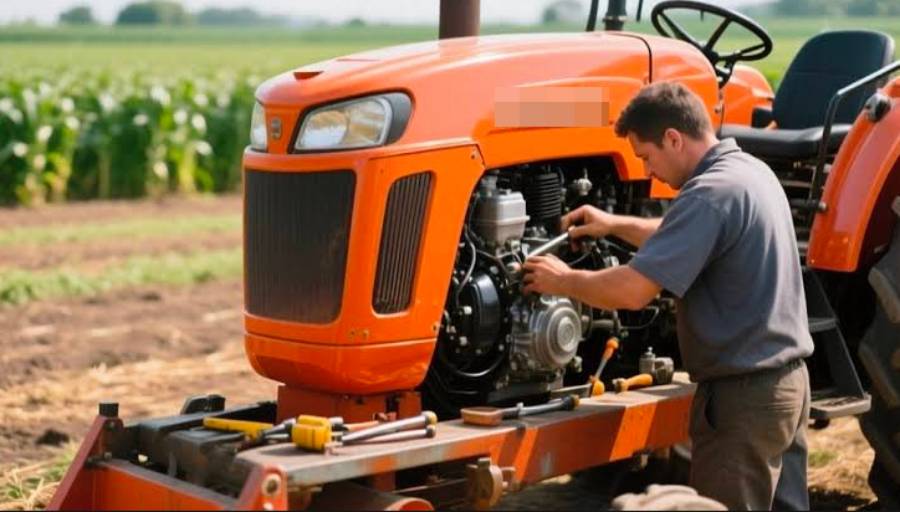
How Do You Regenerate a Kubota Tractor?
To regenerate a Kubota tractor equipped with a diesel particulate filter (DPF), allow automatic regeneration to complete during normal operation or perform parked regeneration when the tractor requests it. The correct method depends on the Kubota model, engine operating conditions, and regeneration warning indicators. Regeneration removes accumulated soot from the DPF by increasing exhaust temperatures, helping maintain proper exhaust flow and engine performance.
There are two primary regeneration methods used on DPF-equipped Kubota tractors:
- Automatic regeneration: The tractor’s engine control system initiates DPF cleaning when operating conditions are suitable. The operator generally continues working while monitoring the regeneration indicator and following the model’s operating instructions.
- Parked regeneration: The operator parks the tractor in a safe outdoor location and initiates a stationary cleaning cycle when requested by the system. This process requires specific operating conditions and activation steps defined in the tractor’s operator’s manual.
Before regenerating a Kubota tractor, check the dashboard indicators, engine operating temperature, and regeneration status. For parked regeneration, ensure the tractor is away from dry grass, combustible materials, and enclosed spaces because exhaust temperatures become extremely high during the cleaning process. Depending on the model, the parking brake, PTO, transmission controls, and engine speed must meet specific requirements before regeneration can begin.
The regeneration indicator helps determine whether the tractor is performing automatic cleaning or requesting operator intervention. A parked regeneration warning should be addressed according to the operator’s manual rather than repeatedly ignored. If the tractor displays an engine fault, severe DPF warning, or reduced-power condition, additional diagnostics or authorized Kubota service may be required.
How Do You Perform Automatic Regeneration on a Kubota Tractor?
Automatic regeneration on a Kubota tractor occurs when the engine control system raises exhaust temperatures to burn accumulated soot inside the DPF while the tractor operates. On models supporting this function, the operator generally does not need to stop the tractor or manually initiate the process. The system monitors operating conditions and activates regeneration when its programmed requirements are satisfied.
To complete automatic regeneration, follow these steps:
- Check the regeneration indicator. Identify whether the dashboard shows an active regeneration cycle, a regeneration request, or a warning requiring a different procedure. Indicator symbols vary between Kubota models.
- Continue operating the tractor. Maintain suitable engine operating conditions according to the operator’s manual. Normal work at an appropriate engine load can support the exhaust temperatures required for regeneration.
- Avoid unnecessary interruptions. Do not repeatedly shut down the engine or activate regeneration inhibition while cleaning is underway unless safety or operating conditions require it.
- Monitor the dashboard. Observe the regeneration indicator and any additional warnings. Follow the operator’s manual if the system requests parked regeneration or displays a fault.
- Confirm regeneration completion. Check that the active regeneration indication has cleared or changed to the normal operating state specified for the tractor model.
During automatic regeneration, the engine control unit manages exhaust temperature through the emissions control system. The elevated temperature oxidizes trapped soot inside the DPF, reducing particulate accumulation without requiring the operator to remove or manually clean the filter.
Automatic regeneration duration varies according to engine load, exhaust temperature, soot accumulation, and tractor model. Prolonged idling, repeated short operating periods, and frequent interruptions can prevent the system from completing regeneration efficiently. If automatic regeneration repeatedly fails or the tractor requests parked regeneration, follow the model-specific procedure instead of attempting to force the cleaning cycle.
How Do You Perform Parked Regeneration on a Kubota Tractor?
To perform parked regeneration on a Kubota tractor, park the tractor in a safe outdoor location, meet the required engine and control settings, and activate the parked regeneration switch according to the operator’s manual. This procedure allows the diesel particulate filter (DPF) to burn accumulated soot while the tractor remains stationary. The exact activation sequence varies between Kubota models, including the L, M, and MX series.
Parked regeneration is required when the tractor’s emissions control system determines that DPF cleaning cannot be completed through normal operation or when a specific regeneration request appears on the instrument panel. During the process, the engine control unit increases exhaust temperatures and may automatically adjust engine speed to remove soot from the filter. Operators must complete the required preparation steps before initiating the cycle.
How Do You Prepare a Kubota Tractor for Parked Regeneration?
Preparing a Kubota tractor for parked regeneration involves selecting a safe location, securing the tractor, and confirming that the engine and control settings meet the manufacturer’s requirements. Exhaust components become extremely hot during regeneration, creating a fire hazard near dry vegetation, fuel, or other combustible materials.
Follow these preparation steps:
- Park the tractor outdoors on firm, level ground away from buildings, dry grass, stored fuel, and combustible materials.
- Apply the parking brake and place the transmission or travel controls in the required neutral or park position.
- Disengage the power take-off (PTO) and lower attached implements to a safe position.
- Check the engine temperature and allow the engine to reach the operating condition specified in the operator’s manual.
- Inspect the dashboard indicators to confirm that parked regeneration is requested and that no fault prevents the process.
Do not begin parked regeneration inside a garage, barn, or enclosed workshop. The process produces high exhaust temperatures and diesel exhaust gases, making proper ventilation and clearance essential.
How Do You Start Parked Regeneration on a Kubota Tractor?
To start parked regeneration, use the tractor’s designated regeneration controls after all required operating conditions have been satisfied. Kubota models differ in their switch layouts, indicator behavior, and activation requirements, so the operator’s manual must determine the exact sequence.
The general activation procedure includes five steps:
- Confirm the parked regeneration request. Check the instrument panel for the indicator that requires stationary DPF cleaning.
- Verify the tractor’s control settings. Ensure the parking brake, transmission, PTO, and engine controls are in the positions specified for the model.
- Locate the parked regeneration switch. Identify the correct control using the tractor’s operator’s manual rather than assuming that all Kubota regeneration switches perform the same function.
- Activate parked regeneration. Operate the designated switch using the model-specific instructions. Some models require the switch to be held for a specified period.
- Monitor the regeneration process. Observe the dashboard and engine operation while the system manages exhaust temperature and engine speed.
Once regeneration begins, the engine may increase its RPM automatically to generate the exhaust heat needed for soot oxidation. Avoid adjusting engine controls, engaging the PTO, or moving the tractor during the cycle unless the operator’s manual instructs otherwise.
Remain available to monitor the tractor throughout parked regeneration. If an abnormal warning, exhaust-system hazard, or unsafe operating condition occurs, follow the manufacturer’s shutdown and fault-handling instructions.
How Do You Know When Parked Regeneration Is Complete?
Parked regeneration is complete when the tractor’s control system ends the cleaning cycle and the relevant regeneration indicators return to their specified normal state. The engine may also return from its elevated regeneration speed to normal idle, depending on the model.
Three indicators help operators recognize completion:
- Regeneration indicator: The active regeneration light turns off or changes to the completion state specified in the operator’s manual.
- Engine speed: The engine returns to its normal operating speed after the control system finishes the regeneration cycle.
- Dashboard status: The parked regeneration request clears without additional DPF or engine fault warnings.
Check the instrument panel before returning to normal operation. If the parked regeneration warning remains active, the process may have been interrupted, the required conditions may not have been maintained, or the emissions system may require additional diagnostics.
Allow hot exhaust components to cool before performing inspections or maintenance. Never touch the DPF housing or exhaust piping immediately after regeneration because these components can retain substantial heat.
If parked regeneration repeatedly fails, record the displayed warning indicators or diagnostic codes and consult an authorized Kubota service technician. Repeated attempts without identifying the underlying problem can delay necessary repairs and allow excessive soot accumulation.
How Long Does Kubota Tractor Regeneration Take?
Kubota tractor DPF regeneration generally takes approximately 20–40 minutes for a parked regeneration cycle, although the actual duration depends on the tractor model, soot accumulation, engine temperature, and operating conditions. Automatic regeneration has no universal completion time because it occurs during normal tractor operation and depends on the exhaust temperatures maintained by the engine.
Four factors influence how long Kubota tractor regeneration takes:
- DPF soot accumulation: A filter containing more accumulated soot may require a longer cleaning cycle or additional service if soot loading exceeds the system’s regeneration limits.
- Engine operating temperature: The engine and exhaust system must reach suitable temperatures for effective soot oxidation. A cold engine may require additional warm-up time before regeneration can begin.
- Engine load and RPM: During automatic regeneration, suitable engine loads help maintain the exhaust temperatures required for cleaning. Parked regeneration uses an engine speed controlled by the tractor’s regeneration system.
- Regeneration type: Automatic regeneration takes place while the tractor operates, whereas parked regeneration follows a stationary cleaning cycle with specific operating requirements.
For example, a Kubota tractor performing light-duty work with frequent idling may experience different regeneration conditions than one operating continuously under moderate engine load. The difference occurs because engine workload influences exhaust temperature and the rate at which soot accumulates inside the DPF.
Operators should monitor the regeneration indicator rather than relying exclusively on elapsed time. The 20–40-minute range is a general estimate, not a guaranteed specification for every Kubota model. If regeneration continues significantly longer than the duration specified in the operator’s manual, check for warning indicators or conditions preventing completion.
Can You Stop a Kubota Tractor During Regeneration?
You can stop a Kubota tractor during regeneration when necessary, but interrupting an active DPF cleaning cycle should be avoided unless safety or operating conditions require it. Shutting down the engine before regeneration finishes can leave soot inside the diesel particulate filter, potentially causing the system to request another regeneration cycle.
During automatic regeneration, the engine control unit manages exhaust temperature to oxidize trapped soot. Turning off the engine stops the exhaust heat needed for this process. Depending on the Kubota model and remaining soot level, the control system may attempt regeneration again after the engine restarts and the required operating conditions are restored.
Repeated regeneration interruptions can contribute to three operating problems:
- Incomplete soot removal: The DPF retains soot that would otherwise be oxidized during a completed regeneration cycle.
- More frequent regeneration requests: The control system may initiate additional cleaning cycles when soot accumulation remains above its programmed threshold.
- DPF-related warnings: Continued soot accumulation can eventually trigger parked regeneration requests, engine power restrictions, or service requirements.
Parked regeneration should generally continue until the tractor indicates that the cleaning cycle has finished. Do not move the tractor, engage implements, or alter the required control settings while the stationary procedure is active.
However, safety takes priority over regeneration completion. Stop the process according to the operator’s manual if a fire hazard, abnormal engine behavior, or another unsafe condition develops. If the tractor must be shut down during regeneration, follow the manufacturer’s instructions for safely interrupting the cycle.
After an interruption, check the instrument panel before resuming normal operation. If the tractor requests regeneration again, complete the appropriate procedure under safe conditions. If warning lights persist or the engine enters a reduced-power mode, consult the Kubota operator’s manual or an authorized service technician rather than repeatedly attempting regeneration.
Why Is My Kubota Tractor Not Regenerating?
A Kubota tractor may fail to regenerate because the required operating conditions are not met, regeneration has been inhibited, or the diesel particulate filter (DPF) system has detected a fault. The engine control unit monitors several operating parameters before allowing regeneration to begin. If a required condition is missing, the system may delay automatic regeneration or prevent parked regeneration from starting.
Five potential causes of Kubota tractor regeneration problems include:
- Insufficient engine temperature: The engine or exhaust system has not reached the temperature required to initiate regeneration. Allowing the engine to warm up according to the operator’s manual may resolve this condition.
- Incorrect tractor control settings: Parked regeneration may not start when the parking brake, PTO, transmission, or engine controls are not in the required positions. The specific interlocks depend on the Kubota model.
- Regeneration inhibition: Some Kubota tractors have a regeneration inhibit function that prevents automatic cleaning while activated. Check the dashboard and switch settings to determine whether regeneration has been disabled.
- Excessive DPF soot accumulation: A heavily loaded DPF may exceed the soot threshold at which the engine control system permits ordinary regeneration. This condition can require diagnostic equipment or professional service.
- Engine or emissions system faults: Problems involving exhaust temperature sensors, differential pressure sensors, or other engine management components can interfere with regeneration. Diagnostic trouble codes help technicians identify the affected system.
For example, a Kubota tractor requesting parked regeneration may refuse to start the cycle when the PTO remains engaged or the parking brake is not applied, depending on the model. Correcting the control settings allows the engine control unit to reassess whether the required regeneration conditions have been satisfied.
If regeneration does not begin, first identify the warning indicators and verify the operating requirements in the tractor’s operator’s manual. Do not repeatedly activate the regeneration switch when the dashboard displays an unresolved engine fault. If the problem continues after the required conditions have been confirmed, contact an authorized Kubota service technician for DPF and engine control system diagnostics.
What Do Kubota Tractor Regeneration Warning Lights Mean?
Kubota tractor regeneration warning lights indicate the status of DPF cleaning, whether operator action is required, or whether the emissions system has detected a problem. The meaning of each indicator depends on the tractor model and instrument panel configuration. Operators should identify the displayed symbol using the model-specific operator’s manual before starting or interrupting regeneration.
The following table summarizes common regeneration indicator functions found on DPF-equipped Kubota tractors.
| Warning Indicator | Meaning | Recommended Action |
|---|---|---|
| Regeneration indicator | Indicates an active regeneration process or regeneration-related status, depending on the model | Follow the dashboard instructions and allow the required process to complete |
| Parked regeneration request | Indicates that stationary DPF regeneration is required | Park safely and follow the model-specific parked regeneration procedure |
| Regeneration inhibit indicator | Indicates that automatic regeneration has been inhibited on models equipped with this function | Check the inhibit switch and operating instructions |
| DPF warning indicator | Indicates a DPF-related condition that may require operator action or service | Identify the warning level and follow the operator’s manual |
| Engine warning light | Indicates an engine management or emissions system fault | Check available diagnostic information and obtain service when required |
A regeneration status light does not necessarily indicate a mechanical failure. During normal automatic regeneration, the instrument panel may display an indicator while the engine control unit raises exhaust temperatures to remove accumulated soot. The indicator changes or turns off when the cleaning process finishes, according to the tractor’s display system.
A parked regeneration request requires more direct operator involvement. It indicates that the tractor needs a stationary cleaning procedure rather than continued operation under the current conditions. Ignoring repeated requests can allow soot accumulation to increase and may eventually result in engine power restrictions or additional service requirements.
A DPF warning accompanied by an engine fault indicator requires particular attention. The tractor may have reached a soot-loading threshold or detected a malfunction that prevents normal regeneration. The operator should consult the model-specific warning instructions rather than assuming that another regeneration attempt will resolve the problem.
Because Kubota uses different instrument panels and regeneration controls across its tractor models, the exact warning symbols, colors, flashing patterns, and required responses must be verified against the applicable operator’s manual.
Read more: How to Start a Kubota Tractor: Step-by-Step Guide
How Often Does a Kubota Tractor Need DPF Regeneration?
A Kubota tractor typically requires DPF regeneration after sufficient soot accumulates in its diesel particulate filter, rather than at a fixed operating-hour interval. Regeneration frequency depends on the tractor model, engine workload, operating temperature, and driving or working conditions. The engine control unit monitors the emissions system and initiates regeneration when the programmed conditions are met.
Four factors influence how frequently a Kubota tractor needs DPF regeneration:
- Engine workload: Tractors operating under sustained, appropriate engine loads generally maintain higher exhaust temperatures than tractors performing prolonged low-load work. These conditions influence soot accumulation and the ability to complete regeneration.
- Idling duration: Extended idling produces relatively low exhaust temperatures and can contribute to soot accumulation. Frequent idling may also reduce opportunities for automatic regeneration to complete.
- Operating patterns: Repeated short operating periods and frequent engine shutdowns can interrupt regeneration cycles. Continuous operation under suitable conditions provides more opportunities for the DPF cleaning process to finish.
- Engine maintenance: Restricted air filters, incorrect engine oil, fuel system problems, and other combustion-related issues can increase particulate production or interfere with proper emissions system operation.
For example, a Kubota tractor used for continuous fieldwork under moderate engine load may experience different regeneration intervals than the same model used primarily for short trips and extended idling. The difference results from changes in exhaust temperature, engine operating conditions, and soot production.
Regeneration frequency should be evaluated against the operating guidance for the specific Kubota model. A regeneration cycle is not automatically evidence of a malfunction because DPF cleaning is a normal function of the emissions control system. However, repeated regeneration requests shortly after completed cycles, persistent DPF warnings, or reduced engine power may indicate a maintenance or emissions system problem requiring diagnosis.
How Can You Reduce Frequent Regeneration on a Kubota Tractor?
You can reduce unnecessary DPF regeneration on a Kubota tractor by maintaining proper engine operating conditions, using manufacturer-approved fluids, and preventing problems that increase soot accumulation. Effective preventive maintenance supports cleaner combustion and allows the diesel particulate filter to complete its normal regeneration cycles.
Five maintenance and operating practices help support proper DPF operation:
- Use the correct diesel fuel. Follow Kubota’s fuel specifications, including applicable ultra-low-sulfur diesel requirements for DPF-equipped engines. Incorrect fuel can damage emissions control components and interfere with their intended operation.
- Choose approved engine oil. Use engine oil that meets the viscosity and emissions-system compatibility requirements in the tractor’s operator’s manual. Inappropriate oil formulations can contribute to noncombustible ash accumulation inside the DPF.
- Maintain the engine air filter. Inspect and service the air intake system according to Kubota’s maintenance schedule. A restricted air filter can affect combustion performance and contribute to excessive particulate production.
- Avoid unnecessary extended idling. Operate the tractor under appropriate working conditions rather than allowing it to idle for prolonged periods without a specific operational need. Suitable engine loads help maintain exhaust temperatures that support regeneration.
- Complete regeneration when requested. Allow automatic regeneration to finish when conditions permit and perform parked regeneration when the tractor requires it. Repeatedly interrupting cleaning cycles can leave soot inside the filter and trigger additional regeneration requests.
DPF maintenance also requires distinguishing between soot and ash. Regeneration burns accumulated soot, but it does not eliminate the noncombustible ash that gradually collects inside the filter. Ash originates partly from engine oil additives and other inorganic residues. When ash accumulation reaches the manufacturer’s service limit, professional DPF cleaning or replacement may be necessary.
For example, a tractor that repeatedly requests regeneration despite completing normal cleaning cycles may have an underlying engine, sensor, or DPF restriction problem. Continuing to regenerate without identifying the cause does not correct excessive ash accumulation or defective emissions system components.
Follow the Kubota maintenance schedule for engine oil changes, air filter servicing, fuel system inspections, and DPF-related maintenance. If regeneration frequency increases unexpectedly, record the tractor’s operating hours, warning indicators, and regeneration history before requesting professional diagnostics. These details help a service technician distinguish normal soot management from an engine or emissions system malfunction.